
• This forum is the machine-generated translation of www.cad3d.it/forum1 - the Italian design community. Several terms are not translated correctly.

insert cc components in file parts

  • Thread starter Thread starter Tarkus
  • Start date Start date

Tarkus

Guest
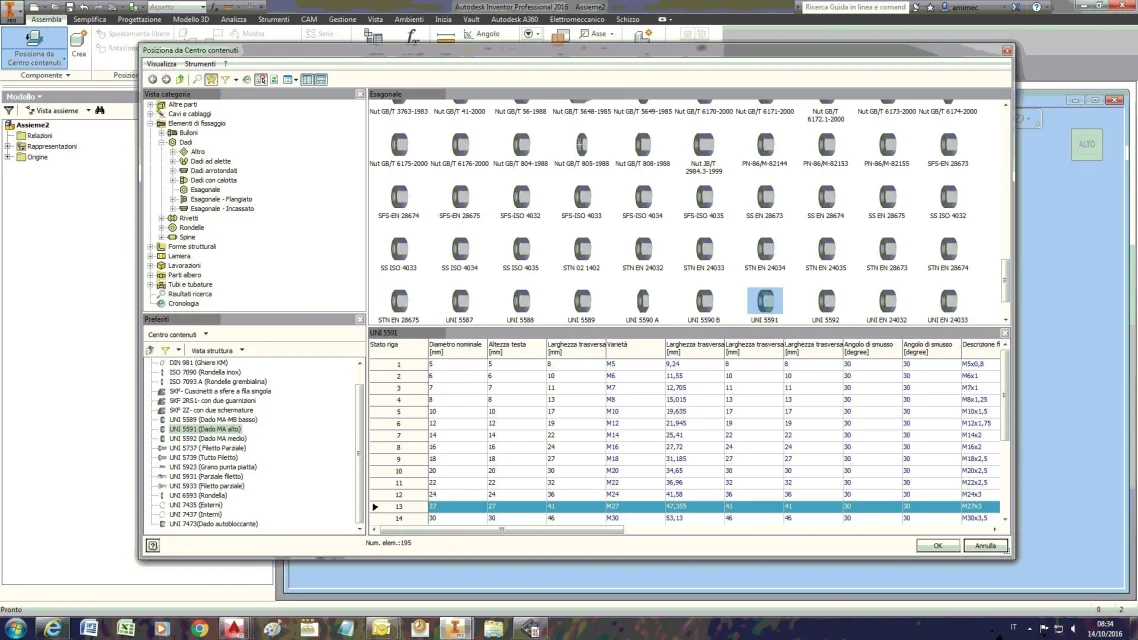
as from title,
If I have to create a particular, for example a modified dice starting from a nut present in the cc, I open a set I insert the component from cc and save, then I go to the folder where the cc components are savaged, I copy it, I take it to the project folder of the component that I will have to change.
Perhaps it is a trivial question, but am I doing a fishing trip or can a cc component be derived directly from the environment part?
 
as from title,
If I have to create a particular, for example a modified dice starting from a nut present in the cc, I open a set I insert the component from cc and save, then I go to the folder where the cc components are savaged, I copy it, I take it to the project folder of the component that I will have to change.
Perhaps it is a trivial question, but am I doing a fishing trip or can a cc component be derived directly from the environment part?
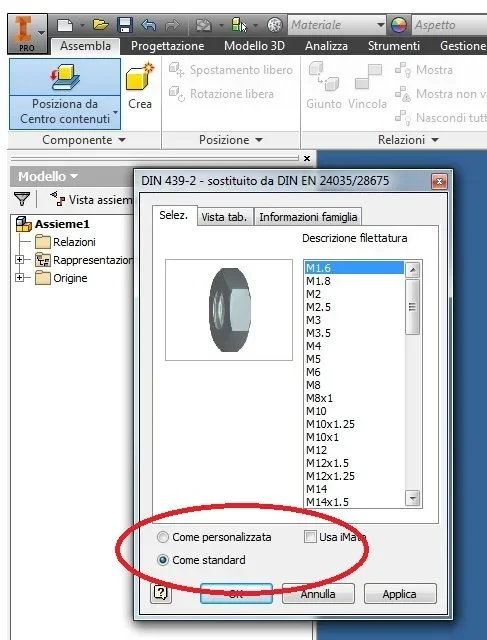
if I understand the problem well I would say that you can save the nut as a custom part (lower options, right above the ok/nail keys in the cc input window) saving you a couple of steps, but always in the environment together (in order to have at your disposal the command "place from the contained center")
 
when you place any part of the center contained, in the window opening put the flag on "as custom" where you choose the size. At this point you save it with the name you want, where you want and it's a normal ipt that you can turn back as you want.
Hi.
 
if I understand the problem well I would say that you can save the nut as a custom part (lower options, right above the ok/nail keys in the cc input window) saving you a couple of steps, but always in the environment together (in order to have at your disposal the command "place from the contained center")
I didn't read the answer well. .
 
Forgive me, but I can't locate the options button,subito over the commands ok/nothing, I don't see it.
but is it in the window of the cc?
 
or I'm blind or stunned, I don't see it...
 

Attachments

  • Finestra CC.webp
    Finestra CC.webp
    184.5 KB · Views: 2
Okay, I was looking for him in the wrong window, I'd say two of them, I'm gonna try more on the rink. :36_1_14:
 

Forum statistics

Threads
44,997
Messages
339,767
Members
4
Latest member
ibt

Members online

No members online now.
Back
Top