Fede_2993
Guest
Bye to all,
I am a student at the University of Engineering of Trent (graduate course in building engineering/architecture) of the year
I have a problem with autocad, in the sense that I would like to insert a raster image (which I have previously straightened) in my 3d model. It's okay. my photograph is the prospect of a house and the windows fall from the facade floor of about 40 cm.. As it is a 3d model, I would like to create two floors, on one of which (the front one) will stand the image of the facade without the windows, on the other (back) there will be pictures of the 4 windows.
I tried in these ways:
1. imageclip: I can only cut out the outline of the photo, no crop inside the photo (so I can cut out the edges of the prospectus, but do not make "holes" within the image itself.
2. import a modified jpg with photoshop where I gate the windows. unfortunately autocad inserts me a rectangular photo where what I deleted replaces it with a white background ("situation 1")
3. import a pdf where I delete the windows. the result is that shown in photo! (situation 2)
How can I solve this? I attach various images of the project!
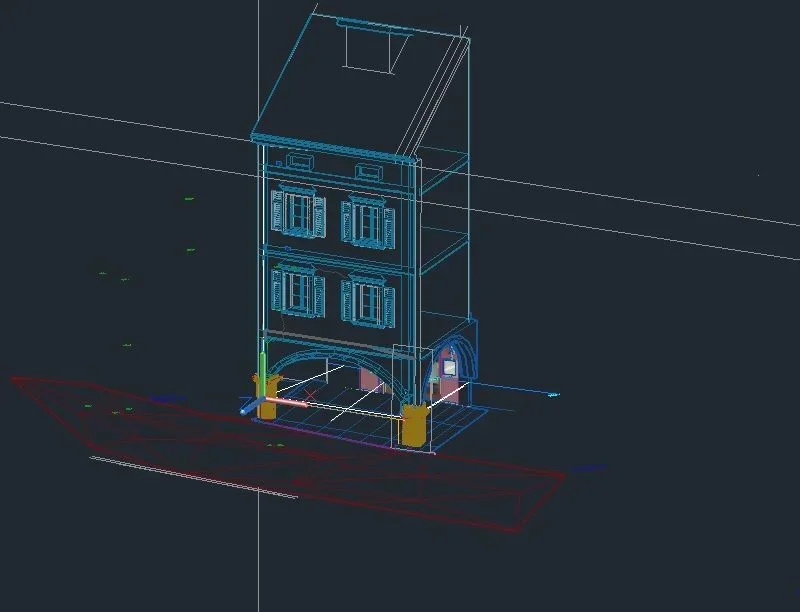
- initial situation: the model 3d
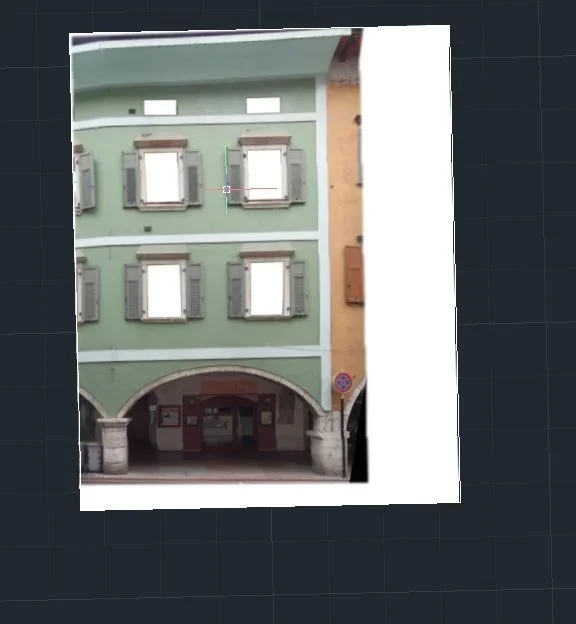
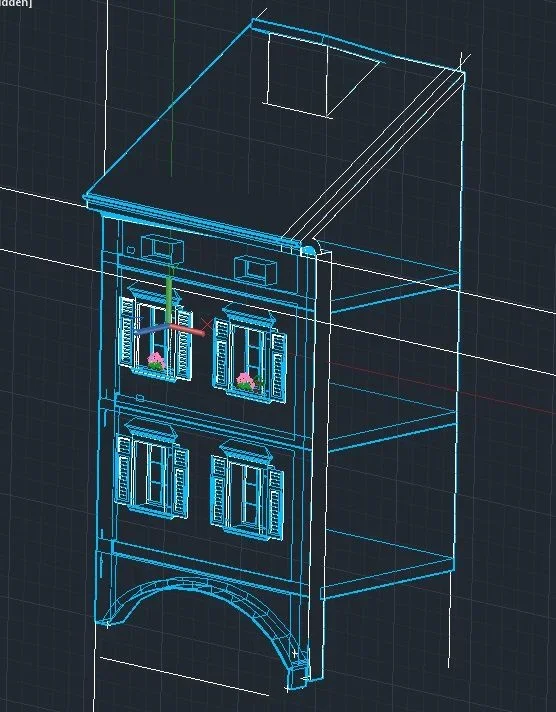 -situation 1: Modified raster on photoshop removing windows (only that autocad fills everything with a white background)
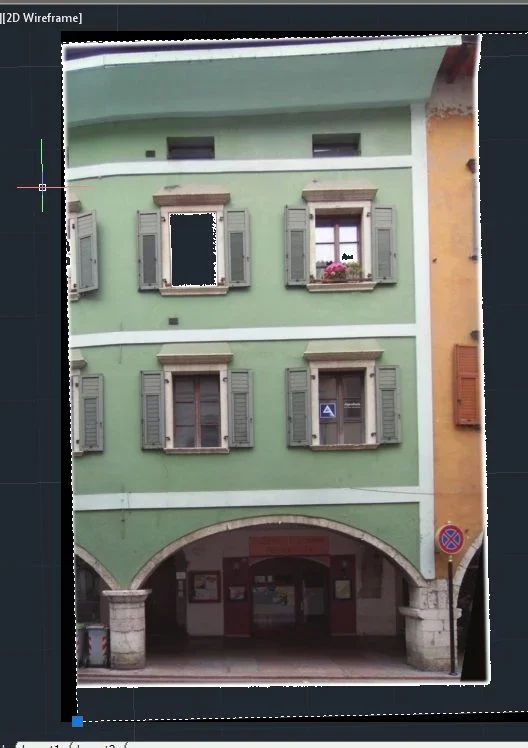
 -situation 2: pdf of the same modified raster image of the "situation 1" imported on autocad. at the edges cut out with "retangle" tool (the window) adds to me white pixels that disturb not little!
 Thank you very much to those who will answer!
Hi.
I am a student at the University of Engineering of Trent (graduate course in building engineering/architecture) of the year
I have a problem with autocad, in the sense that I would like to insert a raster image (which I have previously straightened) in my 3d model. It's okay. my photograph is the prospect of a house and the windows fall from the facade floor of about 40 cm.. As it is a 3d model, I would like to create two floors, on one of which (the front one) will stand the image of the facade without the windows, on the other (back) there will be pictures of the 4 windows.
I tried in these ways:
1. imageclip: I can only cut out the outline of the photo, no crop inside the photo (so I can cut out the edges of the prospectus, but do not make "holes" within the image itself.
2. import a modified jpg with photoshop where I gate the windows. unfortunately autocad inserts me a rectangular photo where what I deleted replaces it with a white background ("situation 1")
3. import a pdf where I delete the windows. the result is that shown in photo! (situation 2)
How can I solve this? I attach various images of the project!
- initial situation: the model 3d
-situation 1: Modified raster on photoshop removing windows (only that autocad fills everything with a white background)-situation 2: pdf of the same modified raster image of the "situation 1" imported on autocad. at the edges cut out with "retangle" tool (the window) adds to me white pixels that disturb not little!Thank you very much to those who will answer!Hi.
Last edited by a moderator: