deep70
Guest
Hello everyone,
I premetto che autocad has for a century that I do not use it for several mainly working reasons, I still find myself with this problem.
a client asks me to make a meal with inventor, using the cartilages that generated in pprecedence with autocad, now the problem is that when I load on inventor this blessed file.iwd the sheet appears completely white, I tried to open it with autocad and also the same thing, you absolutely see nothing, when I think there is something stuck in the layers on autocad. but unfortunately I can not unlock or perform any operations in the layers.
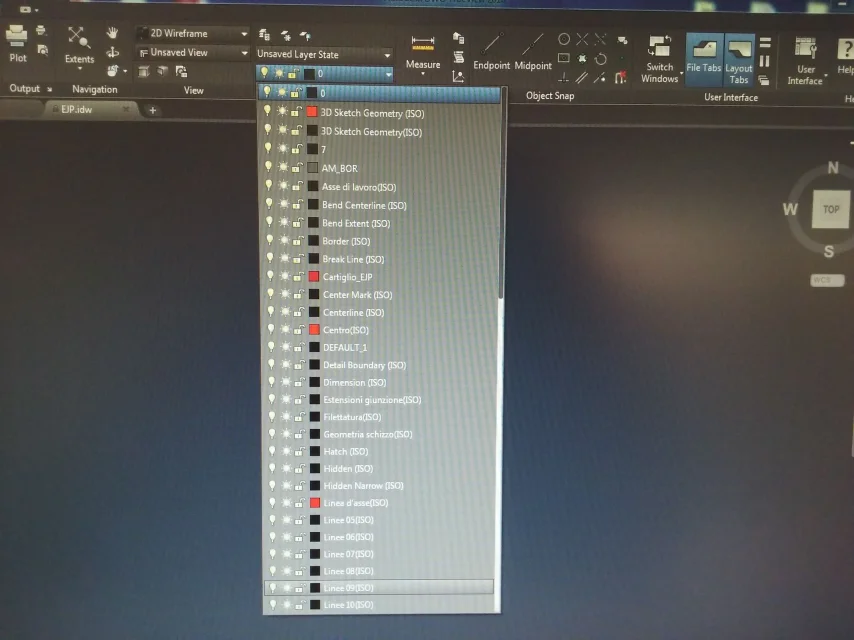
In the photo I posted I used trueview, I guess it's the same thing from the layer point of view... I apologize for the bad quality of the photo but I'm out of office, I hope someone can give me some tips.. I entrust myself to you gurus of autocad.
thanks to all for any answers and good work/day to all.
I premetto che autocad has for a century that I do not use it for several mainly working reasons, I still find myself with this problem.
a client asks me to make a meal with inventor, using the cartilages that generated in pprecedence with autocad, now the problem is that when I load on inventor this blessed file.iwd the sheet appears completely white, I tried to open it with autocad and also the same thing, you absolutely see nothing, when I think there is something stuck in the layers on autocad. but unfortunately I can not unlock or perform any operations in the layers.
In the photo I posted I used trueview, I guess it's the same thing from the layer point of view... I apologize for the bad quality of the photo but I'm out of office, I hope someone can give me some tips.. I entrust myself to you gurus of autocad.
thanks to all for any answers and good work/day to all.