• This forum is the machine-generated translation of www.cad3d.it/forum1 - the Italian design community. Several terms are not translated correctly.

interrupted quotas on particular detail

  • Thread starter Thread starter deep70
  • Start date Start date

deep70

Guest
Hello everyone,
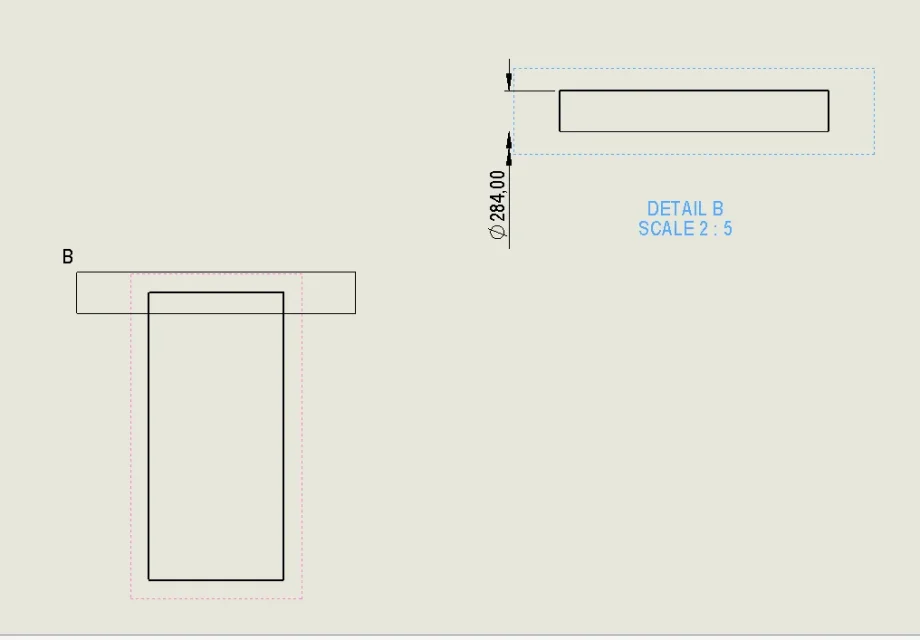
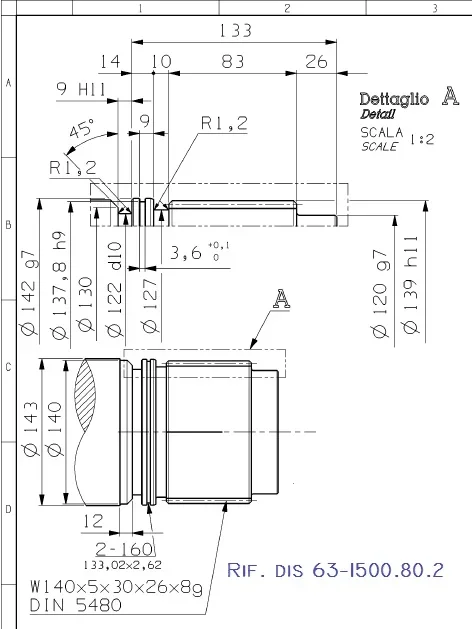
I would need to represent the quotation of diameters as reported in the image below (i.e. partial) is there a method dedicated to doing this in drawing environment? as always I thank everyone in advance for any given answers and good day to you.
1615982336380.webp
 
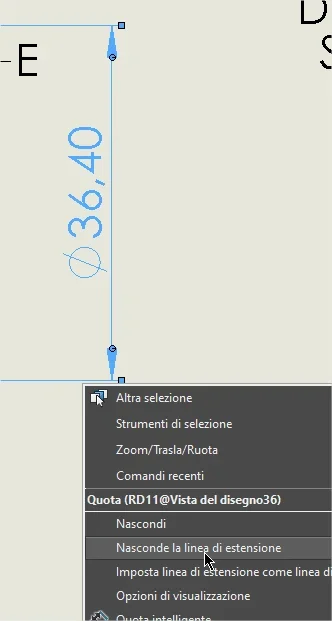
quoting normally the diameter
> hide extension line
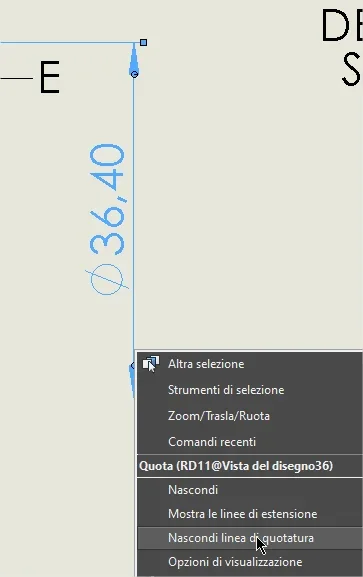
> hide quotation line
1615983266378.webp
1615983297133.webp
1615983311022.webp
 
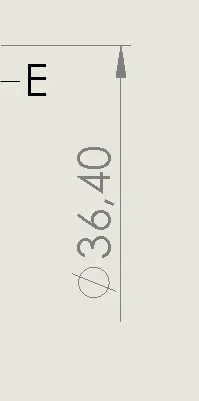
to quote a diameter elle views interrupted or whether it has the luck that selecting the shoulder edge return the quota (which then will have the symbol ø) or you have to play dirty drawing a sketch line at the axis and use it to quote through a diametrical edge and axis (will return the value of the radius that will be modified through the property manager of the quota)
as to the lines of the quota instead, you have to right-click both on the extension one and the quotation one and choose hide.
 
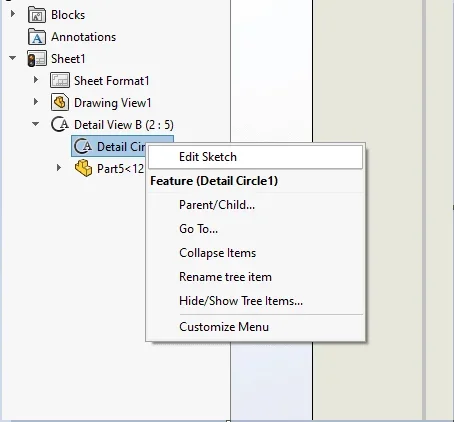
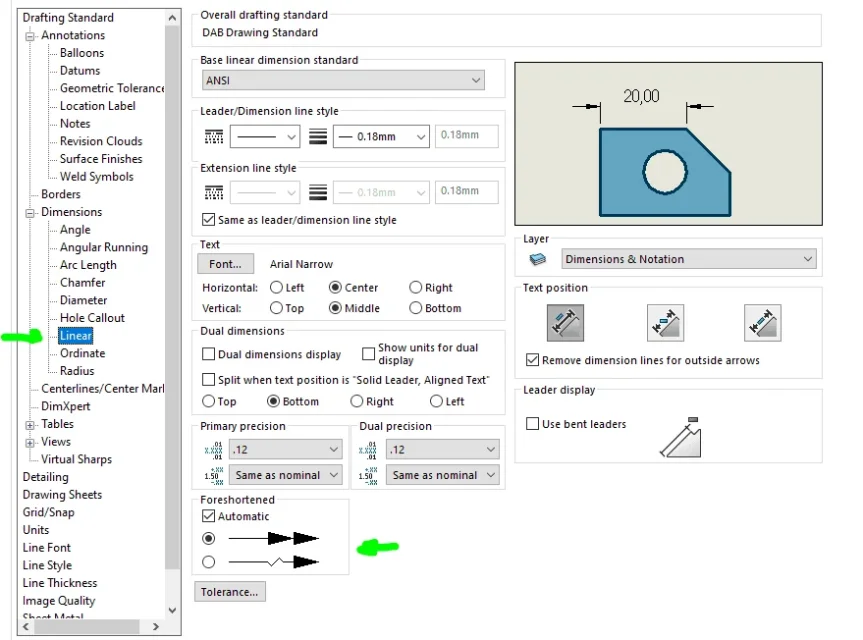
You need to change the sketch of detail.1615988183392.webp1615988100965.webpand then enter the odds normally... then you can change the arrows here:1615988399971.webp
 
You need to change the sketch of detail.
View attachment 61318and then enter the odds normally... then you can change the arrows here:
in your design where the axis is located? horizontal or vertical?
What does it have to change the definition sketch area detail?
you made an example that is unclear
 
in your design where the axis is located? horizontal or vertical?
What does it have to change the definition sketch area detail?
you made an example that is unclear
Sorry if I wasn't clear, cmq in the drawing that attached deep70 there is a detail with the interrupted quotas. Maybe I didn't realize what odds he wants.
 
Sorry if I wasn't clear, cmq in the drawing that attached deep70 there is a detail with the interrupted quotas. Maybe I didn't realize what odds he wants.
in your design you see a rectangle and without axis you do not understand how the diametric dimension is arranged.
deep70 asks how to quote a diametral dimensiopne in the case of interrupted detail, i.e. a detail in which you do not see entirely the diameter and therefore it is not possible to quote by selecting the edges, as in the upper view of its image.
 
you can gabbare solidworks by magnifying the size of the detail, so as to be able to select the 2 segments "horizontal" of the various diameters, reduce the size of the detail, and change the measures quoted by hiding the lines of extension and quotation as I indicated

Otherwise you can try to select the segment in the detail, and the one on the other side of the line of halfway on the main view .... if in the view of detail sw for some reason decide not to give us the measure, or to give us an incorrect measure (it happened to me sometimes)
 
in your design you see a rectangle and without axis you do not understand how the diametric dimension is arranged.
deep70 asks how to quote a diametral dimensiopne in the case of interrupted detail, i.e. a detail in which you do not see entirely the diameter and therefore it is not possible to quote by selecting the edges, as in the upper view of its image.
yes exactly as it says massive, I understand that it is not something that is very used but as in this case it would fit perfectly. .
 
I thank all for the answers and time spent for them, really nice and useful, I used the method recommended by mass as faster and less laborious (as usual everyone is in a hurry for everything).
Good evening to you and thank you very much again.
 

Forum statistics

Threads
44,997
Messages
339,767
Members
4
Latest member
ibt

Members online

No members online now.
Back
Top