
D4n13l
Guest
 Hello everyone
I've been using inventor 2018 for about two weeks, previously using inventor 2013, and I'm with a pretty boring problem.
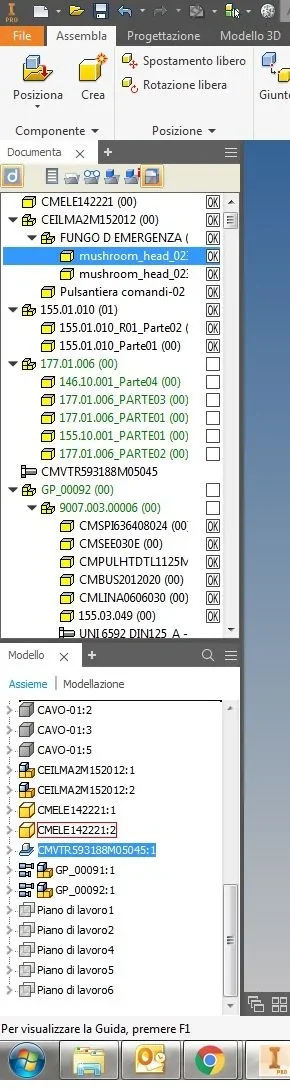
in the 2013 version in the model bar it was possible to move the components by dragging them up or down without any problem, now instead with the 2018 version I find unable to do this, the component is no longer possible to move it or better you can do it but only until the line displayed if I want to move it higher I have to enlarge the model bar.
as you see from the photo if I have to move the component (cmvtr... I can do it but up to the cable line-01:2 higher I can't move it because you can't run anymore)
Can anyone help me? do you know if autodesk is aware of this problem?
Thank you very much for your help