
• This forum is the machine-generated translation of www.cad3d.it/forum1 - the Italian design community. Several terms are not translated correctly.

inventor his combobox

  • Thread starter Thread starter reb_bl
  • Start date Start date

reb_bl

Guest
hi, in vba I am trying (for now without outcome) to let the material of the part select from a combobox put in a form to have everything grouped and save time and click.

materials are in a custom bookcase, but I doubt that is the problem.
Code:
public sub combomat_change()

    ' set a reference to the materials collection.
    dim omaterials as materials
    set omaterials = odoc.materials
        
    dim omaterial as material
    
    ' get the selected item
    dim omaterialname as string
    omaterialname = combomat.listitem(combomat.listindex)
    
    ' set a reference to the active part document
    dim odoc as partdocument
    set odoc = thisapplication.activedocument
    
    dim opartcompdef as partcomponentdefinition
    set opartcompdef = odoc.componentdefinition
    
    ' get the selected material
    dim omaterial as material
    set omaterial = odoc.materials.item(omaterialname)
    
    ' change the part material
    opartcompdef.material = omaterial

end sub
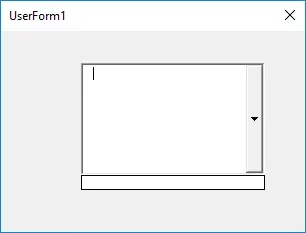
thanks to who will help me
 
some trivial changes and to me it works, you are on the right path;)
Of course, look at what's written in the combobox. .
Code:
public sub combomat_change()

    ' set a reference to the active part document
    dim odoc as partdocument
    set odoc = thisapplication.activedocument

    ' set a reference to the materials collection.
    dim omaterials as materials
    set omaterials = odoc.materials
        
    
    ' get the selected item
    dim omaterialname as string
    'omaterialname = combomat.listitem(combomat.listindex)
    omaterialname = "c40"
    
    dim opartcompdef as partcomponentdefinition
    set opartcompdef = odoc.componentdefinition
    
    ' get the selected material
    dim omaterial as material
    set omaterial = odoc.materials.item(omaterialname)
    
    ' change the part material
    opartcompdef.material = omaterial

end sub
 
some trivial changes and to me it works, you are on the right path;)
Of course, look at what's written in the combobox. .
Code:
public sub combomat_change()

    ' set a reference to the active part document
    dim odoc as partdocument
    set odoc = thisapplication.activedocument

    ' set a reference to the materials collection.
    dim omaterials as materials
    set omaterials = odoc.materials
       
   
    ' get the selected item
    dim omaterialname as string
    'omaterialname = combomat.listitem(combomat.listindex)
    omaterialname = "c40"
   
    dim opartcompdef as partcomponentdefinition
    set opartcompdef = odoc.componentdefinition
   
    ' get the selected material
    dim omaterial as material
    set omaterial = odoc.materials.item(omaterialname)
   
    ' change the part material
    opartcompdef.material = omaterial

end sub
Hello, catafract,
I tried your code, but it doesn't work (or at least not as I wanted it).
Actually rereading the post you also understand little what I wanted to get, I try to turn out better.
in the combobox that I hypothesized, I basically wanted to duplicate the menu of inventor materials, so I would need you to read the material of the part that is inserted and clicked on it you can choose one of the materials of the library.
reading the material of the part, it will not be a big problem, but popular combobox with the materials of the library, there I seize and I can no longer do anything.
 
' opart is already defined somewhere upstream... .
' myform.cmbmaterial is the combobox defined in your myform form (names to be adjusted )

dim omaterials as materials
set omaterials = opart.materials

dim omaterial as material
for each omaterial in omaterials
myform.cmbmaterial.additem (omaterial.name)
next omaterial
 
It is up to me that (giving the guilt to the flu maybe no one notices) the flu's fault is being found, stuff, base.
form: userform1
combobox: combobox1
Code:
public sub combobox1_change()

    dim opart as partdocument
    set opart = kpartdocumentobject

    dim omaterials as materials
    set omaterials = opart.materials

    dim omaterial as material
    for each omaterial in omaterials
    userform1.combobox1.additem (omaterial.name)
    next omaterial

end sub
1579018142369.webpobviously form launched with document part open below.

I'm convinced he's wrong with some stupidity, but I can't understand.
 
Code:
private sub userform_initialize()

    dim opart as partdocument
    set opart = thisapplication.activeeditdocument

    dim omaterials as materials
    set omaterials = opart.materials

    dim omaterial as material
    for each omaterial in omaterials
    userform1.combobox1.additem (omaterial.name)
    next omaterial

end sub
put the code to popular combobox inside to userform_initialize() so it activates when the form starts;
the
set opart = kpartdocumentobject
is the influence that attacks, I imagine;-)
the code how you did it only started to change the combobox

you can put these lines a little where you want, even activate them with the pressure of a key to the need; in the userform_initialize automatically turn to the opening of the form
 
Code:
private sub userform_initialize()

    dim opart as partdocument
    set opart = thisapplication.activeeditdocument

    dim omaterials as materials
    set omaterials = opart.materials

    dim omaterial as material
    for each omaterial in omaterials
    userform1.combobox1.additem (omaterial.name)
    next omaterial

end sub
put the code to popular combobox inside to userform_initialize() so it activates when the form starts;
the
set opart = kpartdocumentobject
is the influence that attacks, I imagine;-)
the code how you did it only started to change the combobox

you can put these lines a little where you want, even activate them with the pressure of a key to the need; in the userform_initialize automatically turn to the opening of the form
Thank you! was the problem of launching the form!

Code:
seven opart = kpartdocumentobject
it was to make it work only with the parts and not with the assemblies, otherwise it gets dark, I solved with the classic
Code:
on error resume next
first of all and away great!
 

Forum statistics

Threads
44,997
Messages
339,767
Members
4
Latest member
ibt

Members online

No members online now.
Back
Top