• This forum is the machine-generated translation of www.cad3d.it/forum1 - the Italian design community. Several terms are not translated correctly.

invisible edges

  • Thread starter Thread starter Ecathe
  • Start date Start date

Ecathe

Guest
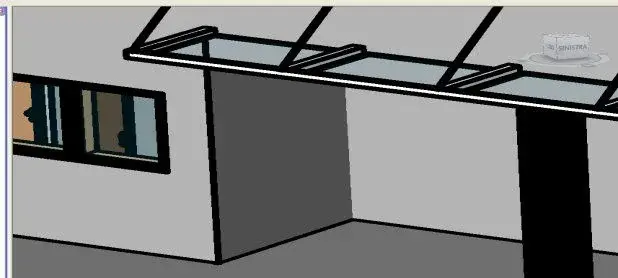
Hello everyone! I do not understand why in the 3d view of my building, some corners formed between two perpendicular walls are not represented by a line but seem on the same thread...in the sense: you can not see the line that delimites the end of a wall and the beginning of another...if however active the shadows, it shows me (as it is right that it is) a face of a light gray and the other darker... but always without the line of division! Why?
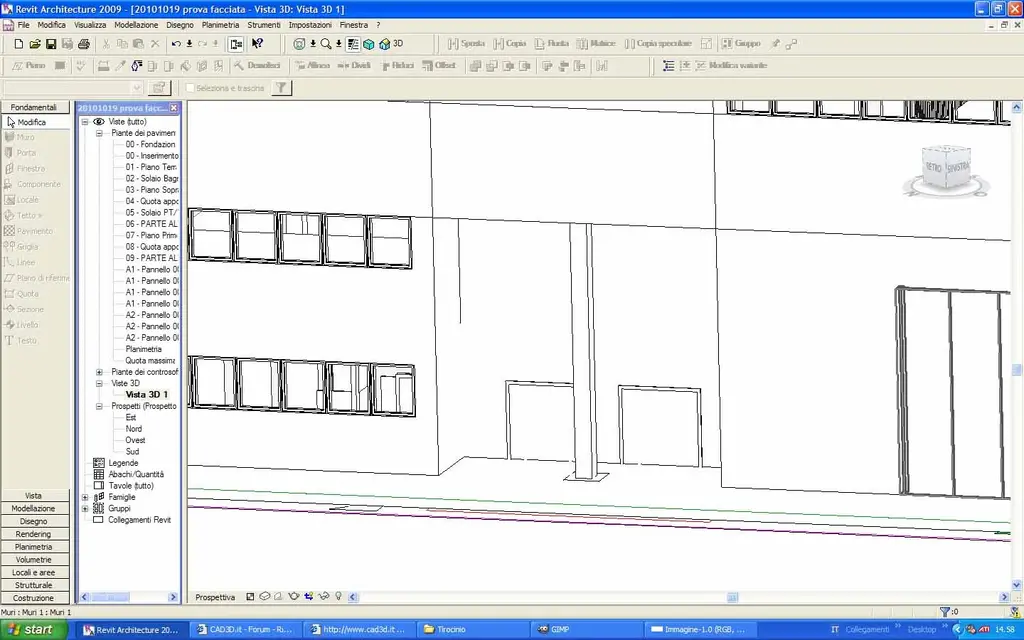
 
... sends an image, with the settings of the properties....
Hello, everyone! I apologize for the distance with which I place what requested but I work only 3 days a week and unfortunately I was home in sickness (dained influence).
I can't upload an image! cabbage tells me that you have to set the size to 620x280...so I put it in a archive rar...poi if someone explains how to do me a favor
for properties... what exactly do they need?
 

Attachments

  • Immagine.webp
    Immagine.webp
    103.3 KB · Views: 10
Last edited by a moderator:
the correct procedure to attach images is:
- select the "go advanced mode" button under the message edit picture, and then select the "adjoined management" button from which you can upload an image from the web, or from your pc.
the limits of the image to attach, are indicated in the table alongside each file type
 
Thank you so much!
What about those corners you don't see? what property do I have to post?
 
Do you mean the ones in the Pillar Reserve?
if the type of view is set correctly, it could be a scale problem.
in view 3d depending on the "positions" in a representation at full view of a large building, some lines are not displayed.
increases the view with an image of detail "more" and see what happens...
 
Last edited:
I had already tried that thinking it was just a visualization problem. . .invece no:frown:
I'll give you another view. ..this time in high detail, with own shadows and with very thick lines...so you understand to the flight where the line is missing
 

Attachments

  • Immagine.webp
    Immagine.webp
    14.7 KB · Views: 8
if it is a graphic problem, it can be the incorrect settings of the view : replacement graphic visibility > category walls... .
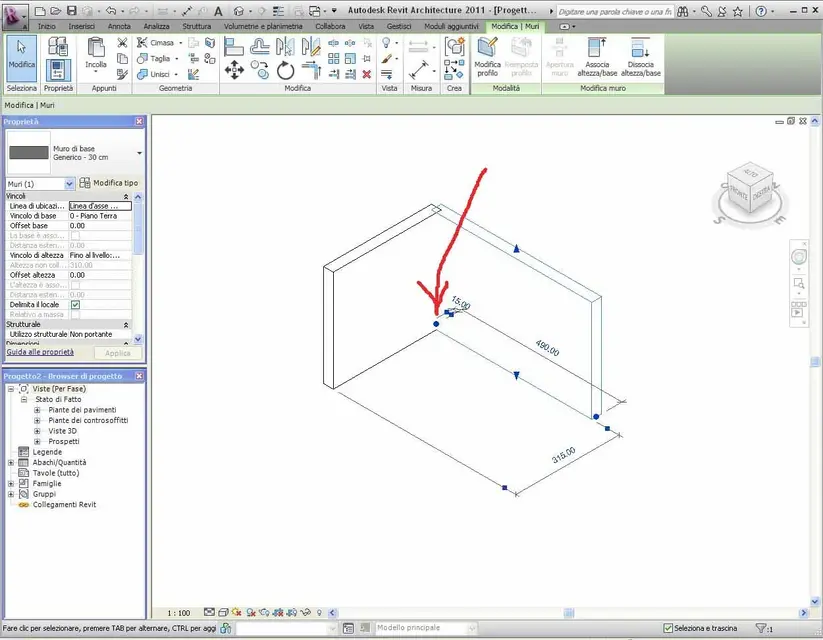
or the joint of the walls (check the blue ball to the intersection of the walls) is set to "impedite joint"
 
from view 3d by selecting the wall, one of the two, a blue ball appears to you at the intersection of the two walls: That's it.
 

Attachments

  • muro.webp
    muro.webp
    92.2 KB · Views: 8

Forum statistics

Threads
44,997
Messages
339,767
Members
4
Latest member
ibt

Members online

No members online now.
Back
Top