• This forum is the machine-generated translation of www.cad3d.it/forum1 - the Italian design community. Several terms are not translated correctly.

ipart together

  • Thread starter Thread starter Ing.filippo
  • Start date Start date

Ing.filippo

Guest
Bye to all,
I'm new to the forum. I can't find a solution to my problem.

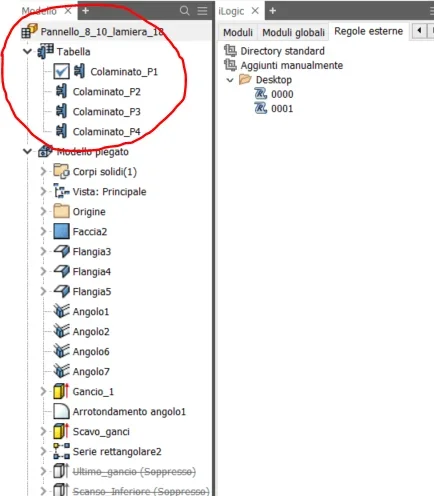
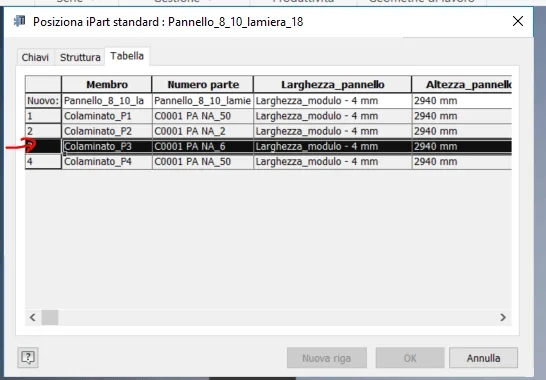
I created an ipart with so many different sizes. I need to import it into a set so that all the different types of iparts are generated automatically in the axieme and not selecting each time the different sizes and then inserting the model.

I think it's pretty simple as a solution but I couldn't get any results so far.

Thank you.
 

Attachments

  • Cattura 1.webp
    Cattura 1.webp
    19.7 KB · Views: 5
  • Cattura.webp
    Cattura.webp
    21.7 KB · Views: 5
Hi.
when you realize the new ipart, you can select the table and with the dx key select "genera file"
This creates a subfolder in the directory where the ipart resides, where it saves all the derived parts generated.

then you can insert all files from the destination axieme at the same time by running a multiple or "drag&drop" selection of all files to explore Windows resources
 
Hi.
I found this solution and it works. I was wondering if there was an automatism to improve this process, thus avoiding these steps. is the only solution in the programming of an ilogic rule according to you?
 
and would it be possible to change the part directly into the axieme with iassembly, according to the same parameters and method of the ipart? and then generate so many parts automatically in the axieme?

Thank you.
 
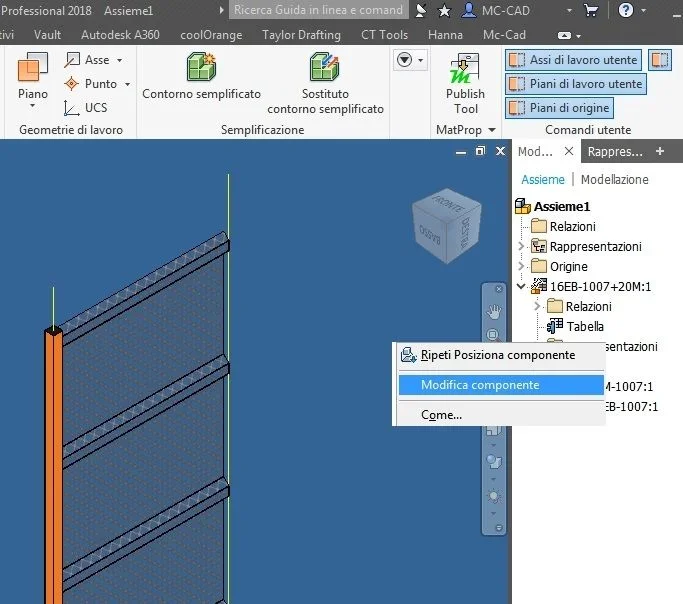
Sure, if you insert a iassembly into a set, just select the table from the browser from the axieme where you entered it and with the dx key select _foto__220.webp
 

Forum statistics

Threads
44,997
Messages
339,767
Members
4
Latest member
ibt

Members online

No members online now.
Back
Top