C_A_T
Guest
Hello everyone, I looked in the forum but found nothing about it, so I ask for help.
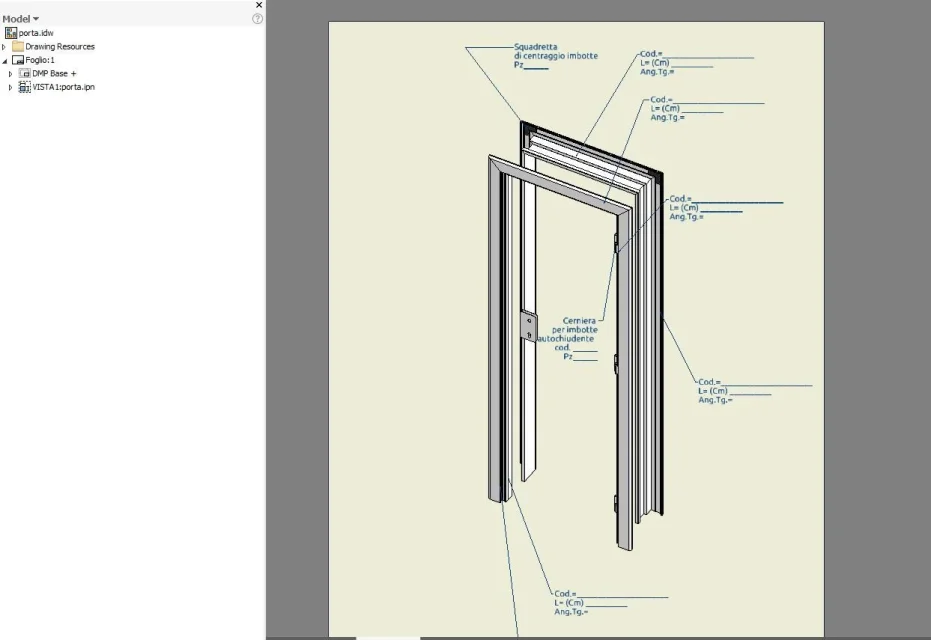
use inventor pro 2017 and I have to put on the table the explosion of a door with its components.
I created the explosive with the presentation file (file I use very little) and here I met the first difficulties:
1) How does automatic explosion create? (the previous versions had a special command, here I will make a mistake)
2) I don't have the explosive but I have the "mounted" door, what error do I make?
thank you in advance to those who will help me.
use inventor pro 2017 and I have to put on the table the explosion of a door with its components.
I created the explosive with the presentation file (file I use very little) and here I met the first difficulties:
1) How does automatic explosion create? (the previous versions had a special command, here I will make a mistake)
2) I don't have the explosive but I have the "mounted" door, what error do I make?
thank you in advance to those who will help me.