• This forum is the machine-generated translation of www.cad3d.it/forum1 - the Italian design community. Several terms are not translated correctly.

is it possible to change "part x" with other words to create a new file?

  • Thread starter Thread starter jenuary
  • Start date Start date

jenuary

Guest
Bye to all,
I wanted to understand if solidworks allows to change the text "part" with another custom text, this when creating a new part.
for example when we create a new part the software proposes "part1" if we have just started the session, and increases the progressive to the next parts; If you want to change the static text "part" with another text so that it automatically proposed to me, there is a set or text file that handles this thing.
I ask because often I happen to work with more users in the same project, I then find myself having to rename the parts before assiemare everything, otherwise they create conflicts; If, however, each user has its own initial code different from the others, this problem would not exist and I could verify the assiemato as many times as I want without risk.
consider not to use the pdm or macro.. .

Thank you.
 
you can change the name part as and when you want

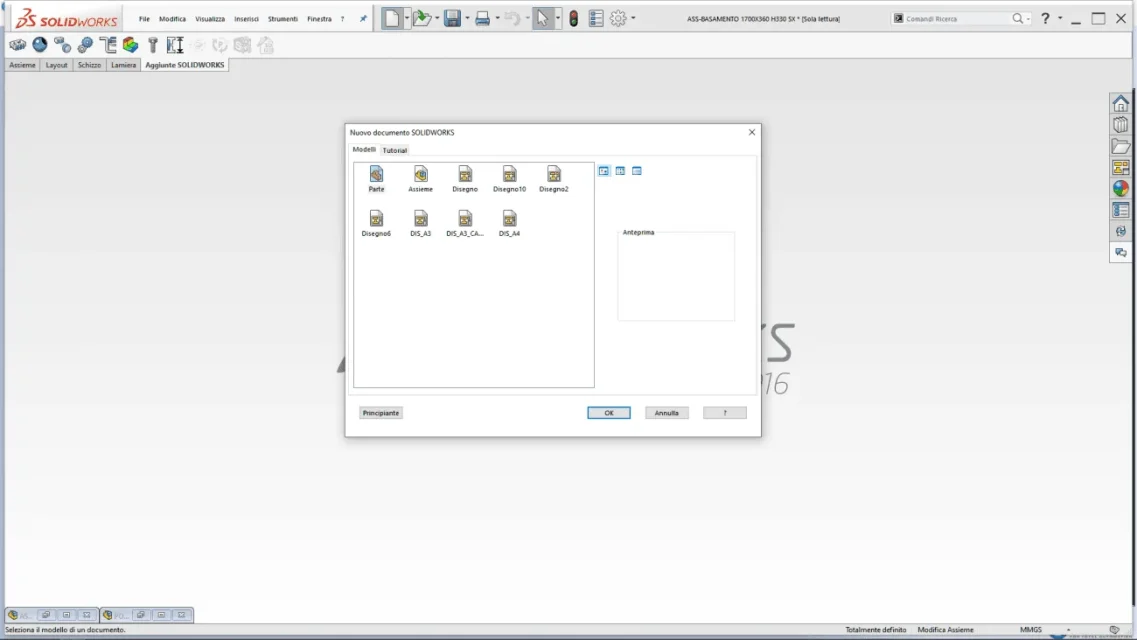
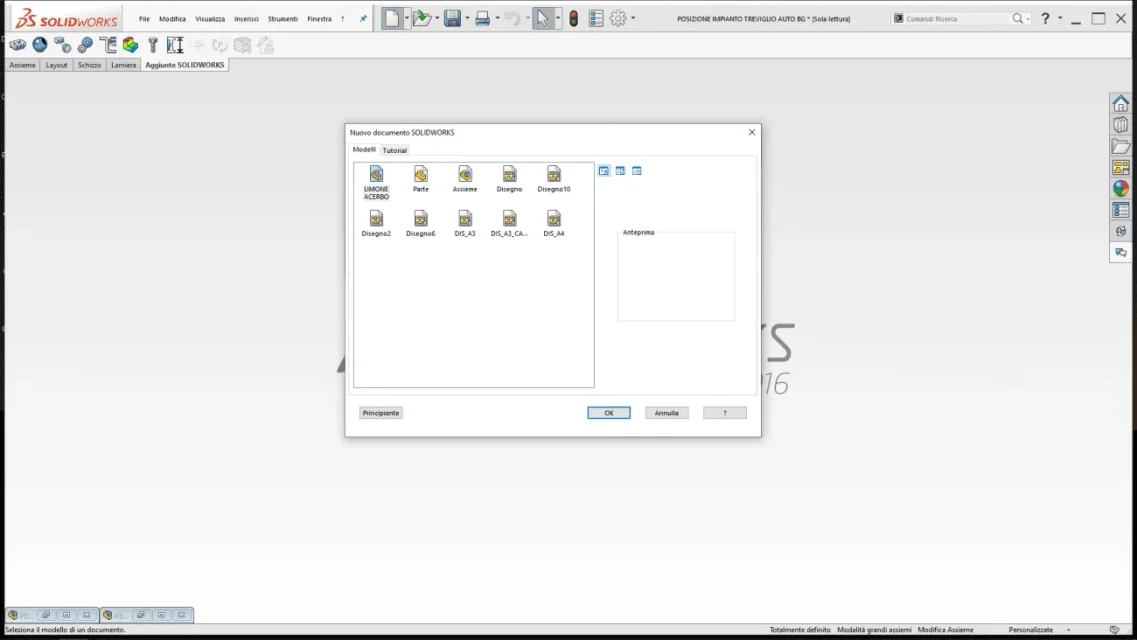
Since you go to new icon opens a screen what you want to open together, part, or table.

once you open one of these to which you want to change the basic name that solidwrk proposes.
change the settings to your liking or if you have never touched them as long as you do:
"Save by name" give him the name you want then go to the file format and select files.dot
Finally I click on save.

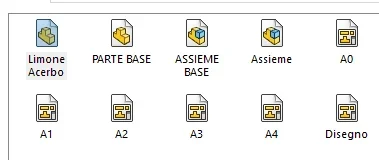
go back to new icon and in the selection screen your file will appear with the name you assigned to it
 

Attachments

  • esempio dot.webp
    esempio dot.webp
    50.1 KB · Views: 21
you can change the name part as and when you want

Since you go to new icon opens a screen what you want to open together, part, or table.

once you open one of these to which you want to change the basic name that solidwrk proposes.
change the settings to your liking or if you have never touched them as long as you do:
"Save by name" give him the name you want then go to the file format and select files.dot
Finally I click on save.

go back to new icon and in the selection screen your file will appear with the name you assigned to it
hi, I tried to edit the file ".prtdot" , rename it "proof", but nothing changes, every time I create a new part the file proposed always starts with "part"
 
but when you click on new you get out this shermata

you must appear the file you saved as a template
 

Attachments

  • PRT_DOT.webp
    PRT_DOT.webp
    25 KB · Views: 16
if you want to change part and even easier
go to your directory possibly with solid closed so avoid conflicts but in
theory should not happen then in the following folder you should find all editable templates with any name you want

c:\programdata\solidworks\solidworks 2016\templates
 
mohammed.majdouli Please write in lowercase, in uppercase it is equivalent to shouting.perhaps you did not understand what jenuari asks; he wants that once the template opens in the top bar of solids it is not proposed as default name part1 (where 1 is a progressive number), but a specific name decided by the user
see image image
 

Attachments

  • Immagine.webp
    Immagine.webp
    7.5 KB · Views: 12
rename the prtdot file,
the file you see so in the screen
 

Attachments

  • 1583146731508.webp
    1583146731508.webp
    7.2 KB · Views: 7
mohammed.majdouli Please write in lowercase, in uppercase it is equivalent to shouting.perhaps you did not understand what jenuari asks; he wants that once the template opens in the top bar of solids it is not proposed as default name part1 (where 1 is a progressive number), but a specific name decided by the user
see image image
That's right, maybe I wasn't explained well, sorry.
 
I'm sorry.
using a program with which I make nestings I keep almost always active corn
 
mohammed.majdouli Please write in lowercase, in uppercase it is equivalent to shouting.perhaps you did not understand what jenuari asks; he wants that once the template opens in the top bar of solids it is not proposed as default name part1 (where 1 is a progressive number), but a specific name decided by the user
see image image
I still apologize for the maiusc
it was not my intention to scream I am new in this environment
Anyway I didn't understand now I realized what it refers to
 
very interesting as a subject
I have sought but nothing I have tried to ask my colleagues too but nothing

but I'm still looking

meanwhile we find a solution you tried with the pack and go
can be helpful
the problem and that starts already from a set and putting on the suffix you rename them all with a couple of clicks
you can rename large axioms without being able to rename one by one
 
very interesting as a subject
I have sought but nothing I have tried to ask my colleagues too but nothing

but I'm still looking

meanwhile we find a solution you tried with the pack and go
can be helpful
the problem and that starts already from a set and putting on the suffix you rename them all with a couple of clicks
you can rename large axioms without being able to rename one by one
It doesn't make sense the pack and go, I have more vertical systems to rename files, my was a request to understand if I could avoid any kind of intervention.
patience, even if it seems strange that such a thing cannot be managed by some variable or external point... :unsures:
 

Forum statistics

Threads
44,997
Messages
339,767
Members
4
Latest member
ibt

Members online

No members online now.
Back
Top