• This forum is the machine-generated translation of www.cad3d.it/forum1 - the Italian design community. Several terms are not translated correctly.

It's coming in 2013.

  • Thread starter Thread starter larchitettol
  • Start date Start date

larchitettol

Guest
use revit 2013.
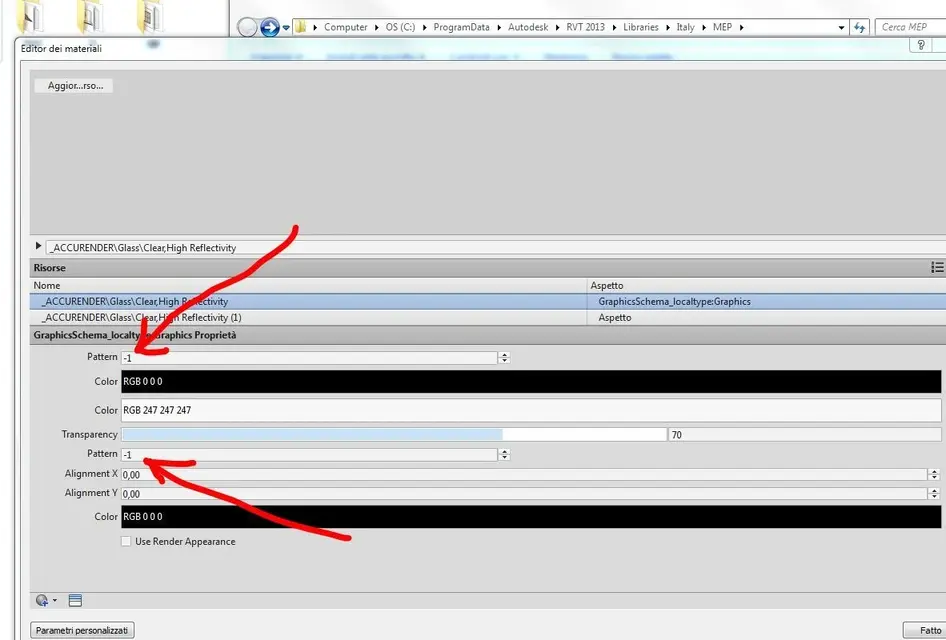
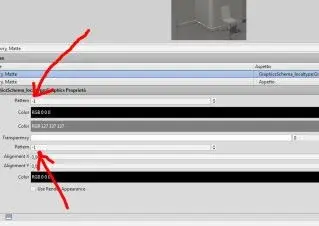
It will seem trivial, indeed it is, but I don't understand how to assign retini to materials... I mean, if I go to the material editor this is what I see:

5008wo.jpg

but from these numbers I should understand... is it possible not to have a preview of the retino?
 

Attachments
  • 5008wo.webp
    5008wo.webp
    4.7 KB · Views: 30
Last edited by a moderator:
use revit 2013.
It will seem trivial, indeed it is, but I don't understand how to assign retini to materials... I mean, if I go to the material editor this is what I see:


but from these numbers I should understand... is it possible not to have a preview of the retino?
maybe you have a problem with bookcases...if you click where there is the number should give you the option to choose a pattern and then a preview will appear with the name of the pattern

However if you place a better image maybe you understand more and we can help you better:)
 
Last edited by a moderator:
here is a bigger picture
 

Attachments

  • 35mdqfb.webp
    35mdqfb.webp
    38 KB · Views: 8
Last edited by a moderator:
Nobody helps me? the problem is that I simply want to assign a retino to every material. . but with this system it is very artificial because it is not the number to which the net corresponds... I saw that in previous versions of revit it was possible to view the retino before choosing it
 
here is a bigger picture
accurender materials were used for rendering scan line engine that worked with old revit versions, the problem should be that new versions do not allow you to use these materials and you can only use the autodesk material library that exploits mental ray.
so I think it's a problem of updating bookstores. Obviously if the library you tried to open the use with another release older than revit obviously will not go on versions from 2010 onwards.
http://forums.autodesk.com/t5/forum...ocation&location=forum-board:133&q=accurender
 
Last edited by a moderator:
would be perfect... But that's not what I see. Do I have to try with a different library? Where do I find them?
in theory the library should install it when installing revit:)... try to start the installation and see if it gives you the possibility to install only the material library
 
in theory the library should install it when installing revit:)... try to start the installation and see if it gives you the possibility to install only the material library
Now I try... Anyway, I got the materials. are the restraints that I do not see in the preview
 

Forum statistics

Threads
44,997
Messages
339,767
Members
4
Latest member
ibt

Members online

No members online now.
Back
Top