• This forum is the machine-generated translation of www.cad3d.it/forum1 - the Italian design community. Several terms are not translated correctly.

know solidworks

  • Thread starter Thread starter Massimo D
  • Start date Start date

Massimo D

Guest
Good evening, everyone.
I am new to the forum and I am new to solidwork. It's just drawing and more or less all self-taught. substantially design furniture or parts of furniture of boats and especially from about one year and not full-time. I understood the basics of the design, in the sense that I know how to draw a wardrobe with two doors, to me it would serve to improve the presentation of the tables. I explain better, the design goes to the carpenter and he plays for the cam, I should complete the package with tables in 2d quotes, with a table of materials, a symil note of the pieces with a table of the codes.
I call it closet to generalize the thing but it could be a kitchen block or a bed block or other.

with rhino is very elaborate the thing besides the fact that the code becomes an external table with excel and an exilerant bubble.

I do not know if I was clear, I wanted to ask if it was possible, with solidwork, to do something more practical and quick. I need to make the furniture break it down and quote and record the single piece.

Thank you
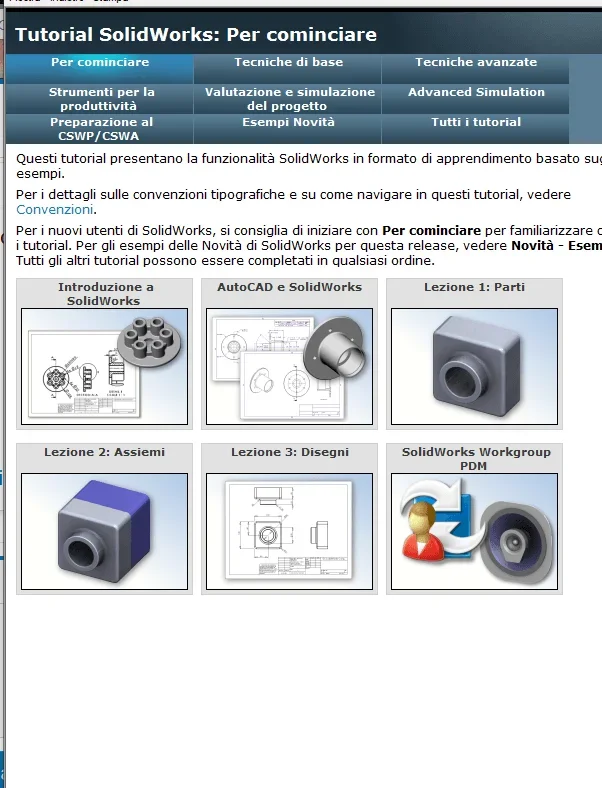
 
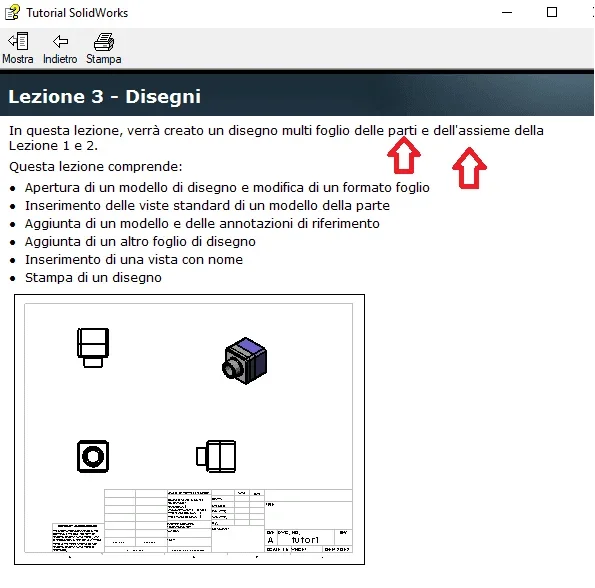
I recommend you do the internal tutorials that explain step by step rather detailed steps to do the various things. with those for drawing and tables.
The network tutorials do not have the skills to understand if they are done well and then you could follow videos where a process is explained (for example creating a material table) leaving passages if not even doing it wrong with the consequence that you would learn wrong methods.

creating a design and its distinct is easy, but it takes a preparation upstream of the parts and assemblies to have the result you want.
already the fact that a wardrobe can be done as a whole or as a multibody part completely changes the approach both of the management of the table and of the separate.
If you have to make a table for each particular it is better to work in the environment together, but if you often do similar cabinets that change for some size or detail maybe it can be preferable to make a multibody part where you can still extrapolate a table for each single component
.
the forum is full of advice and explanations on many topics
 
ok thanks for the celerity, I look for the internal tutorials and I see to understand what you explained to me.... I know the parts and the together, but not the multi body parts. I see if I find it for the tables of the single component

Thank you.
 
Good morning, I did a little tutorial. but I can't get to the point of what I want to see if solid works can do. before engaging in the acquisition and study of the program, I would like to understand whether, drawing a normal or multi-part assembly he then manages to put on the table or on several tables the individual parts.
example : design a wardrobe inside a set, I can make the tables or table with the measurements of the bottom, the shelf, the individual shoulders, etc.

if you cannot, for those who know other programs, there are other solutions or other methods.
I do not claim to learn the program in a few days, I care to understand if solidworks can do to my case or I have to orientate on other or in relation to the cost of other programs to adapt to what can be done with this.

My choices have started from solidworks and inventor, considered by some similar, the choice fell on solidworks for the perpetual license also recoverable used.

Thank you.
 
I would like to understand whether, drawing a normal set or multi-part he then manages to put on the table or on several tables the individual parts.
Of course you can

the tutorial to make the tables is present anyway
 

Attachments

  • Immagine.webp
    Immagine.webp
    31.6 KB · Views: 15
Last edited:
hi, the tutorial of the boards did it and it is simple enough to understand, that all ok.
I attached a 3d of a piece of furniture, of which I created the tables with rhino. only that with rhino I have to take all the asses to copy it in part and start to break it , taking the individual pieces move them rotate them to put them all in plan and then quota them . example reported in executive boards.zip. about 2 hours for drawing and 1.5 hours to create the tables and then have to create a table with the codes of each single panel .
I do not ask that the work of putting into the table is done automatically, but that there is a way to speed up the work, even by changing perhaps way of drawing (so much I am starting to deceive, so learn in one way or another should not change anything)

It is not the table of all the axieme that interests me, but of all its individual parts, known style of cutting but with the cartoons . also for a control of the pieces coming out of the working center and especially so that the assembly of the piece can be made by any editor with the tables in hand.

Thank you, I hope I've been clear and the files are readable
 

Attachments

write in the profile the version of solid because those with previous versions cannot open the files.

if you did the basic tutorials you will know that a set is composed of a number of side files; these side files you put them in drawing as in the tutorial you have already done.
if it is a multibody part you will need to enter the first view select the desired body.
 
looking for example the design structure 15-16-17-20.... with solid whether you make a set that you make a multibody part you can insert a distinct (tutorial advanced drawings) in the form of a table with specific properties (material, weight, description....) and locate it by numerical bubble on the parts what in your design is not indicated
 
I didn't put the solidwork version because I'm using a 1 month test, however I updated and put 2020.
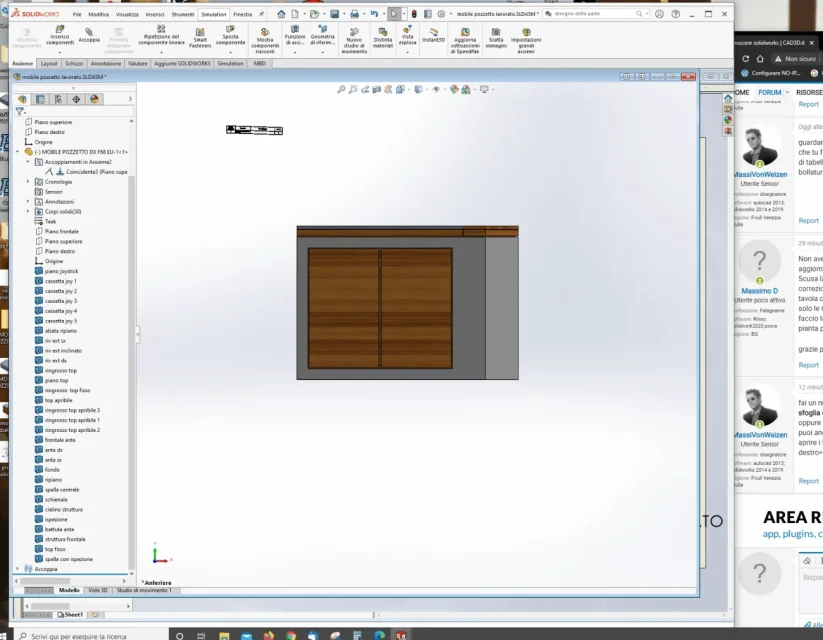
I'm sorry for my brat, but I've imported the file from rhino to solid, made all the corrections of games and more, now I've got my set with all 27 parts divided, if I make the table as I can select what to put on the table, he gives me the view of all the assembling. So only the 6 facets of the cube, but I don't know if you can break up to create a table similar to pdf. If I make the table, okay that can indicate with bubble the pieces but I don't see them, let's say, on the plant to be able to quote them.

thanks for your time......I'm playing with the tables and the cartiglio in the meantime:)
 
make a new design, when you enter the first view instead of selecting the axieme prizes and load the part you want.
or select the part in the axieme, open and then menu file>create drawing from the side.
you can also insert the axieme into the drawing (as in the drawing 15-16-17....), make the table and open the side files from the table or the axieme view by selecting the row or the right button part>open
 
CatturaS.webpI am in this situation, I was trying to give different materials and various evidence.
I can't follow any of the three things you propose to me, I don't find it creates part design.
Is it not possible to export all these pieces to single parts?
 
I wrote select the part in the axieme, open and then menu file>create drawing on the side.the other two methods apply within the design environment
 
I assume that what you see opened is my set and all the list below are my parts...... but from what you ask me, I think no
in the sx column (I presume the property manager) I have the icon of thexeme but if I open it I only have a voice with part icon and includes all the furniture....poi se open the icon of the part or so many identical icons that I presume are only solid bodies... .
If so, there's no way to turn them all into parts?
 
a joint must have at least two parts inside it otherwise it does not serve anything. If you have only one part you don't need to do a set.
that part is the so-called multicorpo. to make the boards of individual bodies of a multibody part the approaches are different depending on how to manage the bodies.
you can draw each body from within the part open a new design> insert view>in property manager do select bodies
you can export all the bodies as part files while still keeping them connected to the original part.
in the first case you will have to manage one file.
in the second you will have to manage a parent part file plus n exported files (menu insert> functions>save bodies).

if you stop at the table I suggest the first metoid; is more Moroccan, but you can't make confusion in the windows folder losing references (delete files or moved for example) or uploading other files with the same name
if you need to have the body to make us extra part changes (increasing a size for a work need) or sending it to the cam then it is better the second method with the acknowledgment to correctly manage the individual files
 
Last edited:
ok thank you , I value what you told me , considering that this example file is only to understand coem do and if you can do what I would like to do . the next , if there will be , I start from the new with solid so I should not have these problems . I just have to understand how to proceed . thanks a thousand hour check....after 8 hours of tutorials and video youtube I have eyes in the ball

Thanks again
 

Forum statistics

Threads
44,997
Messages
339,767
Members
4
Latest member
ibt

Members online

No members online now.
Back
Top