• This forum is the machine-generated translation of www.cad3d.it/forum1 - the Italian design community. Several terms are not translated correctly.

label with code

  • Thread starter Thread starter aleset
  • Start date Start date

aleset

Guest
Good morning.
I am using inventor 2018 and a doubt arises.
in a table can you put the code number in the label?
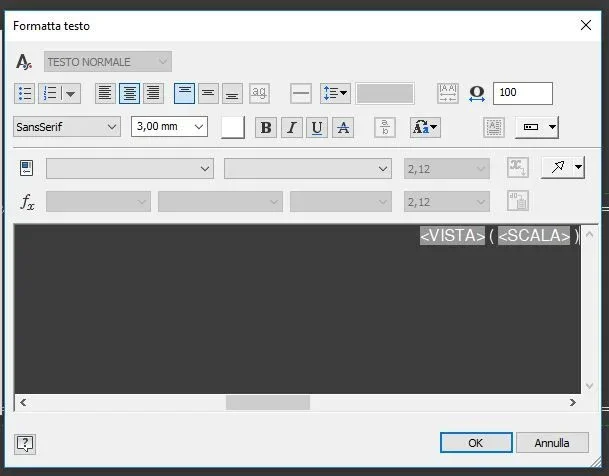
if I click twice on a view opens me "design view" if I activate the label gives me the view number and scale. But I can't put the code automatically.
I tried to write, following the same syntax, <codice> But it doesn't work. Does anyone know how to do it?</codice>
 
You want the code to appear in the browser?
and what code?
from what I see the label is editable but only manually
 
the code of the detail. It would be useful when I put more components in a table.
 

Attachments

  • 12.webp
    12.webp
    14.7 KB · Views: 20
you have to "point" to an i-properties of the model.
Do it manually from the view label or, if you always want, create a special style for the view label and you find it automatically.
 
change the "reference number" style and in its interior touch the location and put the number part or property you prefer. then put the ball in and insert what you set.
 
Thank you, for the answers.
zac69 if I change the style of the ball when I go to ball the axieme I no longer have the position that refers to the table. Or am I wrong?
I think what happens to me is the second hypothesis of technomodel "you create a special style for the label view and you find it automatically" but it is not clear how to proceed.
 
I think I wrote a c...
I'm trying to figure out where to change the style but maybe it's not feasible.
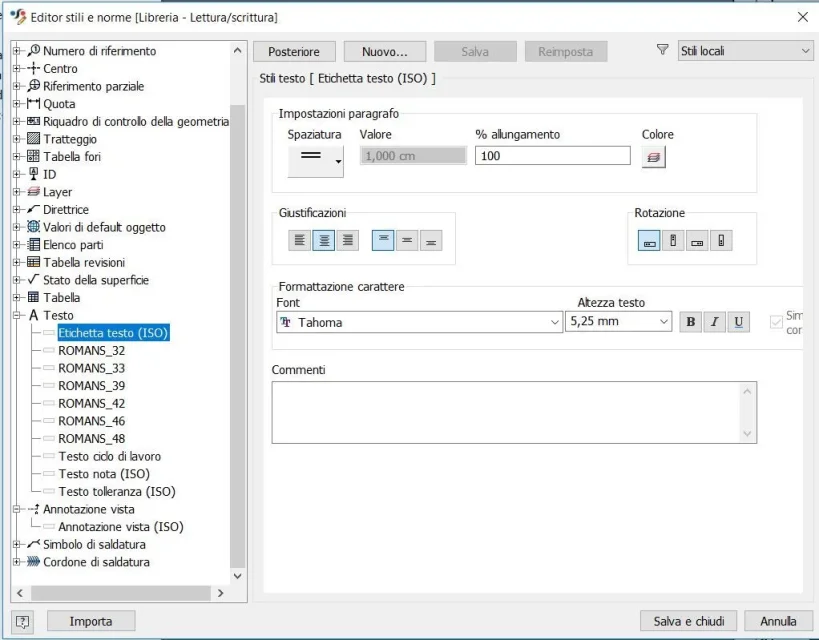
the label uses a style but only for the font, height etc.
to edit the text you can do it from the view window or with the pencil always inside the view window. opens the editor where you can enter one of the custom properties of the model.
It seems strange to me that you can't create a style for the label, if others know more it would be interesting to know where it points like style.
 
you need to create a new text label from the existing one and then use it as a standard in the views. in this text label you can change the properties to display and add what you need (which is standard or customized) by selecting template properties > [quello che ti serve]. then save this text label as standard of view.
 
ok, I can't find where to edit/insert text, properties etc.Etichetta.webpthere is that comment window but I can't enter properties.
 
wrong option. go to the active norm (the first at the top) and in preference you can set what you want to see when you make the views. associated text style (regardless of what you have selected) will be text label
 

Forum statistics

Threads
44,997
Messages
339,767
Members
4
Latest member
ibt

Members online

No members online now.
Back
Top