• This forum is the machine-generated translation of www.cad3d.it/forum1 - the Italian design community. Several terms are not translated correctly.

lamiere properties in distinct combination materials

  • Thread starter Thread starter Fabio Previ
  • Start date Start date

Fabio Previ

Guest
Good morning to all,
I would need to create a distinct material in a design, where the properties (e.g. development length and development width) of all components within a set are listed.

Thank you.
 
set as a separate option to the voice type of material distinct the choice con rientranza
 
set as a separate option to the voice type of material distinct the choice con rientranza
Thank you very much.
this hypothesis already goes well, otherwise there is no way to make these parameters appear within the properties of the component and then put them in the table?
 
otherwise there is no way to make these parameters appear within the properties of the component and then put them in the table?
It's not as easy as it should be.
read this treahd https://forum.solidworks.com/thread/78491then you can, according to the voice concerned, create global variables that can be recalled in file properties.
for example length or width create the global variable and in the field value/equation selections measure from the drop-down menu and quoti one of the edges
if you want the outline area in the value/equation field file ownership>sw-volume and divide it by sheet thickness
 
then you can, according to the voice concerned, create global variables that can be recalled in file properties.
for example length or width create the global variable and in the field value/equation selections measure from the drop-down menu and quoti one of the edges
if you want the outline area in the value/equation field file ownership>sw-volume and divide it by sheet thickness
interesting topic.

I tried with sw 2014 sp4, when the file reopens it goes wrong, as you see on the attached files.
as a profane it would seem to me that it can't value anything, if I gate the two global variables in question everything returns normal.

with the attached file, after 4 times that one crushes fine, opens the file normally with everything in place.
if it is a combination, with many pieces of sheet metal becomes a delirium.

Lam_01.webp
Lam_02.webp
View attachment Lamiera.zip
 
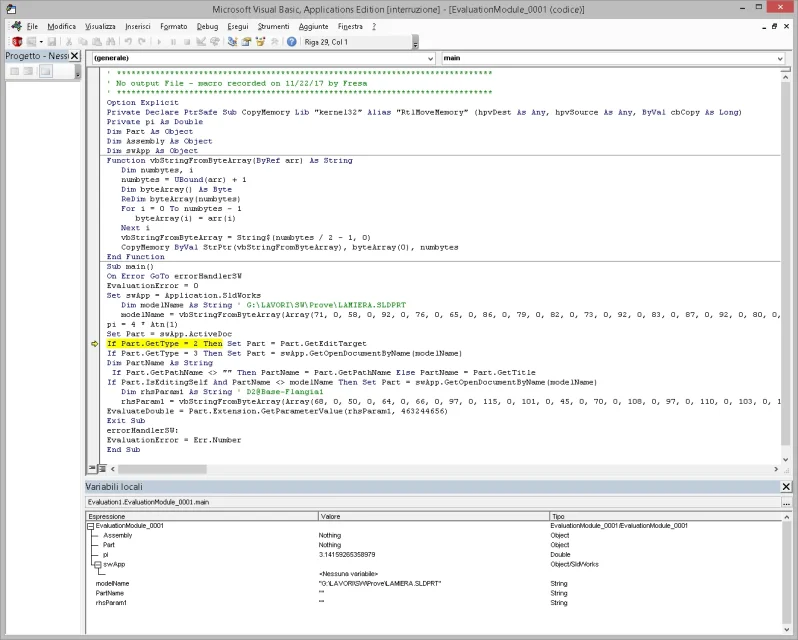
is not a macro is the window that opens when I open the file again.
I see in your profile that you also use 2014, that file you can open it or it gives you error.
error refers to a macro that contains an error... However, with 2016 it opens and has no error.
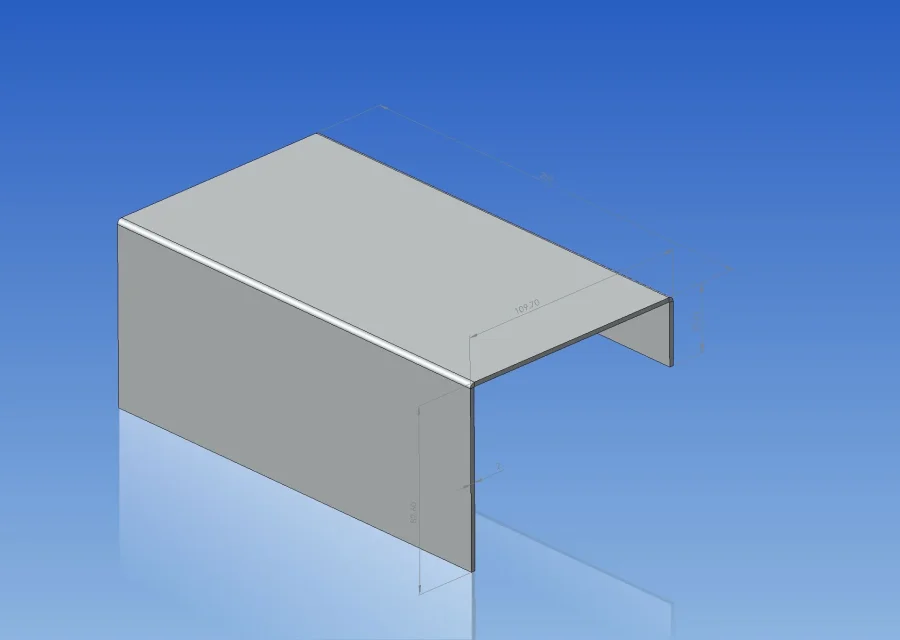
attached the size of that sheet.LAMIERA.webp
 
error refers to a macro that contains an error... However, with 2016 it opens and has no error.
attached the size of that sheet.View attachment 48691
There are no macros, it is solidworks that at the opening throws out that error.
probably is a v2014 problem

a question out of topic, I should update solidworks,
2017 since we arrived at sp 5 how does it work?
 

Forum statistics

Threads
44,997
Messages
339,767
Members
4
Latest member
ibt

Members online

No members online now.
Back
Top