• This forum is the machine-generated translation of www.cad3d.it/forum1 - the Italian design community. Several terms are not translated correctly.

macro separate extraction base

  • Thread starter Thread starter FIGOR71
  • Start date Start date

FIGOR71

Guest
Hello, everyone.
I kindly wanted to ask if someone knows where it is possible to find a macro to make the extraction of the distinct base, or of a single column, of a set (from the table of solidworks) or a certain property (in a set or in a part) .
the purpose would be to extract this property or column (which would then be a description for a purchase request) in a word or excel file to get a list of things to order (a sort of distinct strangers, but without a pdm)
then we accept advice on other methods to get the same result. .
Thank you in advance and wish everyone a good Easter
 
I was just looking for something automatic.. as I asked for a macro x save directly in pdf and dwg ..
Thank you.

sent by my bnd-l21 using tapatalk
the macro pdf dwg is there.....that of the distinct no. But you could try to do it and see if it works. It has always been said that without pdm it does not work.
 
I was just looking for something automatic.. as I asked for a macro x save directly in pdf and dwg ..
Thank you.

sent by my bnd-l21 using tapatalk
Hi.
save api/macro directly in xls format a distinct material (both in a drawing or in part/axieme) is possible from the 2019 version of solidworks. in previous versions it was possible to save in csv format however readable by excel.
putting together a few things quickly, the macro attached.
as a pre-condition in the open document in solidworks a separate table of materials must be selected.
if the version of solidworks is 2019 or higher saves in xls, otherwise in csv.
in the first row of the macro there is a constant that if set to true enables an opening message in excel of the newly exported file.
before the rescue is opened the window for choosing the path.
the name of the saved xls or csv file is the same as the open solidworks document.
 

Attachments

Hi.
save api/macro directly in xls format a distinct material (both in a drawing or in part/axieme) is possible from the 2019 version of solidworks. in previous versions it was possible to save in csv format however readable by excel.
putting together a few things quickly, the macro attached.
as a pre-condition in the open document in solidworks a separate table of materials must be selected.
if the version of solidworks is 2019 or higher saves in xls, otherwise in csv.
in the first row of the macro there is a constant that if set to true enables an opening message in excel of the newly exported file.
before the rescue is opened the window for choosing the path.
the name of the saved xls or csv file is the same as the open solidworks document.
Thank you 1000.. As soon as I can try and let me know. . .
I use solidworks 2020. .
Thanks again ..

sent by my bnd-l21 using tapatalk
 
What's the difference between using this macro and using save by clicking the right button on the table? I still tried to use it, and I couldn't.
 
What's the difference between using this macro and using save by clicking the right button on the table? I still tried to use it, and I couldn't.
no difference, except a few clicks on the mouse and keyboard in less
 
Hi.
save api/macro directly in xls format a distinct material (both in a drawing or in part/axieme) is possible from the 2019 version of solidworks. in previous versions it was possible to save in csv format however readable by excel.
putting together a few things quickly, the macro attached.
as a pre-condition in the open document in solidworks a separate table of materials must be selected.
if the version of solidworks is 2019 or higher saves in xls, otherwise in csv.
in the first row of the macro there is a constant that if set to true enables an opening message in excel of the newly exported file.
before the rescue is opened the window for choosing the path.
the name of the saved xls or csv file is the same as the open solidworks document.
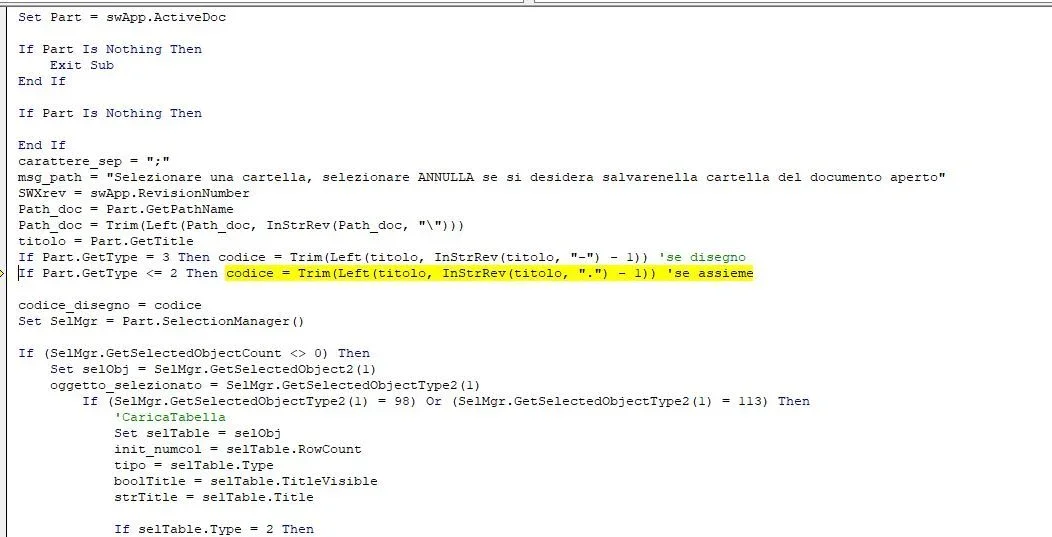
hello, unfortunately when I use the macro I return this errorerrore.webpsolutions on this?

Thank you.
 
I attach the updated version where I eliminated the routine that could create ambiguity in startup
Hi. I tried the macro and now it works.
the difference between table save and macro are the previews of the files that are created.. I just noticed that the preview does not match the description line... is there solution?
also useful the choice of the directory where to save the table

Thank you
 

Forum statistics

Threads
44,997
Messages
339,767
Members
4
Latest member
ibt

Members online

No members online now.
ciao
Back
Top