SheWolf
Guest
hello to all:smile: new question, more practical
assuming that you have to associate a material with a cube as I have to proceed?
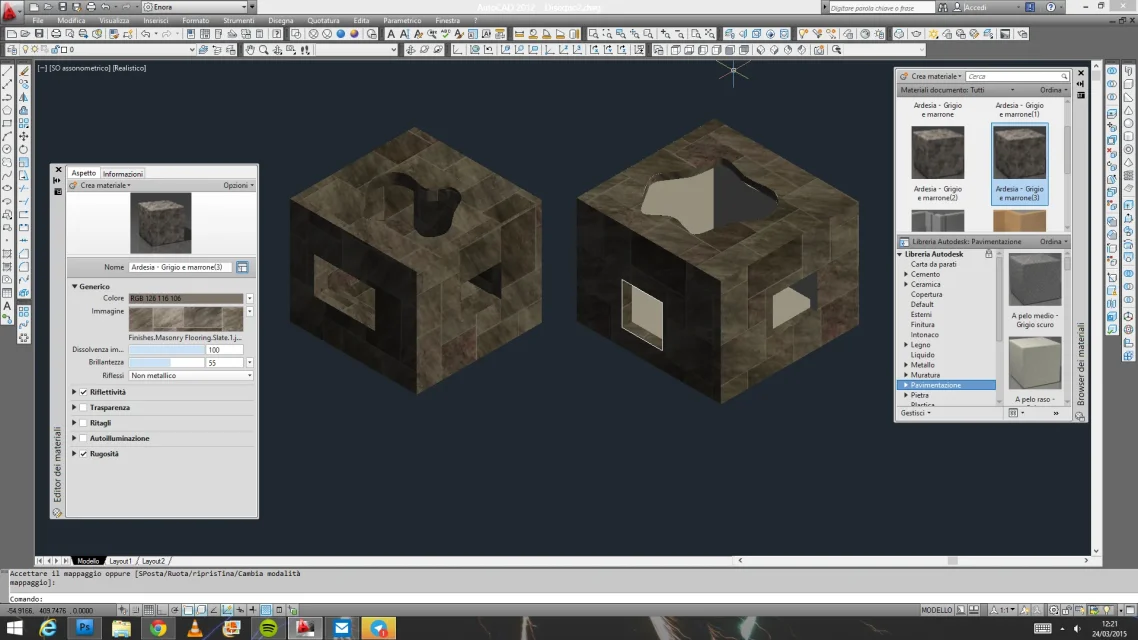
I tried both with the mapping on all faces, left cube in the image, but in the upper face I have the tiles that are not parallel to my cube, I tried to change the angle but rightly if I add the face above I have all sides crooked.
My other attempt was to explode the cube and proceed with the planar mapping, dx cube, but also here I had a problem on one of the faces. definitely here is a settling problem, I probably have to change the orientation of the applied or similar material but I don't know how to do it.
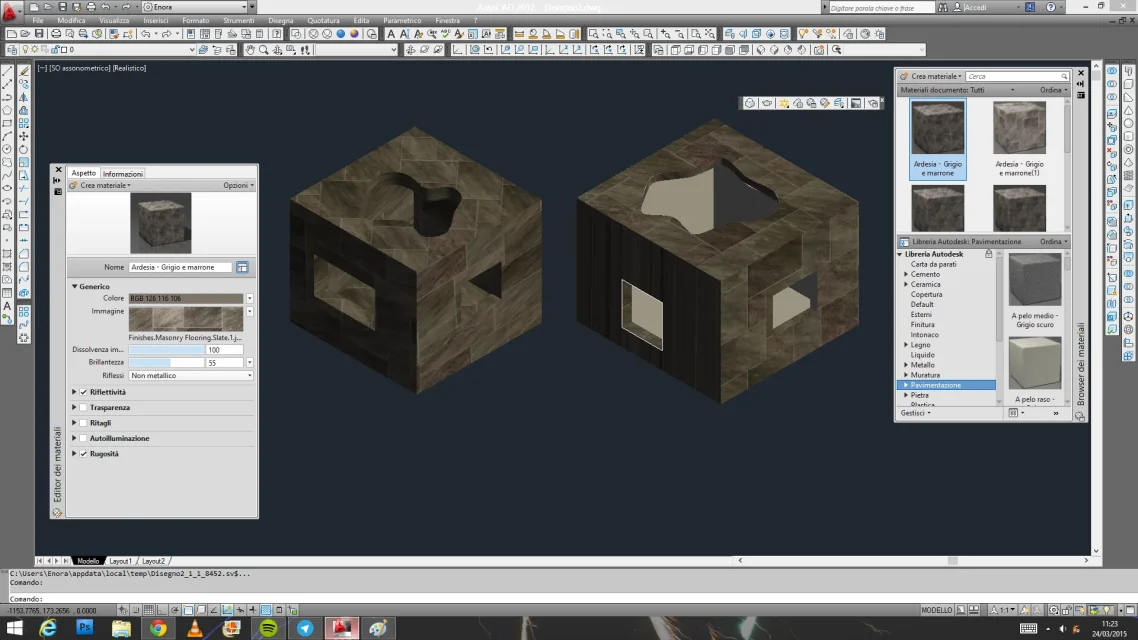 What's the right way?
assuming that you have to associate a material with a cube as I have to proceed?
I tried both with the mapping on all faces, left cube in the image, but in the upper face I have the tiles that are not parallel to my cube, I tried to change the angle but rightly if I add the face above I have all sides crooked.
My other attempt was to explode the cube and proceed with the planar mapping, dx cube, but also here I had a problem on one of the faces. definitely here is a settling problem, I probably have to change the orientation of the applied or similar material but I don't know how to do it.
What's the right way?