• This forum is the machine-generated translation of www.cad3d.it/forum1 - the Italian design community. Several terms are not translated correctly.

material revit 2014

  • Thread starter Thread starter givabi
  • Start date Start date

givabi

Guest
Hello everyone!! I have installed revit 2014 but in the library of materials I have, to say so, about fifteen materials.. How do I have others or still solve this problem?

 
explains the problem better; You don't understand which library you're talking about. Maybe even attach a screenshot
 
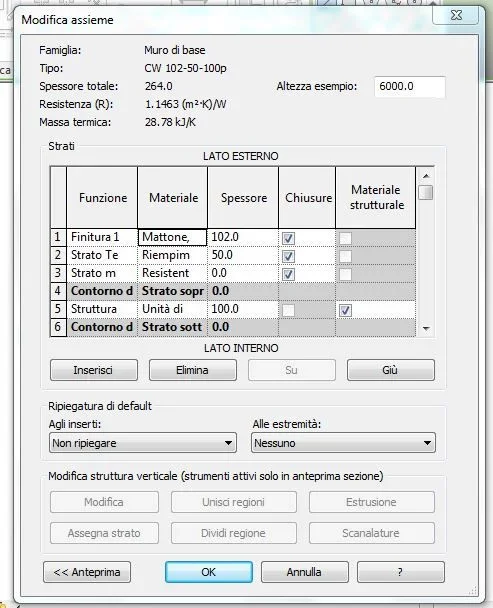
Excuse me! then I make "create wall" > "modification type" > "modification"... at this point I see the stratigraphy of the wall...
Cattura.webpat this point I click on the material (e.g. bricks) to change its characteristics and opens the browser of materials
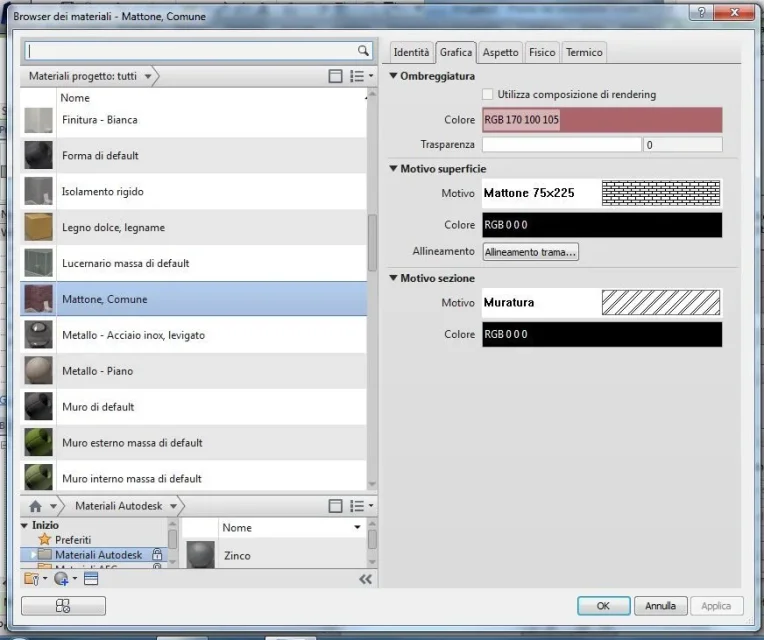
Cattura2.webpbut compared to other companions I have very few materials... and I don't know if I'm wrong, if I've made a mistake in installing the program or if I have to download something else... I hope I have been clearer in the explanation :)
 
I have not yet understood whether you talk about the materials included in the project or if you talk about the autodesk library. referring to the second image posted, are you talking about the materials that you see on the left (project materials) or to those listed below (autodesk materials)?
 
of the project ones.. I have more in autodesk.
Okay, all clear then. the materials on the project derive from a starting template. Your colleagues obviously use a template different from yours. That's all.
 
ah ok!!! and how do I change templates? always that it is possible... or just use the autodesk below?
 
you can't change templates, but you can transfer design standards (including materials) to manage > design standards.
transfer of project standardsProject standards include the following elements:
  • types of families (including system families but not families loaded)
  • line thicknesses, materials, view patterns and object styles
  • annotation styles, color filling patterns and retinals
  • Print settings
how to transfer project standards
  1. open the project of origin and destination.
  2. in the target project, click on the Manage tab > group settings > (transfer project standard).
  3. in the Items selection dialog box to copy, select the source project in copy from.
  4. select the desired design standards. to select all project standards, click on select everything.
  5. fare clic su ok.
 

Forum statistics

Threads
44,997
Messages
339,767
Members
4
Latest member
ibt

Members online

No members online now.
Back
Top