• This forum is the machine-generated translation of www.cad3d.it/forum1 - the Italian design community. Several terms are not translated correctly.

maximum dimensions catpart

  • Thread starter Thread starter bigsnake
  • Start date Start date

bigsnake

Guest
Hello, everyone.
is there the possibility to display the maximum size of a body?
with the inertia calculation command I see graphically the edges of a rectangle that perfectly contains the body. I would like to be able to measure the edges of the rectangle or in any case view its length.

Thank you.
 
I have a command in gsd that does it but it is activated by the cam license............ I have to investigate if there is no cam.
 
Bye.
I'll put down more bars, value if you can be useful. .

strategy of the "peppa":
1) within the command of inertia, selection creates measures and generates axis;
2) define for each plan (xy, yz, xz) of the created axis, an extreme (you find it under gsd, in the submenu along with the points) max and a min with direction the plan.
3) then, for each extreme point you can define a parallel plane to (xy, yz or xz) at the point.
4) sketch on one of the floors, rectangle with sides coincide with the other floors.
5) solid, extrusion to the opposite floor and parallel to the sketch.

the limit of this system is that these are the minimum dimensions of the inclined parallelepiped according to the axes of the terna.
 
I think it will solve the problem.
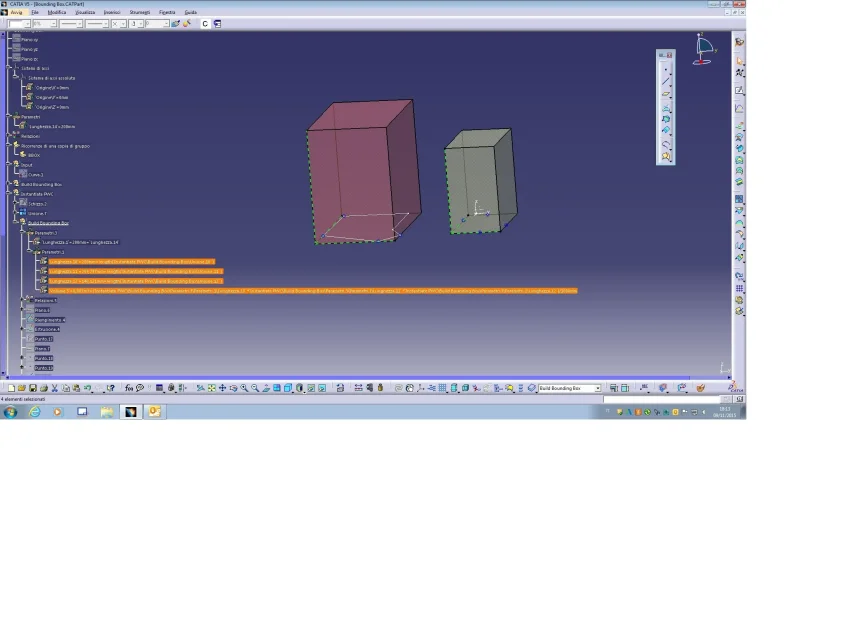
pwc will create a (bounding box) solid created-
in the case in question I considered as input, for
Instigation of pwc:
- a curve(solid base profile)
- an axis system (default)
I also used a length parameter to govern
the height of the profile extrusion that will form the "solid "-
this can be edited during the instance, using
an own parameter, external to the pwc

the pwc will return the bbox, and within the geometric group
you can read the values of
volume and various dimemsions;
width, depth, height -

I hope that the definition will serve as an example,
even with custom changes you will want
do.. .

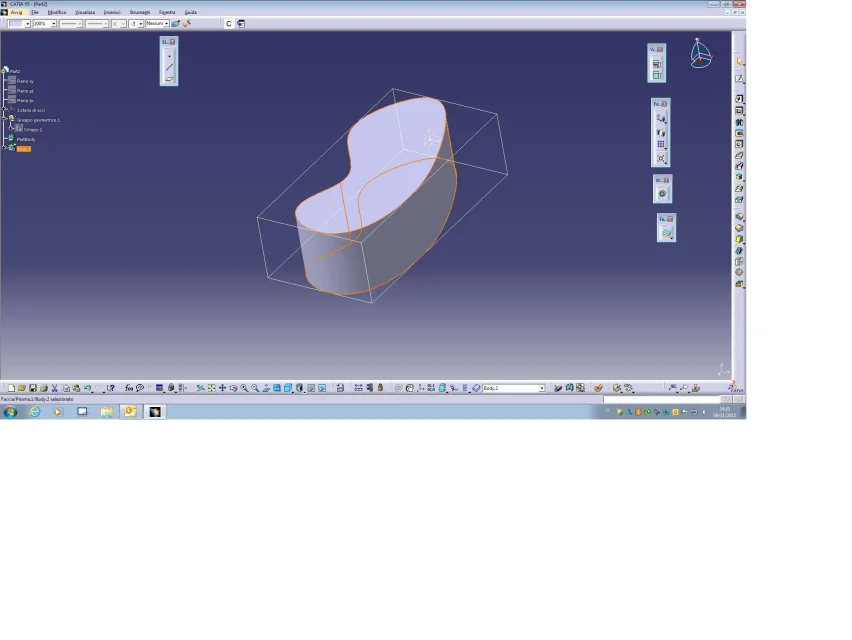
I also mark that by activating the (displays limited volume)
see image attached , appear a graphic bbox display
around any selected object. .
the path is the following
options/view/navigation etc etc
greetings
to theVisualizza Volume  circoscritto.webpVisualizza Volume  circoscritto-2.webpPWC-BBox.webp
 

Attachments

In the meantime, excuse me for agreeing to me like this
Excuse me if I add some free words...
In the meantime, I think that here, among the many macros, there was just one about this "problem".http://www.cad3d.it/forum1/threads/15500-catia-portable-script-center

dopo una lunga ricerca ho trovato questo:


boundingbox_user_prop.catscript

this macro will find the bounding box of a solid or a joined surface with 0mm offset on each face
- the active document must be a catpart
- a local axis will be created automatically
- the dimensions of the bounding box will be saved in catpart user properties


lettore, ti riferivi a questo vero?
i problema è che a me non funziona
 
Bye.
I'll put down more bars, value if you can be useful. .

strategy of the "peppa":
1) within the command of inertia, selection creates measures and generates axis;
2) define for each plan (xy, yz, xz) of the created axis, an extreme (you find it under gsd, in the submenu along with the points) max and a min with direction the plan.
3) then, for each extreme point you can define a parallel plane to (xy, yz or xz) at the point.
4) sketch on one of the floors, rectangle with sides coincide with the other floors.
5) solid, extrusion to the opposite floor and parallel to the sketch.

the limit of this system is that these are the minimum dimensions of the inclined parallelepiped according to the axes of the terna.
reader this solution is perfect!!! It works great and is not too sleek! ! !
I only hoped for a command similar to that for cam or macro (functioning).
 
I think it will solve the problem.
pwc will create a (bounding box) solid created-
in the case in question I considered as input, for
Instigation of pwc:
- a curve(solid base profile)
- an axis system (default)
I also used a length parameter to govern
the height of the profile extrusion that will form the "solid "-
this can be edited during the instance, using
an own parameter, external to the pwc

the pwc will return the bbox, and within the geometric group
you can read the values of
volume and various dimemsions;
width, depth, height -

I hope that the definition will serve as an example,
even with custom changes you will want
do.. .

I also mark that by activating the (displays limited volume)
see image attached , appear a graphic bbox display
around any selected object. .
the path is the following
options/view/navigation etc etc
greetings
to theView attachment 42167View attachment 42168View attachment 42166
alpole, if I understand correctly, a flat surface is required in your solution to have the basic profile as input.
In my case, it is too limiting.

thank you for marking the option on the limited volume.
 
in the sent solution you need a flat profile (curve)
the edge of the extruded part and a system of axes,
that is where the figure lies.. .
as soon as possible I will also make a pwc that has as input
a solid and a system of axes that will be
released from solid in such a way as to have
different bboxes depending on the system of axle
to the
 
certainly the pwc I sent had
some limit, referring to a flat profile
and governed by a system of axes to it anchored-

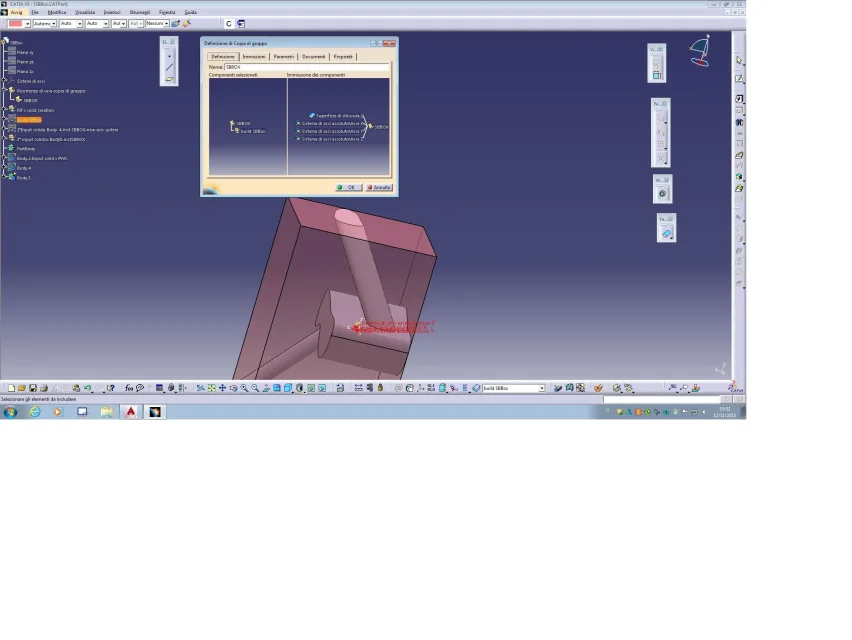
the new pwc- sbbox -
should satisfy everyone, or at least hope.. .

input of this pwc :

1-solid
(preferably made from closing surface)

2-axis system, x axis y axis z,
(which may be the same as default or you can set it
one to your liking)-
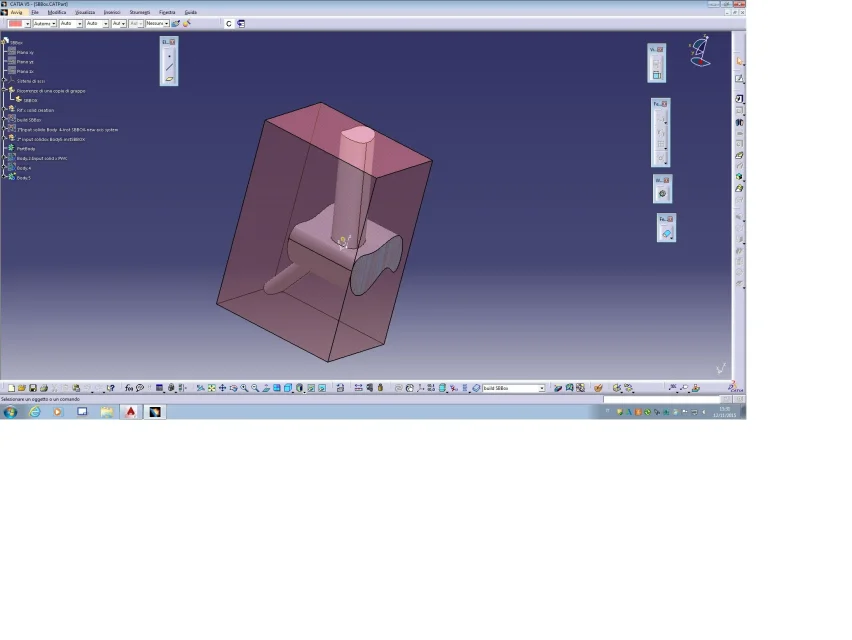
The pwc
a boundin box that breaks the solid,
with the values of the three dimensions, width, depth and height
more the data relating to volume measurement

in the attached file containing the pwc, there are two examples of instancy;
one with new axle system and one with default axle system
by scrolling the file, I hope you understand the mechanism
by definition, and wishing you could further customize it.
greetings
to theInput x Inst PWC-1.webpSolidBBOX-1.webp
 

Attachments

intanto scusatemi per essermi assentato così a ungo


dopo una lunga ricerca ho trovato questo:


boundingbox_user_prop.catscript

this macro will find the bounding box of a solid or a joined surface with 0mm offset on each face
- the active document must be a catpart
- a local axis will be created automatically
- the dimensions of the bounding box will be saved in catpart user properties


lettore, ti riferivi a questo vero?
i problema è che a me non funziona
Yeah, that was it.
I remember seeing her but unfortunately I never deepened . but the problem is related to this specific macro or in general not (though I ask eh) do you also work with other macros? sometimes insert generic terms such as es: file name or similar to indicate you to enter the specific term relative to your case.
Frankly I am not an expert in the macro sector. I've made some, but limited to some very specific field.
Sorry.
 
reader this solution is perfect!!! It works great and is not too sleek! ! !
I only hoped for a command similar to that for cam or macro (functioning).
you could use the macro recorder. In this way the macro would have all steps from point 1) to point 5) . for point 1 I think you should look at some examples in the macros I had indicated to you in order to "select" the body that interests you.

power copy of alpoles, however, prevent you from going through programming.
us know. thanks
 
Sorry again for the response time, but I've made some attempts...... all failed.

this is copy of the macro error line

dim part2 as part
set part2 = partbody.part

where in fact the indicated error is propeio "partboby".
I have made several attempts but I do not understand what I have to insert .part

As for the power copy, I've studied it and it's unexceptionable. but how do I apply it to my catpart?
(I apologize if the question is banal.... but I am not practical with pwc)
 
Sorry again for the response time, but I've made some attempts...... all failed.

this is copy of the macro error line

dim part2 as part
set part2 = partbody.part

where in fact the indicated error is propeio "partboby".
I have made several attempts but I do not understand what I have to insert .part

As for the power copy, I've studied it and it's unexceptionable. but how do I apply it to my catpart?
(I apologize if the question is banal.... but I am not practical with pwc)
for the macro, I have to take a look, sorry...
for pwc, save the file locally, then, in your file, insert/instancy from document, select the file you saved, should show you the available power copy within the file of alpole, etc...
 
thanks reader for the explanation.

but above all thanks to thepole...... the pwc is spectacular! ! ! ! ! !
 
Sorry again for the response time, but I've made some attempts...... all failed.

this is copy of the macro error line

dim part2 as part
set part2 = partbody.part

where in fact the indicated error is propeio "partboby".
I have made several attempts but I do not understand what I have to insert .part

...
Hi.
just out of curiosity since you solved with the power copy.
I did, Friday, a job test and, to me, it works.
at the end it gave a mistake (probably there will be some command to add to the end to make "close" correctly), but it created the solid of the volume.
re-epilogando:
1) Have you copied the text (other than the initial explanation lines) into a notepad file?
2) did you save the file as .catscript ?
3) launch the macro from tool/macro etc... ?
4) asked you to indicate the axis (selection), surface (selection) ?
then the window opened with error, but at least the creation part was made.

hello and good work.
 
exact reader!! ! ! !

the error I referred to was caused by not having deleted the initial part of presentation on notepad.

canceled the initial part, the macro stops after the selection of the supeficie, as you anticipated.

for the most experienced I carry the error (to line 262):
set axis2d1 = geometric elements1.item("absoluteaxis")
 

Forum statistics

Threads
44,997
Messages
339,767
Members
4
Latest member
ibt

Members online

No members online now.
Back
Top