mf92
Guest
Hello everyone,
I would have a question about the table of the assemblies.
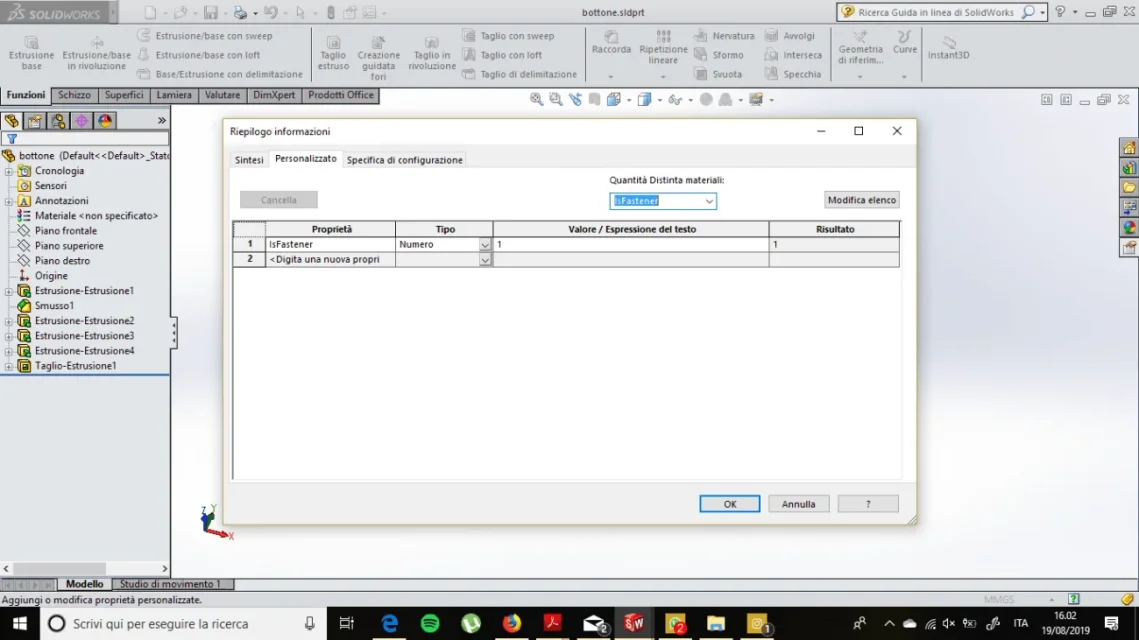
Asymmetrical elements and screws are not to be dissected, so I would like to know how to set "non-sectable" in the 3d file, so that in the sections of the assemble any section does the screw do not be dissected.
I am used to catia v5, where right between the properties of the single component you could easily check the "do not dissect" box and the program did the rest.
I suppose there's something like that in moneyworks, but I'm not finding anything useful either online or online driving.
greetings and thanks
p.s. I add a banality, the default views the program me generates them "American" or view from right to right, view from left to left etc., where do I find the command to set the correct view?
I would have a question about the table of the assemblies.
Asymmetrical elements and screws are not to be dissected, so I would like to know how to set "non-sectable" in the 3d file, so that in the sections of the assemble any section does the screw do not be dissected.
I am used to catia v5, where right between the properties of the single component you could easily check the "do not dissect" box and the program did the rest.
I suppose there's something like that in moneyworks, but I'm not finding anything useful either online or online driving.
greetings and thanks
p.s. I add a banality, the default views the program me generates them "American" or view from right to right, view from left to left etc., where do I find the command to set the correct view?