
Frens1.0
Guest
hi guys, I have a problem with autocad, from one day with the other, or rather not knowing how I removed the window of "fast measure" coming out under the cursor while drawing lines or measuring segments, areas, etc.
But the size comes out in the bottom insert bar, so it wouldn't be so much a problem if it wasn't that since this happened the measures I insert are no longer accurate:
example: if I type an offset of 0.1, it makes me become 0.1164 or 0.0973.
and in addition near the cursor there appears a question mark that had never appeared to me.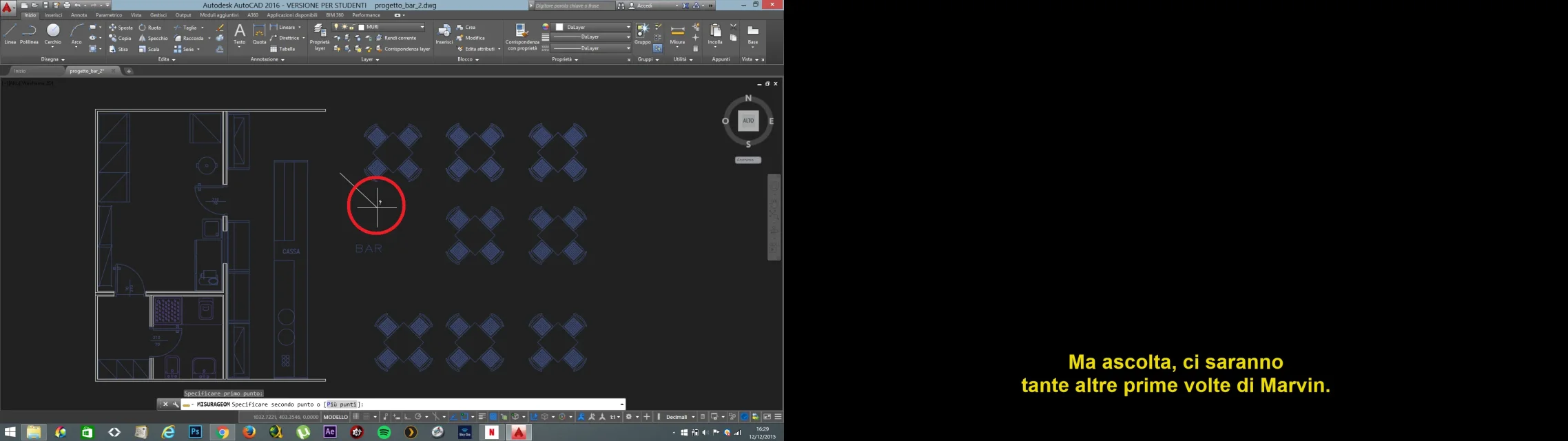 Could someone help me to do that?
Thank you very much
But the size comes out in the bottom insert bar, so it wouldn't be so much a problem if it wasn't that since this happened the measures I insert are no longer accurate:
example: if I type an offset of 0.1, it makes me become 0.1164 or 0.0973.
and in addition near the cursor there appears a question mark that had never appeared to me.
Could someone help me to do that?Thank you very much