snake779
Guest
Good morning to all,
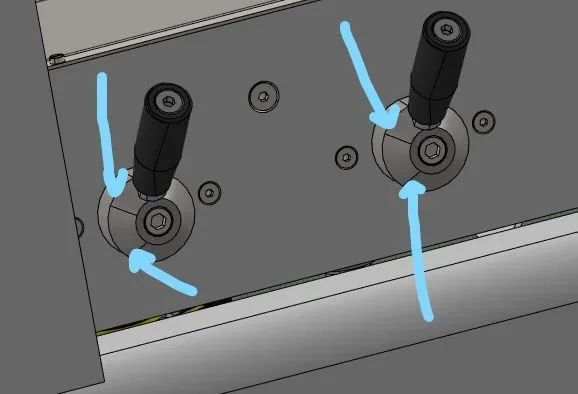
as from title I have quite annoying problems in displaying some components in my assemblies. place 2 photos with examples. Unfortunately these errors are also exported to solidworks compound, where to green those "artfacts" in the photos or animations is quite boring.
Let me know if anyone has any solution, I don't think it's the video card. I have a nvidia picture p4000 with the latest drivers released.
Thank you.
as from title I have quite annoying problems in displaying some components in my assemblies. place 2 photos with examples. Unfortunately these errors are also exported to solidworks compound, where to green those "artfacts" in the photos or animations is quite boring.
Let me know if anyone has any solution, I don't think it's the video card. I have a nvidia picture p4000 with the latest drivers released.
Thank you.