• This forum is the machine-generated translation of www.cad3d.it/forum1 - the Italian design community. Several terms are not translated correctly.

motive horizontally

  • Thread starter Thread starter AutostuDent
  • Start date Start date
selections all interesting objects (from left to right only includes what is completely inside the selection box, if you select something that does not interest lukenoi pressed shift and deselections what is useless)
command moves
move the cursor in the desired direction
Type the value 4
sending

Maybe you should study the program because they are basic commands.
 
selections all interesting objects (from left to right only includes what is completely inside the selection box, if you select something that does not interest lukenoi pressed shift and deselections what is useless)
command moves
move the cursor in the desired direction
Type the value 4
sending

Maybe you should study the program because they are basic commands.
Excuse me, did you try to do that?
I'll get it all up. !
check if you can

how do you impose the value in the command? with regard to the direction so that it is exactly parallel to the axis..instead of moving diagonally or backward
 
are simple entities, curves and lines, on the same level z, as it does to kick you all. moved smoothly.
What does that mean? It's crazy.? do you peyote and feel the melody of the layers? is gin tonic drunk and moves randomly for drawing?
I feel like an explanation that doesn't add anything to your problem.
how do you impose the value in the command?
Do you have the basics of the program?
 
no few basics, because it is not an examination of my cdl
When I say he moves across....vuol say he moves across!
if I insert as a move: -4,0,0 I expect that on the x axis "retroceda of 4mm" (setting to the left of the monitor)
instead it moves to the upper right corner... how would you define it? boh.
 
no few basics, because it is not an examination of my cdl
You don't have to know him to pass an exam, but to use it. Otherwise, you're stuck with something very trivial like this.
When I say he moves across....vuol say he moves across!
I'll be stunned, but I missed this piece of explanation. .
if I insert as a move: -4,0,0 I expect that on the x axis "retroceda of 4mm" (setting to the left of the monitor)
instead it moves to the upper right corner... how would you define it? boh.
with those coordinates you're telling him to move objects to the x-4 and y0 point. wherever you have the entities.
then you need to know the difference between absolute coordinates and relatives and how to type them.
If you do as I told you and move the cursor (with the triggered garden, press f8* and you will have exclusively perpendicular shifts on the x axis and y axis) and type 4, only 4, and press the entities to move on the cursor director of those units.

* the garden serves because by moving the cursor to a part of the screen it is extremely difficult to maintain the hillyness of the cursor with the entities; instead with this way it is enough that the cursor is on the right, left, high or lower than the entity, even if it is at 30°, the move will be orthogonal.
 
I'd say you don't have the basics of the program.
you have moved the entities to the coordinates -4,0,0 not to the coordinates -4,0,0 relative to the moving start point

move (select objects). from point (some point) to point @-4,0,0
 
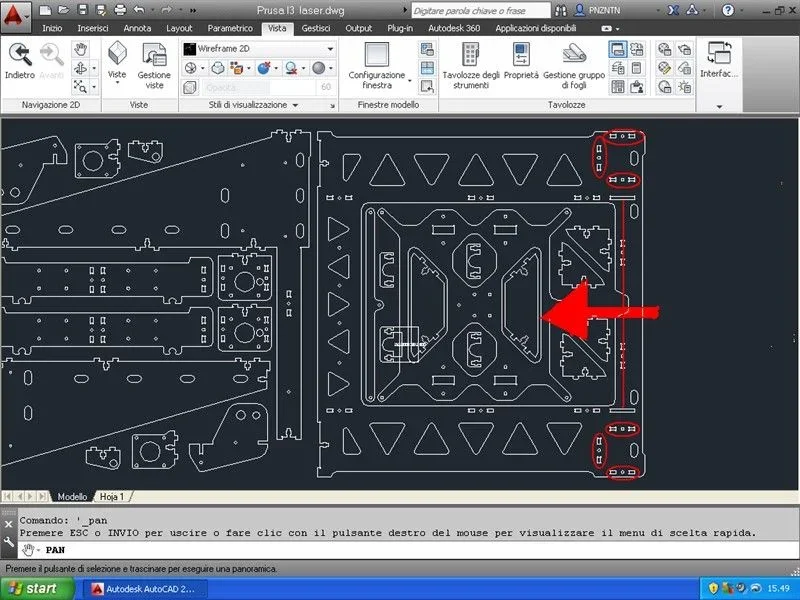
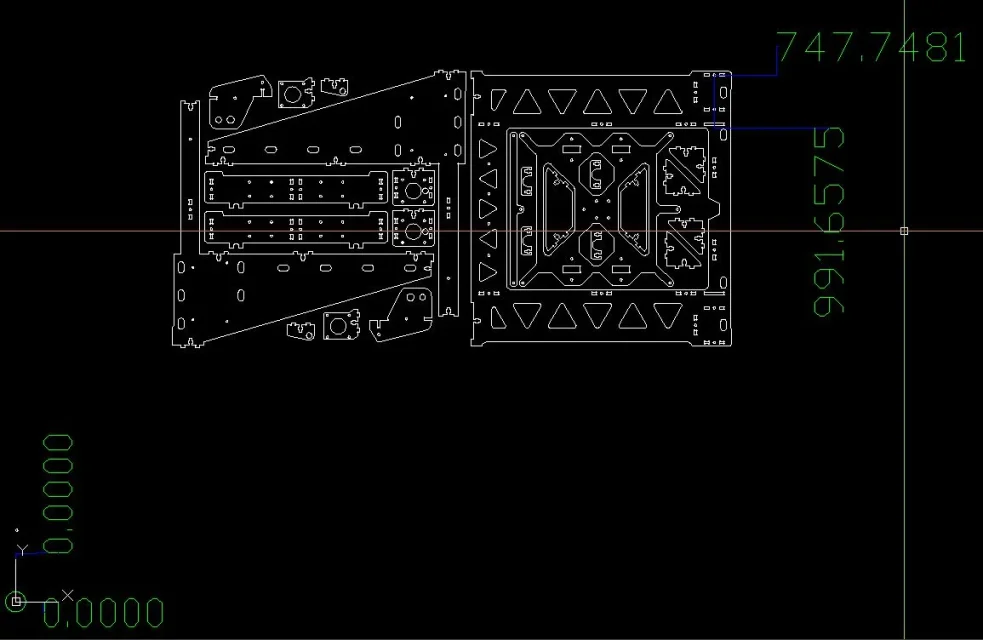
to tell the truth the drawing is located on the top right of the zero, so how they made the entities to stay on the top right of the original point is not clear.
There's definitely a big crisis like that.
 
Masses, depends where you click as a source, when you say you move to -4,0,0
if you leave with a source point we say to (-8,-2) and tell him to move it to -4,0 you will move up to the right.. .
 
if he says he moves up to the right I assume it is a reference to the entities and their original position.
also because I don't think it gets thinned on the base point of movement.
I attach the image with visible origin and how much imagination it takes to take a base point under the -4,0View attachment 42023
 
be if you look at the coordinates of the dwg, you can safely think that a origin of the move to -8 (but also a -40) as x you can easily take. . Just zoom in a little bit less than the extension to include a -100 in the screen.Senza titolo.webp
 
Thank you very much,
Crystal... but I must also enter the @
When do I insert the coordinates?
 
depends on what you have to do.
If you were studying the program, and I put you three links on the coordinates, you would know when to put the symbol and when not.
 

Forum statistics

Threads
44,997
Messages
339,767
Members
4
Latest member
ibt

Members online

No members online now.
Back
Top