• This forum is the machine-generated translation of www.cad3d.it/forum1 - the Italian design community. Several terms are not translated correctly.

motor advice

  • Thread starter Thread starter ste8
  • Start date Start date
to calculate the coupling shaft hub, I had considered a coupling length equal to the band width. the professor told me to consider as width of the coupling a value about 1.5*diameter of calettamento. Now, however, I do not want to go to change everything for such a thing and I have considered a coupling width of 90 mm (diameter of 70 mm). apart from this detail I have already discussed with him, I can't bring this stretch back on the solid design!
is worth the same speech (only the part of the drawing) for the conical wheel.
place two designs to try to make you understand! with the arrows I'm going to tell my problem! all the parts indicated with the arrows are parts of the wheels and not of the tree (do not mind the error on the section of the cylindrical wheel, because there is the wrong diameter).
I hope I've explained
Hi.
you simply need to use the size and extrude it on solids. Take the wheels you made, save them by name and work on the newly saved copy. You do the extrusions you want, obviously the toolbox change doesn't work properly because it brings back the wheels to the origin, you can only work as if they were solid any.
 
Back to my problem, I can't change the wheels created with the toolbox. I will explain my procedure:
- I create new together;
- insert the wheel I need with the characteristics I need;
I can lighten it, but I can't create a hub extrusion!
- at this point I save it as part, I draw what I need, but I remain all the edges and when I do the section I only dissect the extrusions and not the wheel.
from the toolbox you can choose the type of hub you want (a, b, c... without hub, hub on one side, hub on 2 sides) assigning length and diameters you want. without adding extrusions.
without putting new wheels in a new set, you can change existing ones by clicking with the right and choose change toolbox definition; change of type of hub and the field of total length appears.

... however just considerations those of prof.
In fact the ribs in the corners of the cards serve little (the "split" areas have already greater resistance). If you want to rinse, you have to do so to "bear" the protuberances of the supports.

greetings
Marco:smile:
 
you simply need to use the size and extrude it on solids. Take the wheels you made, save them by name and work on the newly saved copy. You do the extrusions you want, obviously the toolbox change doesn't work properly because it brings back the wheels to the origin, you can only work as if they were solid any.
You're going to save them by name as the right parts? It's the only way I can get extrusions. If I saved them as I axle, just let me cut!
and if I save them as parts the result is that in the image I posted to you, with edges separating the extrusion from the visible wheel and invisible wheel in the table setting!
 
You're going to save them by name as the right parts? It's the only way I can get extrusions. If I saved them as I axle, just let me cut!
and if I save them as parts the result is that in the image I posted to you, with edges separating the extrusion from the visible wheel and invisible wheel in the table setting!
It's impossible for me to leave your mark. if there is because they are 2 different diameters. you must be saved as a part.

What do you care? you can well fill the whole center equal to the maximum diameter of the flange escaped and only remake the mozzetto.

then since you have done special jobs to make the wheel lightened. You're looking for the right feauture, and you're putting the mozzi or you're going up and you're doing two extrusions where you need... not necessarily at the end of all the work you have.
 
from the toolbox you can choose the type of hub you want (a, b, c... without hub, hub on one side, hub on 2 sides) assigning length and diameters you want. without adding extrusions.
without putting new wheels in a new set, you can change existing ones by clicking with the right and choose change toolbox definition; change of type of hub and the field of total length appears.

... however just considerations those of prof.
In fact the ribs in the corners of the cards serve little (the "split" areas have already greater resistance). If you want to rinse, you have to do so to "bear" the protuberances of the supports.

greetings
Marco:smile:
I can't get aaaaaaaaaaaaaaaaaaaaaa!
Did I choose the wrong wheel?
look at this image, I don't see the possibility to change the hub and its length!
 

Attachments

  • Immagine.webp
    Immagine.webp
    76.1 KB · Views: 23
I can't get aaaaaaaaaaaaaaaaaaaaaa!
Did I choose the wrong wheel?
look at this image, I don't see the possibility to change the hub and its length!
in the version you're using I don't see the options on the hub type, so it touches you do it by hand, by extrusion etc.
 
I can't get aaaaaaaaaaaaaaaaaaaaaa!
Did I choose the wrong wheel?
look at this image, I don't see the possibility to change the hub and its length!
I see you have 2007.
Now I don't remember how it was, but my 2010 gives me this:MOZZO RUOTA.webpdefinitely comfortable:biggrin:

Yes, you have to save the part by name and do normal work with the functions.

greetings
Mar
 
I managed....! only on the cylindrical wheel to rights teeth. . .
The conical teeth do not include the "rocchetto diameter"... uffa!
and I repeat that he leaves me the signs...
place here the solid file, if some good soul wants to add an extrusion of 35 mm and outer diameter 99 mm, with the offices for the two tabs, save it with solid 2007, would make me a gigantic favor, I can really no more!
Thank you so much to all!
Hi.
I'm sorry.
 

Attachments

I managed....! only on the cylindrical wheel to rights teeth. . .
The conical teeth do not include the "rocchetto diameter"... uffa!
and I repeat that he leaves me the signs...
place here the solid file, if some good soul wants to add an extrusion of 35 mm and outer diameter 99 mm, with the offices for the two tabs, save it with solid 2007, would make me a gigantic favor, I can really no more!
Thank you so much to all!
Hi.
I'm sorry.
Here. I was gonna tell you. After looking better at your image I saw you referring to the conical wheel. in that case it is normal so also in my version.
but the shoulder spacer that meant the prof. you have to do it with an independent "tubetto", not "piece" with the conical wheel. the wheel leaves it as it is "standard" and build that extra ring.

greetings
Mar
 
Here. I was gonna tell you. After looking better at your image I saw you referring to the conical wheel. in that case it is normal so also in my version.
but the shoulder spacer that meant the prof. you have to do it with an independent "tubetto", not "piece" with the conical wheel. the wheel leaves it as it is "standard" and build that extra ring.

greetings
Mar
really the prof told me to do it by piece with the wheel! Then I don't know, I have no experience on these things and I don't know how to do it! I had to do so, otherwise the locking tabs (2) would not have been verified, so I had to stretch the conical hub.
 
really the prof told me to do it by piece with the wheel! Then I don't know, I have no experience on these things and I don't know how to do it! I had to do so, otherwise the locking tabs (2) would not have been verified, so I had to stretch the conical hub.
But what you had before were verified?
 
But what you had before were verified?
Hello, Marco.
I was gone. that of before was not blocked with tabs, or at least, I had wrong calculation on the minimum length according to the torque moment to pass.
What do you recommend for locking the rotation of this wheel?

as far as solid works are concerned, is it also to you that by extruding a toothed wheel saved as part see how 2 separate solids? If by chance I sent the conical here with the extrusion (saved as part in 2007) would someone be able to join the 2 solids?

Thank you all!
Hi.
I'm sorry.
 
Hello, Marco.
I was gone. that of before was not blocked with tabs, or at least, I had wrong calculation on the minimum length according to the torque moment to pass.
What do you recommend for locking the rotation of this wheel?

as far as solid works are concerned, is it also to you that by extruding a toothed wheel saved as part see how 2 separate solids? If by chance I sent the conical here with the extrusion (saved as part in 2007) would someone be able to join the 2 solids?

Thank you all!
Hi.
I'm sorry.
I can't give you the 3d model because I have the 2011 version. I'll attach pictures with explanations.

- in the axieme create the wheel with toolbox
- open the wheel made with toolbox and save by name
- open the saved wheel by name and do the extrusion where you need and save
- in the axieme you will have this modified wheel

if solidworks does not keep you changing, create a configuration of the toothed wheel part and insert it into the axieme and let it display in the configuration you have appointed. (can occur that swx goes fishing the original wheel of the toolboxes)

the solids are united!!! !
 

Attachments

  • estru1.webp
    estru1.webp
    66.2 KB · Views: 16
  • estru2.webp
    estru2.webp
    84 KB · Views: 14
  • estru ass.webp
    estru ass.webp
    73.4 KB · Views: 14
... that of before was not stuck with tabs, or at least, I had wrong calculation on the minimum length according to the torque moment to pass.
What do you recommend for locking the rotation of this wheel?
look that you can also increase the calettamento diameter. that wheel you can mount it on a tree at least of ø80 (the bearing you said that it is ø85, no?) and for that length almost would suffice a single tab.

greetings
Mar
 
I can't give you the 3d model because I have the 2011 version. I'll attach pictures with explanations.

- in the axieme create the wheel with toolbox
- open the wheel made with toolbox and save by name
- open the saved wheel by name and do the extrusion where you need and save
- in the axieme you will have this modified wheel

if solidworks does not keep you changing, create a configuration of the toothed wheel part and insert it into the axieme and let it display in the configuration you have appointed. (can occur that swx goes fishing the original wheel of the toolboxes)

the solids are united!!! !
I try this afternoon when I get back from university because I'm already late!
Hello and thank you very much!

p.s. in any case I have already assembled with the wheel that sent me sampon! :biggrin::biggrin::biggrin::biggrin::biggrin:
 
I've been missing too long now! :

I am at the stage of the table, I have to quote and tolerate only the tree 2, the one below and then make a view of the anchor. would someone have some examples of tree listed and tolerated?

Thank you so much, guys! :
and good evening!
 
I've been missing too long now! :

I am at the stage of the table, I have to quote and tolerate only the tree 2, the one below and then make a view of the anchor. would someone have some examples of tree listed and tolerated?

Thank you so much, guys! :
and good evening!
I would say that if you place your tree, we can take a look at it (of course you put the quotas, the tolerances ... even the form ones, and the roughness).

I would say that it is essential to have tolerances in bearing locations and forced couplings, and according to them proper roughness. if you have seats for seeger idem (look on the manuals as they are quoted because the reference is from the beat shoulder).

I missed you so much and I couldn't sleep tonight.

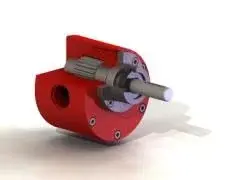
Then if you want to be cool... in the axieme you cut the case but don't cut the bearings and the trees and... like the engine benches in the labs... look at my example of gear pump
 

Attachments

  • ASSIEME_POMPA_sez1.webp
    ASSIEME_POMPA_sez1.webp
    3.1 KB · Views: 22
I would say that if you place your tree, we can take a look at it (of course you put the quotas, the tolerances ... even the form ones, and the roughness).

I would say that it is essential to have tolerances in bearing locations and forced couplings, and according to them proper roughness. if you have seats for seeger idem (look on the manuals as they are quoted because the reference is from the beat shoulder).

I missed you so much and I couldn't sleep tonight.

Then if you want to be cool... in the axieme you cut the case but don't cut the bearings and the trees and... like the engine benches in the labs... look at my example of gear pump
Hello mechanicalmg,
I missed you too:)

How about instead of posting the tree here, I'll send it to you by private message? I wouldn't want many other comrades to copy everything. Okay?

I don't know where to start. . :confused::mad:

I'm trying to help you. You let me know.
Thank you so much!
Hi.
 

Forum statistics

Threads
44,997
Messages
339,767
Members
4
Latest member
ibt

Members online

No members online now.
Back
Top