
• This forum is the machine-generated translation of www.cad3d.it/forum1 - the Italian design community. Several terms are not translated correctly.

moving library files

  • Thread starter Thread starter drake
  • Start date Start date

drake

Guest
Hello, everyone! I wanted to ask you this... for workbook organization needs, I would need to move my sw component library to another location. how could I do to make them all together without losing the links with the models made until now? I tried to select different files and use the dx key with the move function, but nothing to do since it only moves the last of the selected files. In this way it becomes not really easy to do it. thanks to those who will give me a suggestion.
 
Hi.
I now have a pdm so your problem doesn't match it but if you use solid explorer? It seems to me that there was the functionality of moving files without losing references....

Hi.
 
I just tried with explorer, but I couldn't. I don't usually kill it, so I don't know it but it doesn't allow me to select multiple files at the same time
 
Now unfortunately I don't use it either (see pdm), but I'm sure that its peculiarity was just this vary the names of the components and move them to the various folders without losing the references, but you had to do it inside the solid explorer, I don't know if with the successive changes this has improved but I think you...

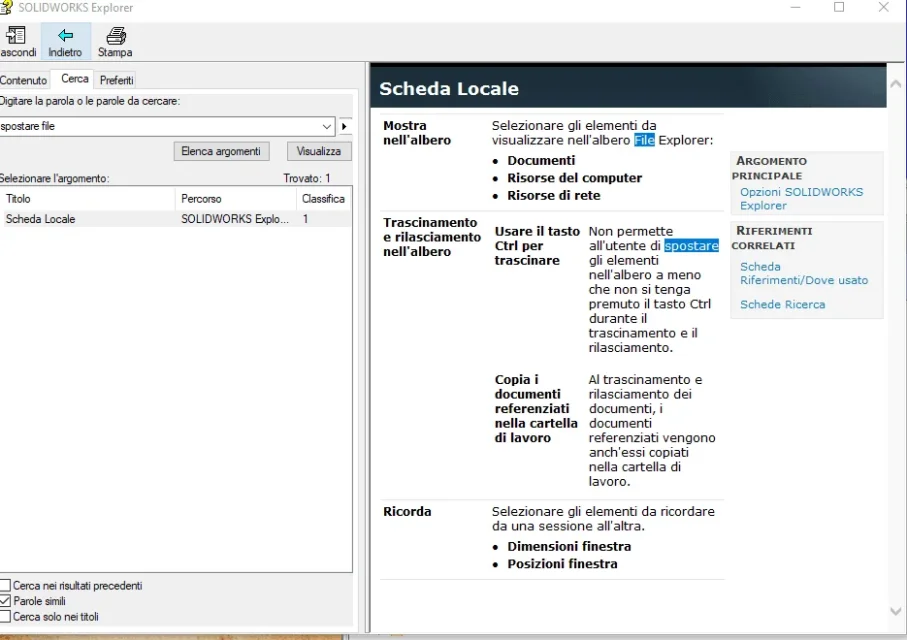
I found this in the help to move you have to hold down the ctrl key.... try hello1573731822421.webp
 
Maybe with the ctrl meal you can easily move files one by one... I will try.
Thank you!
 

Forum statistics

Threads
44,997
Messages
339,767
Members
4
Latest member
ibt

Members online

No members online now.
Back
Top