• This forum is the machine-generated translation of www.cad3d.it/forum1 - the Italian design community. Several terms are not translated correctly.

moving parameters with dynamic lock

  • Thread starter Thread starter marcmemba
  • Start date Start date

marcmemba

Guest
Good afternoon to all!
I'm trying to move the dynamic block (all content, lines, parameters, etc.) inside the block editor, since I realized I didn't have centered the block at the coordinates 0.0...it is inserted to coordinates...2035,36985.
from what I understood by passing many forums, is that you can't move theucs, but just move the objects. until it all seems okay, but then when I have to move all the block content to the new coordinates, I don't move the frames of the parameters labels. . .
Does anyone know how to do it, or is there another simpler procedure?
to better understand I put these two pictures of the problem:
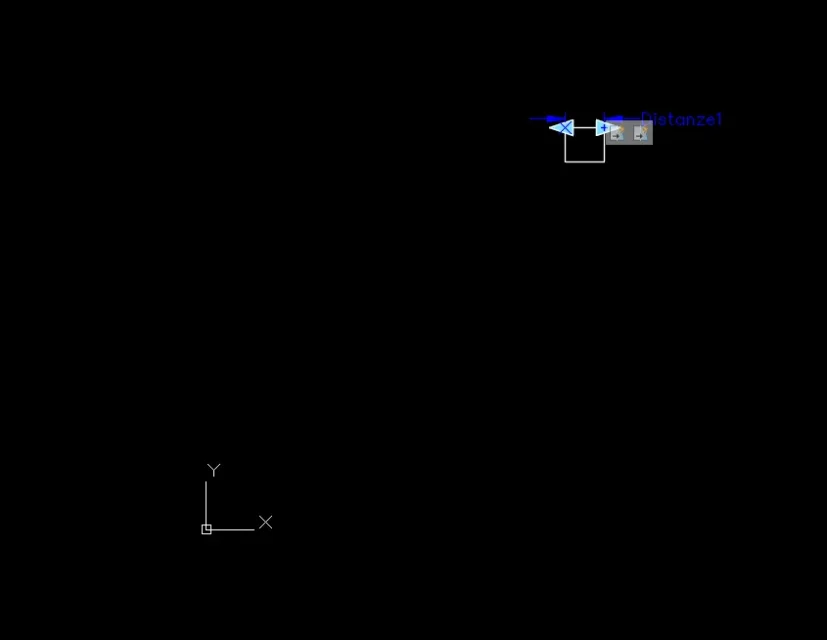
Cattura1.webp
Cattura2.webpthanks in advance and good afternoon
 
interesting your question!

if you move the objects of the block and the parameters in a new point the windows that are served to define the scope of an action of iron, move etc. remain where they are.

to move them you can do this:
1 - somewhere the values (x and y) of the shift you assigned to objects and parameters to carry them in 0.0

2 - do clik on the iconcin of the parameter

3 - the dotted rectangular window will appear with 2 opposite grips

4 - Press the Shift key (maisuc) and click the 2 grips, they will become red

5 - click now on one of two red grips and will activate the move action, type the consortia or move.
 
Thank you very much!
I hope in the next versions of autocad add the option to move even the dotted windows in a single shot...that I will go crazy to make a dotted window at a time. .
Good day
 
Hi.
I had tried...the problem is that they select the basic point parameter and put it where I need it, but then I don't have an action to report it... and when I text the block doesn't appear the base point anywhere. Do you know why, or if I'm using this command wrong?
Thank you.
 
Hi.
I had tried...the problem is that they select the basic point parameter and put it where I need it, but then I don't have an action to report it... and when I text the block doesn't appear the base point anywhere. Do you know why, or if I'm using this command wrong?
Thank you.
You don't have to assign any action to the base point! once you have entered the desired point you are finished.
 
It's what I tried at first. It doesn't work.
I put a screen recorder, which I might make some wrong passages.129bf288e3.webpIf you don't see the gif...what there is the temporary link of the video that I don't know how long it lasts...http://im.ezgif.com/tmp/129bf288e3.mp4Sorry to bother you... and thank you in advance
 
Uh... Looking at the image I would say that your block looks a lot like the autocad grid.. .
Lucky there's the video...
 
In fact it had to be a gif....only that I can't load it....and the image that there is is the first frame.. .
Any idea why it doesn't go even if I insert the base point?
as soon as I can try to recharge the gif
Have a good day!
 
You don't understand how you save the block. make your own steps and get a different result. from me it works
 

Forum statistics

Threads
44,997
Messages
339,767
Members
4
Latest member
ibt

Members online

No members online now.
Back
Top