• This forum is the machine-generated translation of www.cad3d.it/forum1 - the Italian design community. Several terms are not translated correctly.

multi body e flatten

  • Thread starter Thread starter ballino
  • Start date Start date

ballino

Guest
Bye to all,
a colleague made me notice a possible kiss and as I am not an expert I ask.

sw2009 sp2.0
multibody part
first I do prismino (so body1)
then the carter (so body2)
active weldment
group for cutlists and I go to the table

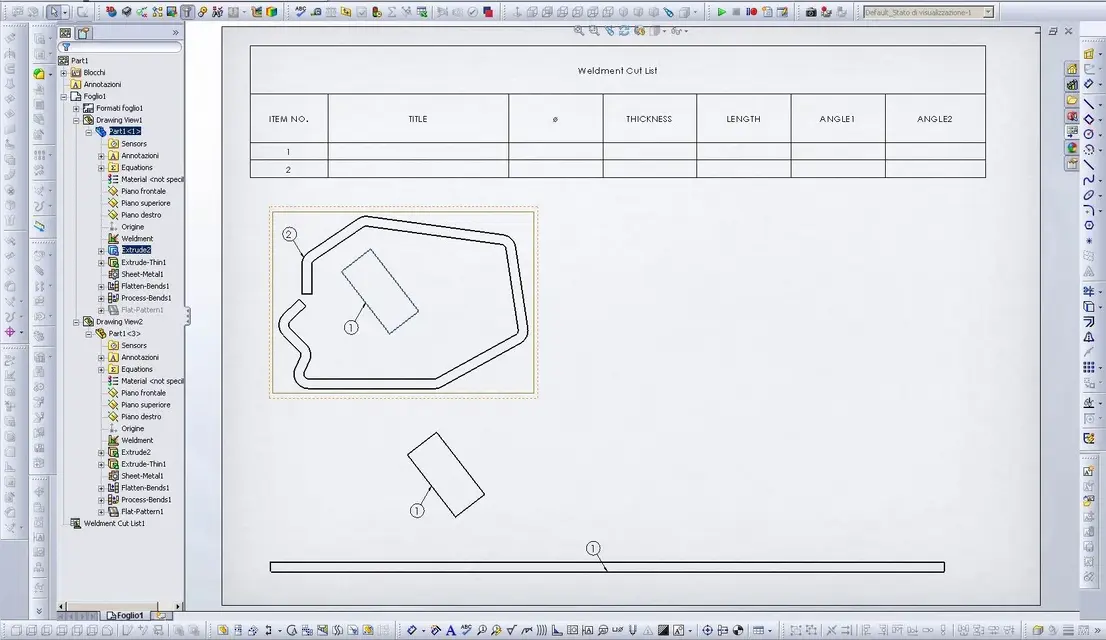
together "default" balled correctly. Okay.

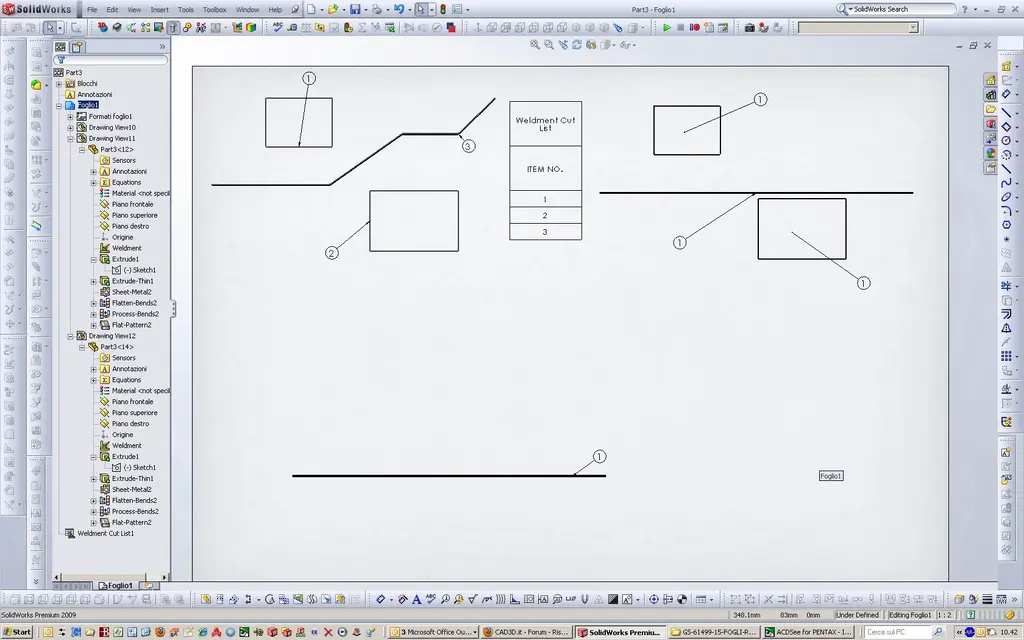
together "flatten" with ball all 1.
Here comes the beauty. I can’t manage the numbering to choose to put on the table only the flat object

is a kiss or you happen to yourself and wrong approach?


Thank you.
dancer
 

Attachments

  • Taglia_3.webp
    Taglia_3.webp
    137.6 KB · Views: 29
It's not a kiss. until the 2009 version of swx there is the management of 1 single sheet body. from swx 2010 multibody made of multi-lamiere and solids.

However if you have to put only 1 particular on the table, choose insert, relative view, pattern ... go into the part, select 2 floors, select only the body you want and return to the table, click and you will only have what you want.

to check the ball, you need to see where the choice of the cut distinction is made. Obviously you will have a welded set and a default set. only one of them has development configuration.

then if you have only 2 bodies, put the development view and click on the second body, right click, hide, hide component.
 
Hello mechanicalmg,
thank you for the indications especially for 2010;
remaining for a little while back in 2009 and the limitation of a single flawless body I made some evidence.

result:
if the activation of the “weldement enviroment” command avvenir prima of the development creation feature” the ball remains correct (even by isolating the flatten sheet); [e la cut list è unica e si riferisce sempre alla conf welded]
Viceversa the ball brings everything to 1 and I have to resort to what you suggested (configurations etc.).

last note: the feature manager regardless of the order with which the features always show flatten at the bottom.

I wish a good day “despite the gag”
dancer
 

Attachments

  • flatten dopo weld.webp
    flatten dopo weld.webp
    154.2 KB · Views: 10
  • flatten prima di weld.webp
    flatten prima di weld.webp
    145.8 KB · Views: 8
Sorry about the surgery first.

on different computers (like version and operating system) behavior is different and aleatory.

therefore in multibody with a sheet body (before or after weldment activation) it is not possible to maintain the numbering of the cut list.
see image warning that it brings everything to 1.

Thank you.
dancer
 

Attachments

  • 1.webp
    1.webp
    146.7 KB · Views: 12
Sorry about the surgery first.

on different computers (like version and operating system) behavior is different and aleatory.

therefore in multibody with a sheet body (before or after weldment activation) it is not possible to maintain the numbering of the cut list.
see image warning that it brings everything to 1.

Thank you.
dancer
That's right. It's aleatory. depends on how you move... comunqe the correct numbering you get it after weldment has been done and have automatically upgraded separately.

sometimes he goes crazy with the numbering. depends on when and how the views are inserted in the table. :finger:

flatten at the bottom is normal. Always last.
 

Forum statistics

Threads
44,997
Messages
339,767
Members
4
Latest member
ibt

Members online

No members online now.
Back
Top