gs1960
Guest
I'm at the first weapons with inventor 2014 and I'm seeing the uncontinuous lines.
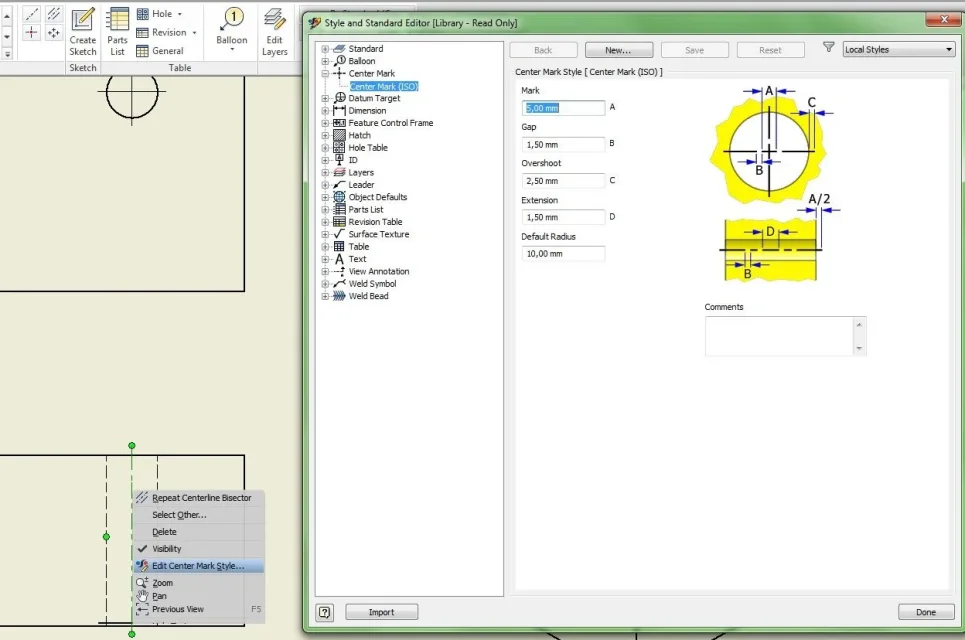
For example, the axis lines, based on the style of a particular center, are too "fitte".
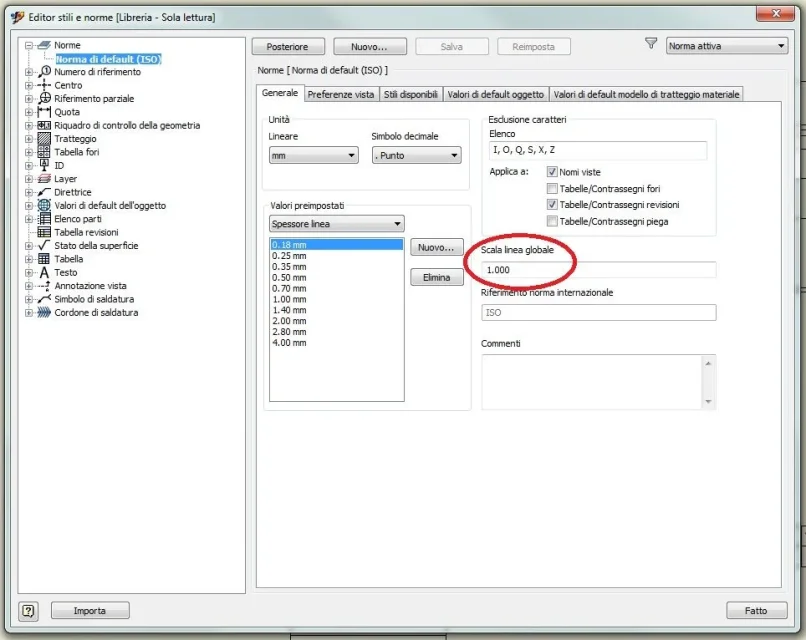
I have seen that by changing the overall scale of the norm, I can achieve the desired effect, but with the counterpart to obtain even the dotted lines (e.g. the hidden ones), unavoidable.
the question is....how can I manage (and if it is possible) the various scales of the different types of line independently?
e.g. in autocad this is feasible through line/type/detail/global scale and current... but in inventor, I don't find the same solution.
Thank you all!
For example, the axis lines, based on the style of a particular center, are too "fitte".
I have seen that by changing the overall scale of the norm, I can achieve the desired effect, but with the counterpart to obtain even the dotted lines (e.g. the hidden ones), unavoidable.
the question is....how can I manage (and if it is possible) the various scales of the different types of line independently?
e.g. in autocad this is feasible through line/type/detail/global scale and current... but in inventor, I don't find the same solution.
Thank you all!