• This forum is the machine-generated translation of www.cad3d.it/forum1 - the Italian design community. Several terms are not translated correctly.

photoview360 - image inserted in the sketch in rendering

  • Thread starter Thread starter ingdottalex
  • Start date Start date

ingdottalex

Guest
good afternoon to all;
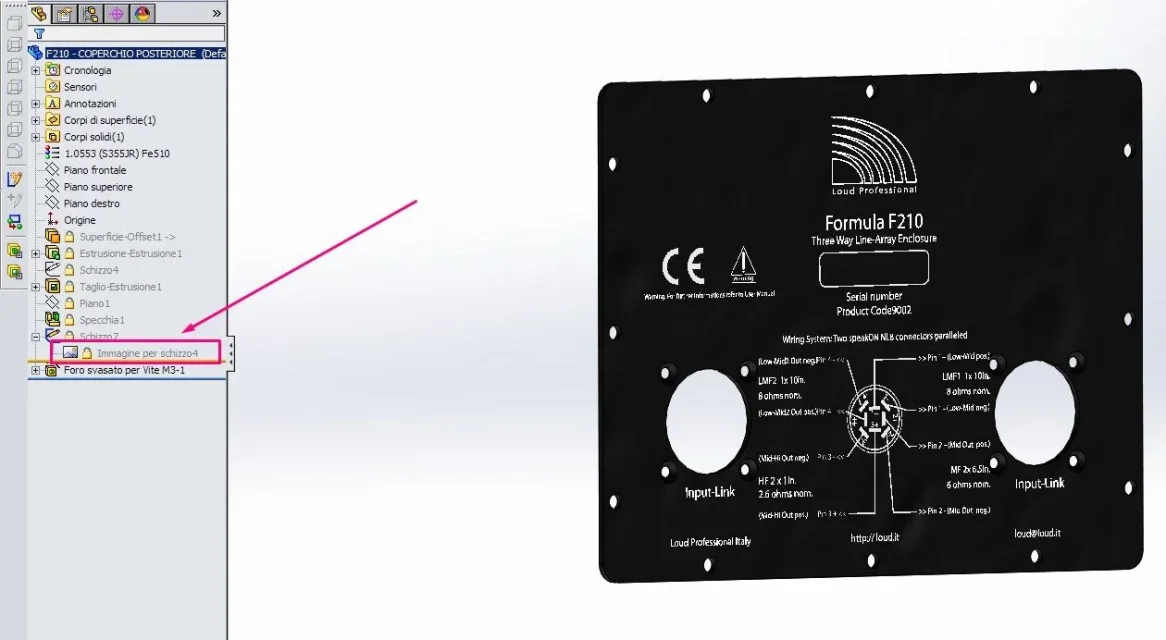
I can't make a body in which I put an image in the sketch (the rendering comes, but without image); I don't know if it's possible to do it or if there's another way to go.
I attach image. thanks to allScreenshot_1.webpView attachment coperchio.zip
 
attach a set that does not serve anything and does not attach the image that the important part.
make a solidworks pack&go with the open part
 
inside the zip there is an axieme file and a side file. to insert it as a decal sere the external image.
However inserting the decal you see great (you have to adjust the image by moving it and climbing it)
 
inside the zip there is an axieme file and a side file. to insert it as a decal sere the external image.
However inserting the decal you see great (you have to adjust the image by moving it and climbing it)
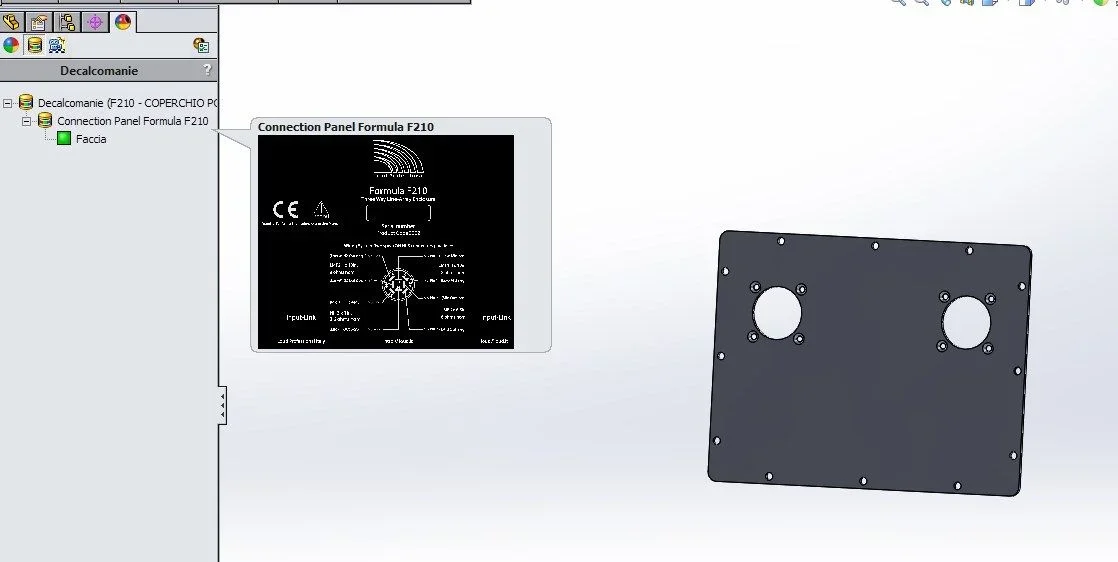
Would you tie me the part where you see the decal? I don't understand if I have any option that doesn't show me; also in another part inserting a decal also different you do not see; appear only under decals in the feature manager.
 
I don't do anything extraordinary.
drag&drop image from windows explorer to solidworks file placing me on the body; appears a mask that asks about what extent to insert it (face, body, part). nothing more; then change the caption settings
 
I don't do anything extraordinary.
drag&drop image from windows explorer to solidworks file placing me on the body; appears a mask that asks about what extent to insert it (face, body, part). nothing more; then change the caption settings
so it works but inserts me the flanked image covering all face; Is there any way to insert it individually, like sticker?
 
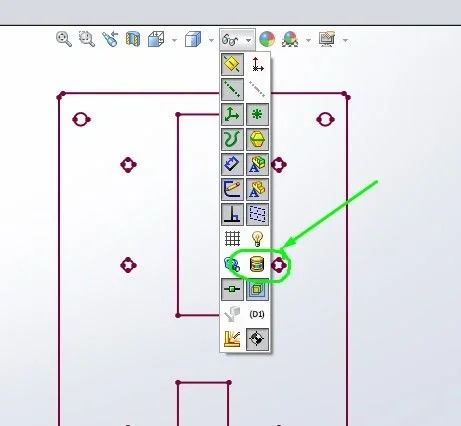
:36_1_1: I knew where the deception was!Screenshot_1.webpit was very simple, all I did was fine; except this "detail". .
Thanks for the rest, I still learned new things.
 

Forum statistics

Threads
44,997
Messages
339,767
Members
4
Latest member
ibt

Members online

No members online now.
Back
Top