• This forum is the machine-generated translation of www.cad3d.it/forum1 - the Italian design community. Several terms are not translated correctly.

pivot e rhinoceros

  • Thread starter Thread starter patro
  • Start date Start date

patro

Guest
Hello, everyone.

I do not care about it especially having also learned to use self-taught rhino.
But I have a problem lately, but I can't find a solution. I don't find certain references in the help.

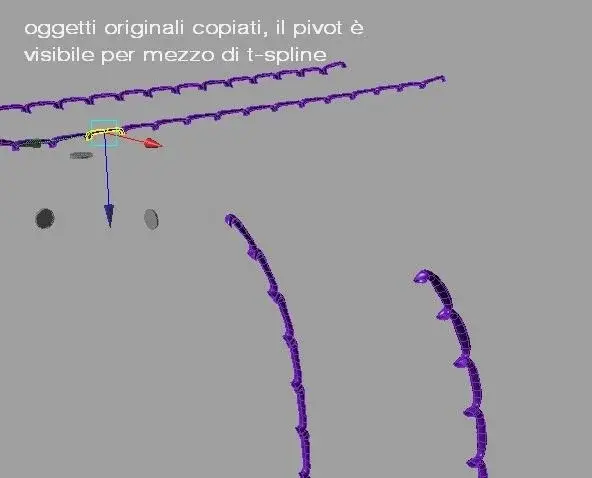
example, I have an identical set of objects simply copied between them, they are online, so their centerpiece is the same.
If I now apply the flowalongcurve and active t-spline command to which I can display the pivot, I can notice how each object has the pivot oriented in the same way and in referment to the world, but the alignment differs from object in question since these have been adapted to a 3d arc.

I would like to know if there is the possibility that each polysurface maintains the pivot aligned to the object.

for more clarifications see attached pictures

Thank you.
 

Attachments
  • pivot_1.webp
    pivot_1.webp
    13.9 KB · Views: 16
  • pivot_2.webp
    pivot_2.webp
    18.8 KB · Views: 13
Last edited by a moderator:
Hello father
I think it depends on how he set up the
manipulator
tspline uses different guidelines for the pivot ,world
view, plane
try to select the object and set
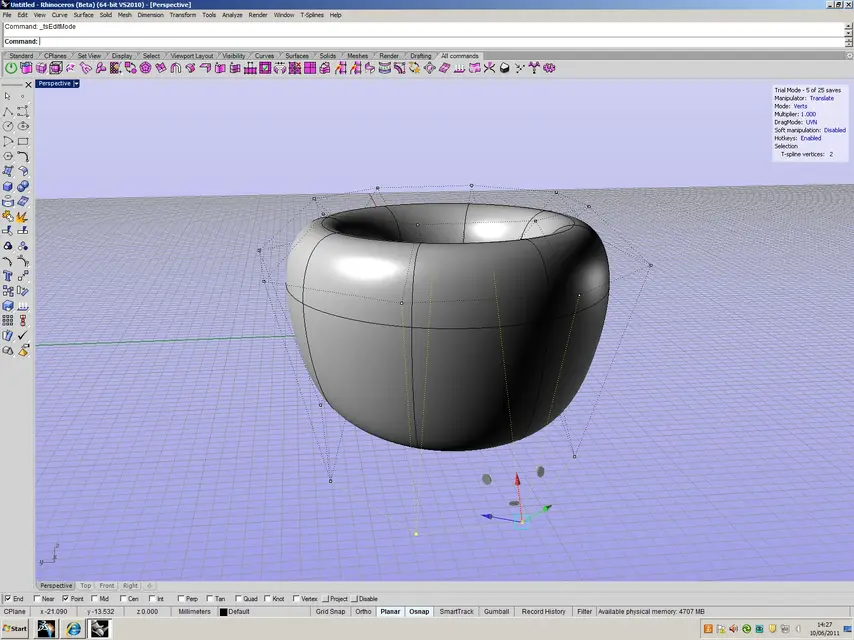
the pivot on uvn should work
attach some pictures
to the
 

Attachments

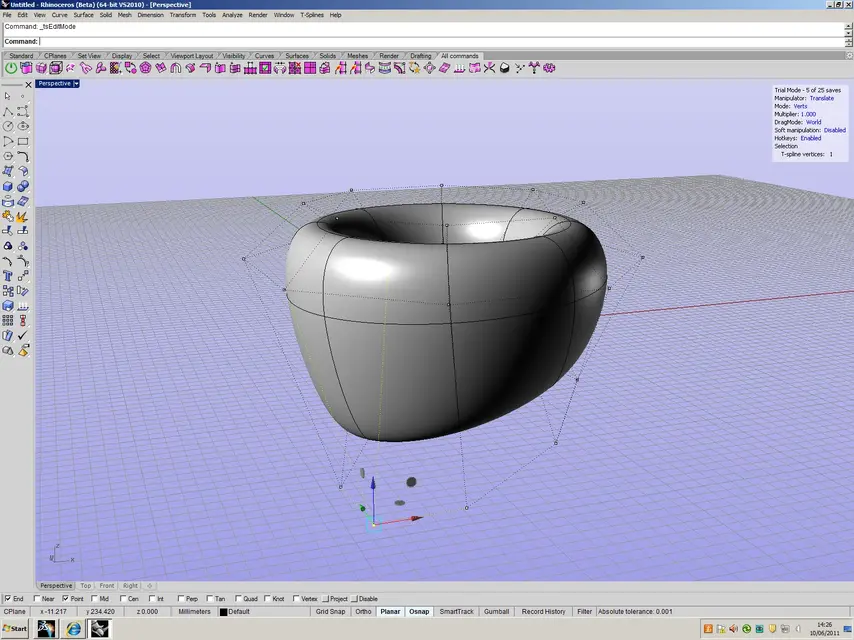
  • pivot su Pt world.webp
    pivot su Pt world.webp
    299.7 KB · Views: 7
  • pivot su Pt UVN.webp
    pivot su Pt UVN.webp
    267 KB · Views: 8
Thank you for the answer.

I have to stop explaining bad.
I activated t-spline because it allows me to display the pivot of geometry, because I don't know the way you can do in rhinoceros.

I have done as much as you suggested to me, I have tried all the systems of referral but no one aligns with the created objects.
Of course I missed something.

I also need to know how to view pivots, check them, because I have to help a developer write a script for the export of pivots in a txt.

while another script already ready, is able to upload and associate the information of the pivots contained in the txt to the geometries previously exported from rhinoceros in acis sat format and imported in 3ds max from the 2011 version onwards.
I believe that the script is able to associate the pivots to any type of geometry, nurbs, mesh and so on.

the alignment of the pivots serves to be able to correctly instigate all imported geometries in 3ds max. These information is normally lost during export and or import.

Can you tell me also how it is called in rhinoceros the pivots?

Thank you.
 
in rhino 5 there are already, but I think you can still download for the 4, it is called gumballdemo.
thanks, downloaded and installed :finger:

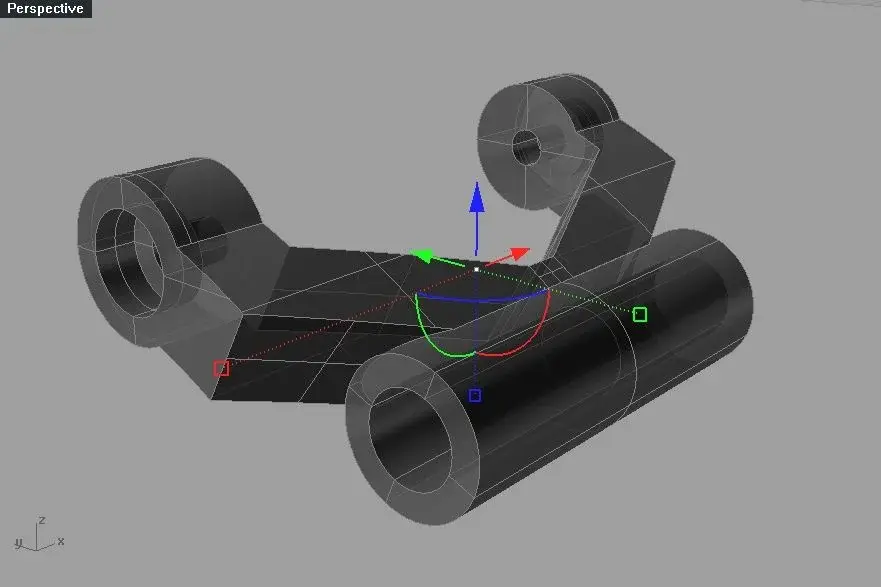
Could someone tell me what I was wrong? Please see the attached image.

as you see the pivot gumball is activated, looks like the t-spline.

the gumball is aligned to the world and not to the object, it has been rotated about -15° around the x axis, as you see however the pivot is not aligned to the object but rather to the world:(

What's wrong? or how can I align it as I want the figure, fixing it to it... so that even by making a polar series the pivots are still aligned to the object?
 

Attachments

  • 2011-06-10_162840.webp
    2011-06-10_162840.webp
    26.4 KB · Views: 5
There are no icons, you have to type commands, you should be there one on the orientation, look if there is a list of programs.
However that is a single nurbs object, a polysurface, t-splines is oriented on the faces, so you have to know about what to turn, gumball as you know if the whole object is selected with various parts?
I know that even for this first it was not oriented, you must turn the nurbs object into t-spline object, then mooring the pivot in the face that interests you, but I must tell you that you cannot convert a polysurface, it must be nurbs surface, and if your object is a poly, you must explode it, and convert all the individual surfaces into t-splie surface.
Am I wrong? :
 
certainly enri not wrong, tspline converts only sup.,
But I believe there is a way to control the position
Of the Pivot, I damned didn't present it at the moment
but there must be,
Let's go.
to the
ps- in the rhino site search on plug-in for rh4-gumball
or in rhino 5's help
 
enri, what you said about t-spline and the use of the explore to be able to convert.
but still both the pivot remains aligned as it was before the explosion.

off-topic. I can't wait for t-spline to convert with the retrim of surfaces.

Please, guys help me with this discussion that I can't come over with.
Also excuse me if I repeat, but what is the name with which in rhino is the pivot?
 
His name is gumball. that of t-spline I don't remember, there is written in the command.
However also in maya or way, the pivot position is always relative to an object, and this is always a polygon. in rhino the pivot gumball, I don't know if you can place perpendicular to the surface, or to the view, or world, but dubito, which would serve if you should not move polygons, but only surfaces and polysuperfici?
that of tspline relates to objects of tspline, polygon, sides, points or works as gumball. However, it comes to mind, rotates the object then turns off gumball and then reactivates it, see if it repositions.
 
Hi.
I did some evidence with the gumball, I didn't understand how it works, even because I went to attempts. Turns out one has to activate it before processing.

for example,
1- I take the geometry that I have to align with one of the plans... The roote of what I need.
2- active the guballgripon... and the pivot will be aligned as we fly.
3- Disable
4- for example I make a polar series
5- Reactive gumballgripon and I can see how all pivots are correctly aligned to objects

if you do not act in this way according to the steps described above, ie leaving you to align before proceeding. . after the polar series the pivots would all be oriented to the world and not to the object.
also closes rhino, reopens the file and the gumaballs are still beautiful oriented:finger:

to me it seems strange, I tried many times, always with the same result.

the info of the gumball during the export are lost... In fact, in 3ds max whatever the reference system used, the pivot is always and still oriented to the world:(

well adess or try to understand how to save gumball info in a txt for the next association in 3ds max.

are still open to further info, corrections and ideas.
Thank you.
 
I have tried to understand the problem better;
an object gumball corresponds to position a pivot
at the center of the rectangle or containment box
of this form (the origin is always the center of
(a) the positioning and only world, whether curve 2d, 3d or volume, there is no possibility, as for the manipulator
tspline to change the point of application, if you twist the point that appears ( launching the command gumball on
in fact appears a point in the center of our object) all the object moves and not the pivot-
from what I understand the function of the gumball is that of
manipulate the whole object, scale it, rotate it, move it
in its entirety, although
esite the command (gumball edge) working (only ) in the edge
in order to be able to apply
of partial deformations
this comado is in some ways repetition
of the box edit command that works transformations to our entities
allowing you to reposition in a limited way (there is a table of
min- max -cent for each axle z x y)
the center of deformation (our gumball) of the object-

I hope I've clarified the subject a little more
to the
 
hmm, I understand what you explained... but if you align to one of the plans the object before you activate the gumball... I do not know why it is bound to you once activated.... there is also the possibility of being able to move it from the object just click in rhino5 the gumball circle to see expand the context menu.
maybe you were referring to rhino4 where actually the gumball is not integrated.
opzionigumball.jpg
original linkhttp://www.mandarinoblu.com/blog/index.php?option=com_lyftenbloggie&category=provatipervoi&itemid=61Do you have an idea of how to get a print of the gumball information about the object and the reference system?

I wrote this night to the gumball developer, I hope in his help since he has the abc... but if you have ideas about it;)
 
I was referring to v4
thanks for the info related to v 5:biggrin:
in v5 the degrees of freedom of manipulation are
Major... Good. .
Unfortunately I don't have any other tips or tips to give you
to the
 
Thank you for your help.

if someone was interested in the scripts that we are making not desist from contacting me.

scripts are...

mass rename geometries.
the script can rename all selected objects, after choosing a basic name, in numerical sequence.

printobjnames incomplete
already export the names of the objects that on stage own a name like txt

to this script we still have to add the parameters of the gumball.

scripts will serve to maintain a certain workflow between different software.

Would someone know how to tell me an Italian community of rhino scripting?

Thanks again.
 

Forum statistics

Threads
44,997
Messages
339,767
Members
4
Latest member
ibt

Members online

No members online now.
Back
Top