• This forum is the machine-generated translation of www.cad3d.it/forum1 - the Italian design community. Several terms are not translated correctly.

position text angles

  • Thread starter Thread starter PiDezz
  • Start date Start date

PiDezz

Guest
Good morning to all,

I can't understand why, automatically inserting the quotas of a feature, part or view, the position of the text of the corners, on certain drawings I am correctly inserted above the line (right image), while other times riding the line itself (left image).
the problem is that I am not able to change the text position, bringing it over the line.
Can anyone help me?
Thank you!
 

Attachments

  • quota A.webp
    quota A.webp
    12.7 KB · Views: 3
the option should be this: default_angdim_text_orientation and you have to set it on parallel_above in the design options. try to see if the right charge
 
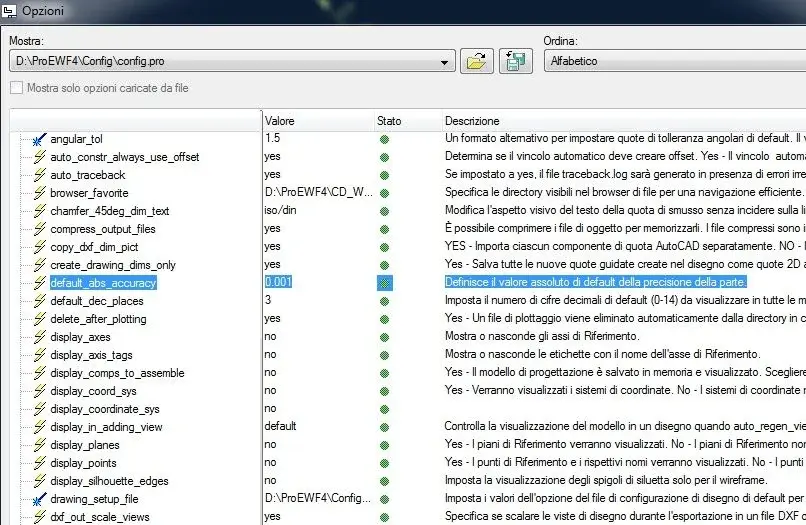
Ah, here... on my config does not appear the option "default_angdim_text_orientation". :confused:
Thank you so much.
 

Attachments

  • quota B.webp
    quota B.webp
    84.8 KB · Views: 5
found, it works.. .
first I was wrong that I was looking for "instruments --> options" and not in "design options".
setting "angdim_text_orientation" in "parallel_outside" is perfect.
thanks for the right calacc. :
 
found, it works.. .
first I was wrong that I was looking for "instruments --> options" and not in "design options".
setting "angdim_text_orientation" in "parallel_outside" is perfect.
thanks for the right calacc. :
with these configuration files it is easy to get confused... I saved the drawing configuration file by kissing it "config_drw.dtl", I liked it so:cool:
 

Forum statistics

Threads
44,997
Messages
339,767
Members
4
Latest member
ibt

Members online

No members online now.
Back
Top