
• This forum is the machine-generated translation of www.cad3d.it/forum1 - the Italian design community. Several terms are not translated correctly.

preview not available during moving objects

  • Thread starter Thread starter jim78b
  • Start date Start date

jim78b

Guest
I noticed that when drawings pass converted or by me10 or by solidworks if I try to copy, move a block or even individual polylines you do not see the block that I move or line...
If I enter the block I see that the arches are transformed into polylines, I tried to explode them and return arches, another method is to change the thickness from 0.0001 to 0 then everything comes back to be seen.
I wonder if it's a autocad defect?

I attach image and file, try to copy a block and drag I do not see what drag! .
thanks to the attentionView attachment new block.dwgImmagine2.webp
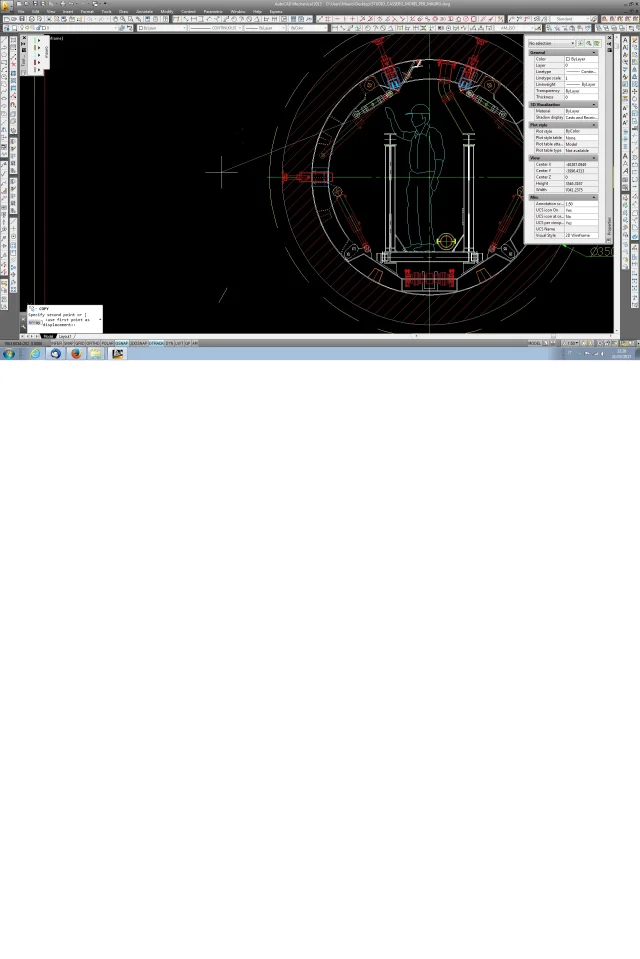
 
It is still a polyline problem. same objects (this block for example olda$c244d7092_s) made with lines you see without problems.
 
It is still a polyline problem. same objects (this block for example olda$c244d7092_s) made with lines you see without problems.
In my case, I see it, but if I move or copy it while I move it, I don't see it. I noticed that by putting fillmode 0 you see while moving it but disappear all restraints! So I ask myself to reset the cad?

I reset autocad but nothing. Is it a bug for me? !
 
I see it in my case but if I move or copy it while I move it I don't see it
I always meant that. if the same block you do it with polylinees, as it is now, at the drag you do not see it.
If you do it with flannes, then explode the polylines, at the drag you see it.

this is attributable to the fact that polylines have no overall width 0, but 0.001. I don't know, but I do.
set the overall width of a 0 polylinea and you will see that the preview works

the lisp of this thread sets the polylines, but I don't know if it works for those nested. http://www.cad3d.it/forum1/threads/19150-modifica-spessore-polilinea
 
Thank you again! I have to put them back on 0. Now I give an eye.
I hope it's useful for someone this post. Thank you very much

ps:but x know since I convert them also from solidworks in dwg, is it not that it is an option to put in solidworks?
cmq I have autocad mech 2013 maybe on new ones does not happen

- the lisp does not work for nested
 
Never happened something like that with solidworks. also because there is no settling regarding polylines, only for the splines.
the problem may be that the template on which the dwg is created has set the plinewid variable different from 0. but it is only a hypothesis

if that file you converted it you would recommend studying the solid mapping file since the dwg entities have forced color and line type and it is not really a nice way to work
 
in addition to the method of bringing all polylines to width 0, which on such a file do it by hand takes a lot of time, an alternative solution is to explode all polylines. in this case finding a lisp that explodes even within the blocks could be relatively easier
 
Never happened something like that with solidworks. also because there is no settling regarding polylines, only for the splines.
the problem may be that the template on which the dwg is created has set the plinewid variable different from 0. but it is only a hypothesis

if that file you converted it you would recommend studying the solid mapping file since the dwg entities have forced color and line type and it is not really a nice way to work
I see, they're not my files. This time they came to me10.
However I see that often solidworks arches convert them into polylinee.
 
However I see that often solidworks arches convert them into polylinee.
that can depend on the fact that those you see as arches are actually spline. You can also have them built as arches, but in the views for how they are projected they become spline. it is sufficient, always in solidworks, that positions the cursor on the entity and appears the symbol of line, arc, spline.... in the export options you have the choice between exporting the spline as such or as polylinee
 
that can depend on the fact that those you see as arches are actually spline. You can also have them built as arches, but in the views for how they are projected they become spline. it is sufficient, always in solidworks, that positions the cursor on the entity and appears the symbol of line, arc, spline.... in the export options you have the choice between exporting the spline as such or as polylinee
In fact, I remember that there was that option I'll be careful next time.
sin no one can confirm this beyond you. Maybe in the newer versions of autocad does not happen. .
 
Don't do what? you are not in your head, try to be precise in explanations.
You can try to save the file with that and reopen it with autocad, maybe you're lucky and solve the problem.
if you have solidworks and draftsight (which is free) you can try the same process even with that
 
does not do what we have discussed until now .or if you transpose a block x example see what you move in autocad as you said no.
 
Don't do what? you are not in your head, try to be precise in explanations.
You can try to save the file with that and reopen it with autocad, maybe you're lucky and solve the problem.
if you have solidworks and draftsight (which is free) you can try the same process even with that
However I might have found a "bug" in autocad, I noticed that if polyline faces with thickness 0.1 0.001 0.0001 if shifted, copo etc the preview during shift does not.
 
:wink: I don’t know how many bugs you have found so far in acad. candidates as beta-tester, you would be efficient.
 

Forum statistics

Threads
44,997
Messages
339,767
Members
4
Latest member
ibt

Members online

No members online now.
Back
Top