
• This forum is the machine-generated translation of www.cad3d.it/forum1 - the Italian design community. Several terms are not translated correctly.

printing problems

  • Thread starter Thread starter Riccardo81
  • Start date Start date

Riccardo81

Guest
I'm finding some strange printing problems and I don't understand whether this depends on the printer I use or the software directly.
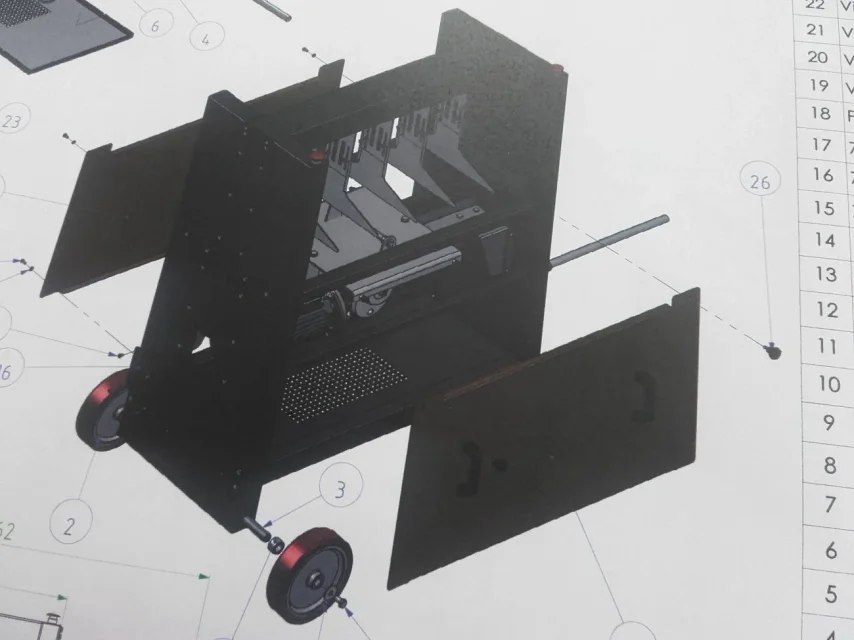
It happens to me that when I want to print a drawing where there is a prospect in shady mode, the lines of the latter are always coarse and without any antialias. an example:
20180918_083447.webpthe photo was made with the mobile phone directly on the press as it came out.

This doesn't happen to me on the hidden online brochures, those are perfect!
 
set in the high quality printing window. anyway I create first pdf of any design and then mold.. .
 
even with the "high quality" option activated, the situation does not improve, better printing from pdf, but the colors are all packed and tending to black.
20180919_104456.webpThose cover panels should be yellow sun!
 
I've never seen the color problems, except for the small differences between print and monitor... also in the export options pdf must be the check on high quality lines. but did you see prints in realview?
 
no, they are simple views in shaded with edges. in the pdf, with the resolution set to the maximum, the lines are acceptable, but the color is that of the photo
 
If saved in high resolution jpg and then mold, then I get a good result. with a pdf created directly from solidworks, to video the colors are right, in print no!
 
to me is saving in pdf (I also attach settings) that printing in pdf keeps the original colors
immagine-jpg.51109
I use 2010, I do not have all those settings:(
 
If saved in high resolution jpg and then mold, then I get a good result. with a pdf created directly from solidworks, to video the colors are right, in print no!
if at video in pdf the colors are right and in print no.. is a printer problem, or its settings
 
high quality lines must be set according to me always. different colors between print and monitor will always have them unless you have hardware that allows you to calibrate the color, type monitor used by photographers. for cad use you can approach a good result even without color control, but you will never get the perfect synchronicity.. .
 
I don't demand a perfect synchronicity, I don't care, but at least you don't print my yellow as dark brown!
 
the problem of the lines solve it so, that of the colors as you were told. is a problem with the printing process, which with the jpg you don't have with the pdf you...sw has nothing to do with this
 

Forum statistics

Threads
44,997
Messages
339,767
Members
4
Latest member
ibt

Members online

No members online now.
Back
Top