• This forum is the machine-generated translation of www.cad3d.it/forum1 - the Italian design community. Several terms are not translated correctly.

problem booleane

  • Thread starter Thread starter iBiondo
  • Start date Start date

iBiondo

Guest
Hello everyone,

are approuded on this forum after much penalty and much discuss with rhinocers :d

are daniele from florence, I am approached to rhino (at the time I always used 3d smax) following the purchase of a 3d filament printer for model use.

I looked around and saw some posts presenting my same problem, I also tried to put in place the solutions reported but no one manages to work.

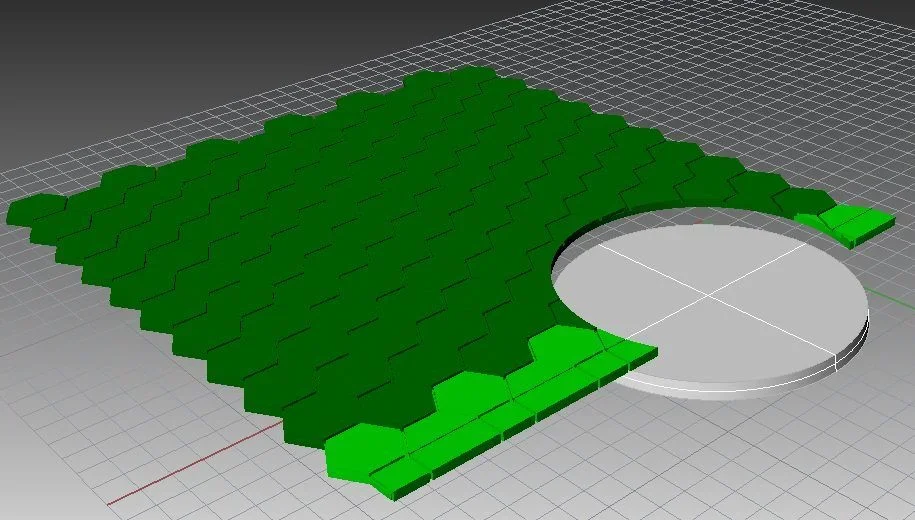
In short, I modeled (from a series of hexagons) a floor, I created cones (25mm diameter greater,24 smaller, 3mm thicker).
then,I would need to "draw" a piece of the floor to circle, so that you can then print the base that has on the surface the hexagonal plot.

had,the Boolean doesn't work me,or it gives me failed intersection or it cuts me things to copperngo,and easy file to understand prima.webpdopo taglio.webpConsider that the same problem also arises with other pieces of the sidewalk, sometimes it is enough that you move them of a few cm and the cut works (but obviously in the wrong position).... if you need other files
thanks to all,and even if late good Christmas

d
 
Consider that the same problem also arises with other pieces of the sidewalk, sometimes it is enough that you move them of a few cm and the cut works (but obviously in the wrong position).... if you need other files


d
difficult to understand where the problem is having only images as a reference.....post the rhino file .
Welcome to the forum
 
true, you are perfectly right,

So, placed the modified version......consider that I tried to explode, rebuild the edges, I tried to extract the boundary lines, destroy them, and remake the boolean...nisba.... allego the file:

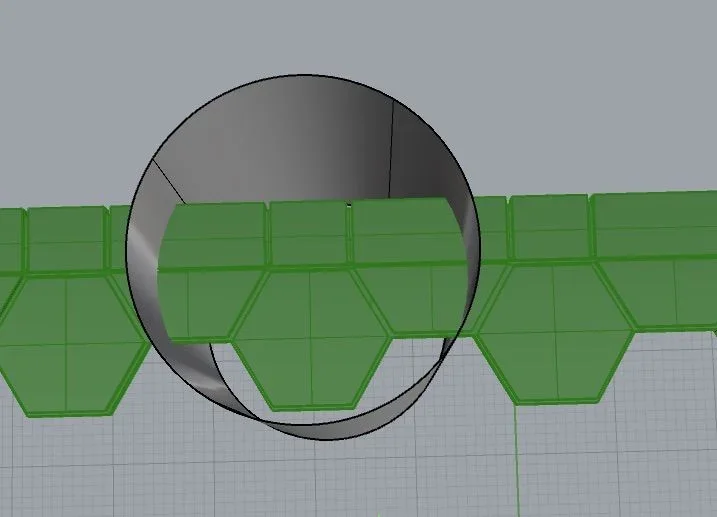
the frame object (which for now is a group of closed objects) along with the floor should be intersected with the cylinder to obtain a floor that follows the base below.

the dilemma is that the frame and the cylinder do not intersect, always boolean failed me, but if I move the frame on the axis y of 11 mm it intersects correctly (if the shift less always gives me error).

I tried to export everything and do boolean with the c4d trial and does it correctly,idem so....the problem is that these two I don't know how to use..... :

help:

Thank you very much for your help

ps: compared to the photos I tried to use a full cylinder, I tried to use a 1mm thick tube, I tried to change the diameter, but nothing.
Moreover compared to the photos the frame is reconstructed starting from the lines on board (which I provided to check that they were closed-it seems to me to be - in any case they are in layer 1 anyway).
 

Attachments

to find out where the problem is (when the booleans fail) I recommend using the _intersect command that creates one or more curves in the intersection areas between two or more geometrical entities.
if the curves created by this command are closed then the boolean go well... if the boolenes are opened they fail.
in your case one of the two curves that are generated is open.

probably it's a _intersect command bug.

However, since the printer must send a stl and not polysuperfici, I suggest you turn everything into mesh with the _mesh command and do the boolean subtraction between mesh (command that you find under the mesh menu:cool: )
 

Attachments

ah great,itx works thank you so much (I also tried to make the intersect,and I had seen that 1 curve was open,but exploded and recompacting everything gave me that it was closed as solid, so maybe it is a bug si).

But what I get is a little artifact... short notice anyway. :booleana.webpThank you!

published:

Then, I'm sure that compared to the photo I closed the file without saving it (so as I hopped it on the forum), I reopened it, I did the same operations to turn into mesh and did not intersect a bump (with my huge disappointment) I turned off and turned on, all done as a head, intersected (and now intersect as a god command) I have provided to increase the number of

Thanks again
 
Last edited:
I apologize for the second post but I can't change the previous one, I went a little forward, I modeled the corner of the sidewalk (probably making a little mess)..... aesthetically came well, at practical level I fear I have wrong something.

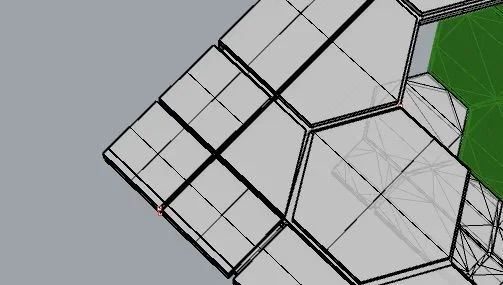
the surface (or the next mesh) in question turns out to have 2 open edges (as seen from the attached photo) I tried to erase the surfaces in question and to give them back, to rebuild the edges, to change tolerance but nothing seems to work..... seen that you were so kind I can take advantage of it again?


Thank you very much
 

Attachments

Forum statistics

Threads
44,997
Messages
339,767
Members
4
Latest member
ibt

Members online

No members online now.
Back
Top