• This forum is the machine-generated translation of www.cad3d.it/forum1 - the Italian design community. Several terms are not translated correctly.

problem creation new command

  • Thread starter Thread starter joe
  • Start date Start date

joe

Guest
Good morning to all
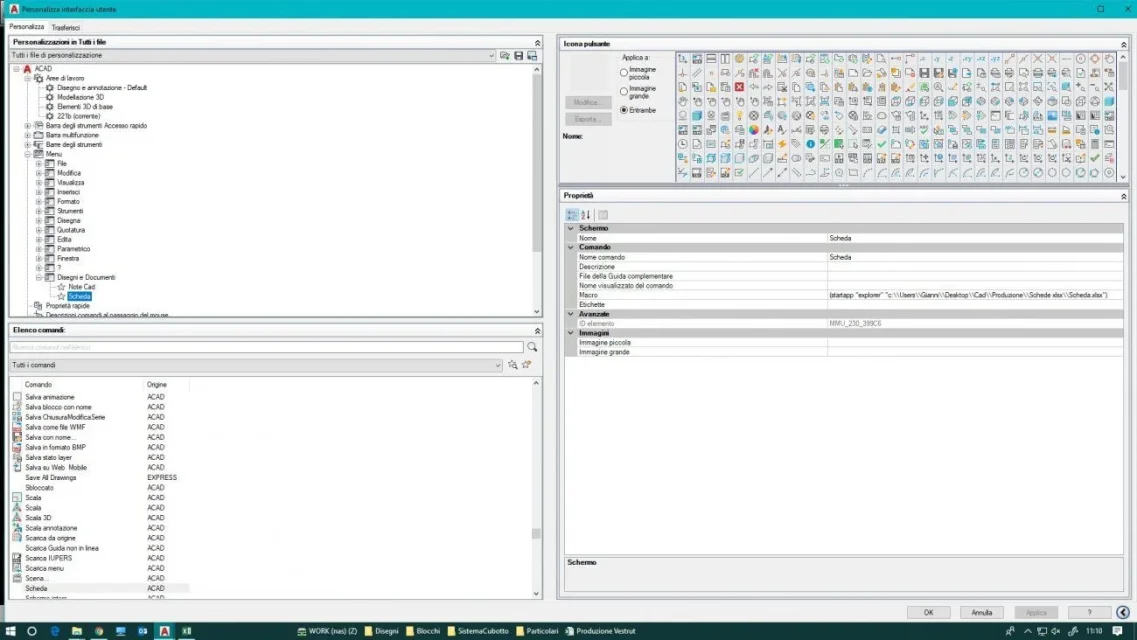
I have inserted a new menu in autocad, in "personality user interface", which contains various commands that recall routine lsp. between these commands I would like to add one ("scheda") without creating the lisp, but writing the code directly to the macro voice, how do I do? the code lsp is as follows:

(defun c:scheda()
(startapp "explorer" "c:\\users\\gianni\desktop\\\\\cad\production\\\schede xlsx\\\scheda.xlsx")
)
 
Good morning to all
I have inserted a new menu in autocad, in "personality user interface", which contains various commands that recall routine lsp. between these commands I would like to add one ("scheda") without creating the lisp, but writing the code directly to the macro voice, how do I do? the code lsp is as follows:

(defun c:scheda()
(startapp "explorer" "c:\\users\\gianni\desktop\\\\\cad\production\\\schede xlsx\\\scheda.xlsx")
)
Just write education, you don't need the dead.
(startapp "explorer" "c:\\users\\gianni\desktop\\\\\cad\production\\\schede xlsx\\\scheda.xlsx")

Alternatively you can leave everything like this and add to the end (c:scheda) to define and invoke the program and also have it available as a keyboard command.
Code:
 (defun c:scheda()
(startapp "explorer" "c:\\users\\gianni\desktop\\\\\cad\production\\\schede xlsx\\\scheda.xlsx")
)(c:scheda)
 
with only the instruction does not work, on the command line the code stops at:(startapp "explorer" "c:
adding (c:scheda), I open the document folder
 
with only the instruction does not work, on the command line the code stops at:(startapp "explorer" "c:
adding (c:scheda), I open the document folder
to describe the route of the file you must use "/" al post di "\" because this symbol causes a macro to stop to request user input.
Code:
(startapp "explorer" "c:/users/gianni/desktop/cad/production/schede xlsx/scheda.xlsx")
 
I used the following instruction, but only the excel program opens with the warning that the indicated file does not find it:

(startapp "c:/program files/microsoft office/office16/excel.exe" "c:/users/gianni/desktop/cad/production/schede xlsx/scheda.xlsx")
 
the problem is that you have a space in the folder name "sweden xlsx", try with:

(startapp "c:/program files/microsoft office/office16/excel.exe" "\"c:/users/gianni/desktop/cad/production/schede xlsx/scheda.xlsx\"")
 

Forum statistics

Threads
44,997
Messages
339,767
Members
4
Latest member
ibt

Members online

No members online now.
Back
Top