
mandre
Guest
Greetings to everyone, I tried to search on the forum but I found nothing to solve my problem.
I am a student of architecture and recently I am delighted to use revit 2015.
After importing a free furniture component, I messed up the display.
now I can see the lamps placed on the countertop view and all objects above the horizontal section line
these appear with thin grey lines
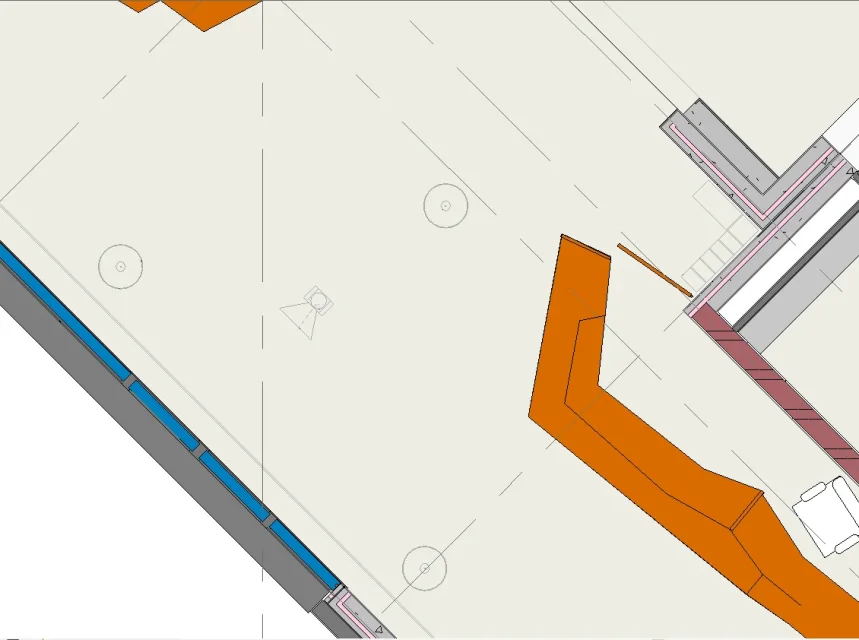 I have already tried to vary the settings of "Display range" of the view "plant floor" but these remain.
upper part: associated level (0-architectural) offset 250
cutting plan: offset 120
Bottom: level association (0-architectural) offset 0.00
depth view level association (0-architectural) offset 0.00
help! I have reviewed with an old-fashioned teacher (or any cad program) in less than a week :bekle:
I am a student of architecture and recently I am delighted to use revit 2015.
After importing a free furniture component, I messed up the display.
now I can see the lamps placed on the countertop view and all objects above the horizontal section line
these appear with thin grey lines
I have already tried to vary the settings of "Display range" of the view "plant floor" but these remain.upper part: associated level (0-architectural) offset 250
cutting plan: offset 120
Bottom: level association (0-architectural) offset 0.00
depth view level association (0-architectural) offset 0.00
help! I have reviewed with an old-fashioned teacher (or any cad program) in less than a week :bekle: