
• This forum is the machine-generated translation of www.cad3d.it/forum1 - the Italian design community. Several terms are not translated correctly.

problem in changing path to an external reference

  • Thread starter Thread starter cberto88
  • Start date Start date

cberto88

Guest
Good morning to all,

as from title, I have a problem in changing the path of an external reference. precise that I have autocad lt 2014. in the guide tells me to go on the "outside table" and to manually change the path under the column "Saved path"... the problem is that I can't open the space where to manually insert the change of the path. . .

can depend on the fact that I have only the version lt available? In the past I have already done this thing in my old job and had no problem.

thanks in advance
 
Good morning to all,

as from title, I have a problem in changing the path of an external reference. precise that I have autocad lt 2014. in the guide tells me to go on the "outside table" and to manually change the path under the column "Saved path"... the problem is that I can't open the space where to manually insert the change of the path. . .

can depend on the fact that I have only the version lt available? In the past I have already done this thing in my old job and had no problem.

thanks in advance
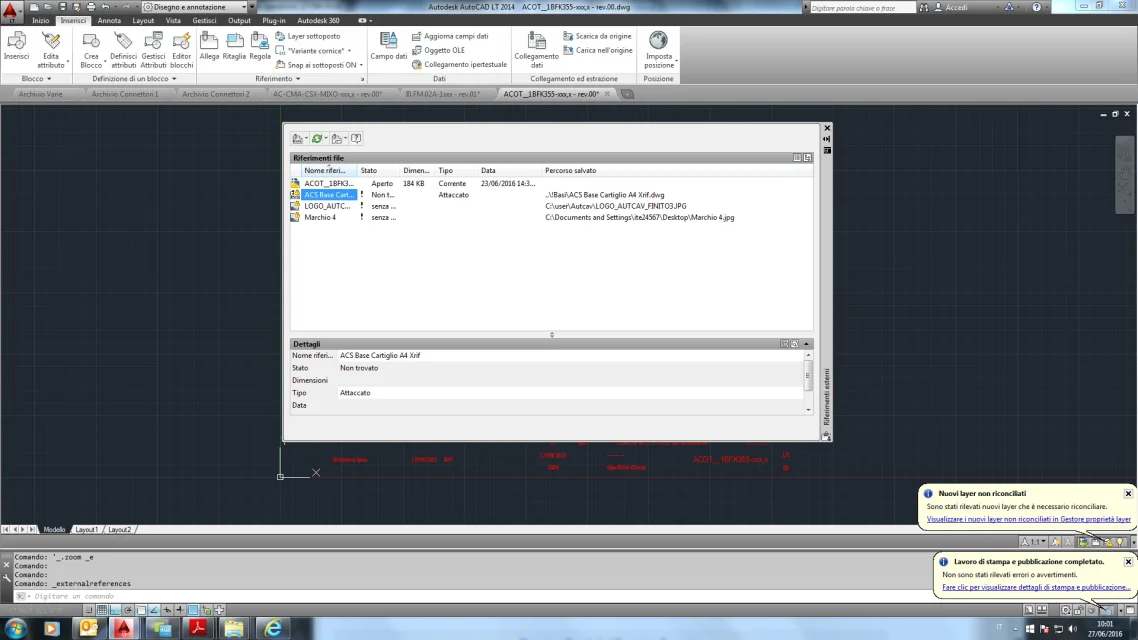
it would take a print-screen that portrays your "outside rif palette" to understand what happened.
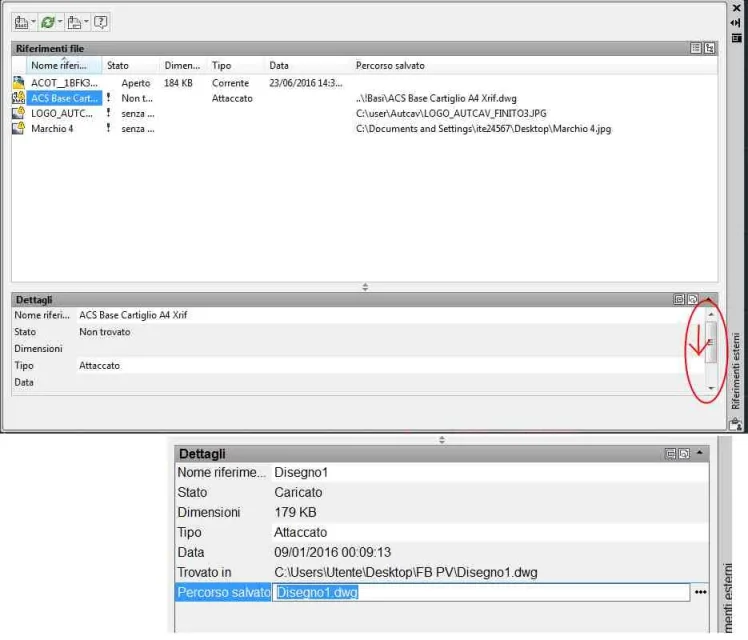
if from a double click on the word "details" does not open an area with editable fields ? or do not appear 2 horizontal close lines dragable vertically?
However, try the old command "-xrif". type the "path" option, then specify the name of the xrif (only the name) and the next request the new path.
 
Printscreen.webpThanks dieva,

Here is the printing of the palette. the details area is open, but it is not editable, and also in the field "slaved path" by double click, I can not editate it.

your advice with the keyboard command instead worked!!!! so wanting the problem is solved, although I don't understand how it can't edit that damn field.. .

Thanks again for the help and if you have other ideas, even better:smile:
 
look at the image... do the 'scroll' as indicated by the red arrow...
 

Attachments

  • xrif.webp
    xrif.webp
    41.8 KB · Views: 18

Forum statistics

Threads
44,997
Messages
339,767
Members
4
Latest member
ibt

Members online

No members online now.
Back
Top