• This forum is the machine-generated translation of www.cad3d.it/forum1 - the Italian design community. Several terms are not translated correctly.

problem in copy geometry

  • Thread starter Thread starter magma
  • Start date Start date

magma

Guest
Good morning to all...I expose my problem in hope of being as clear as possible. . .
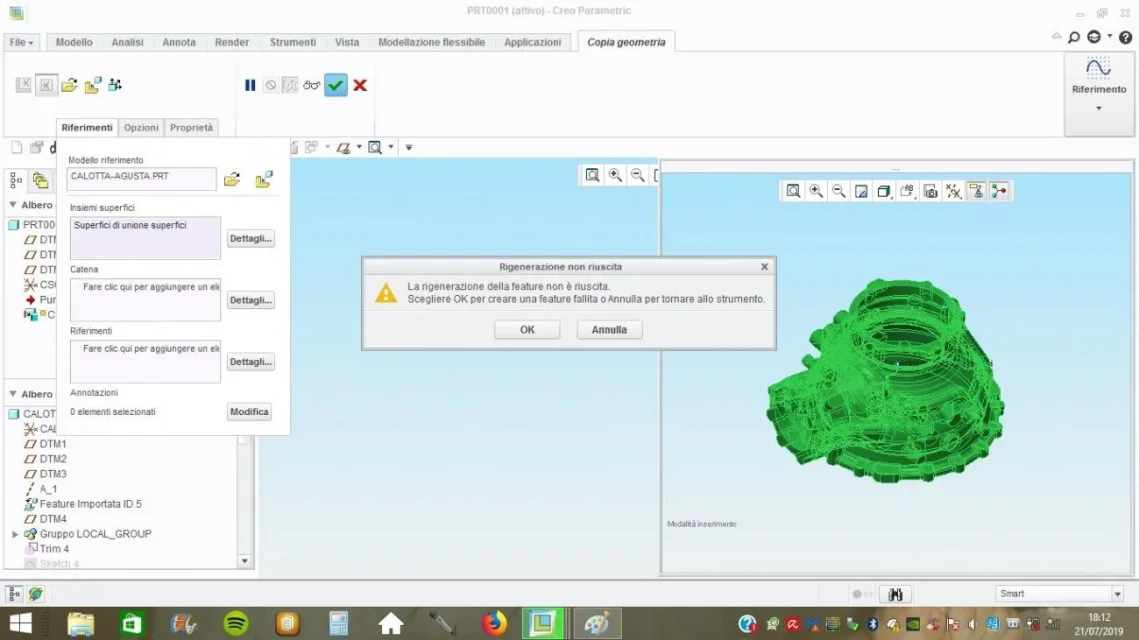
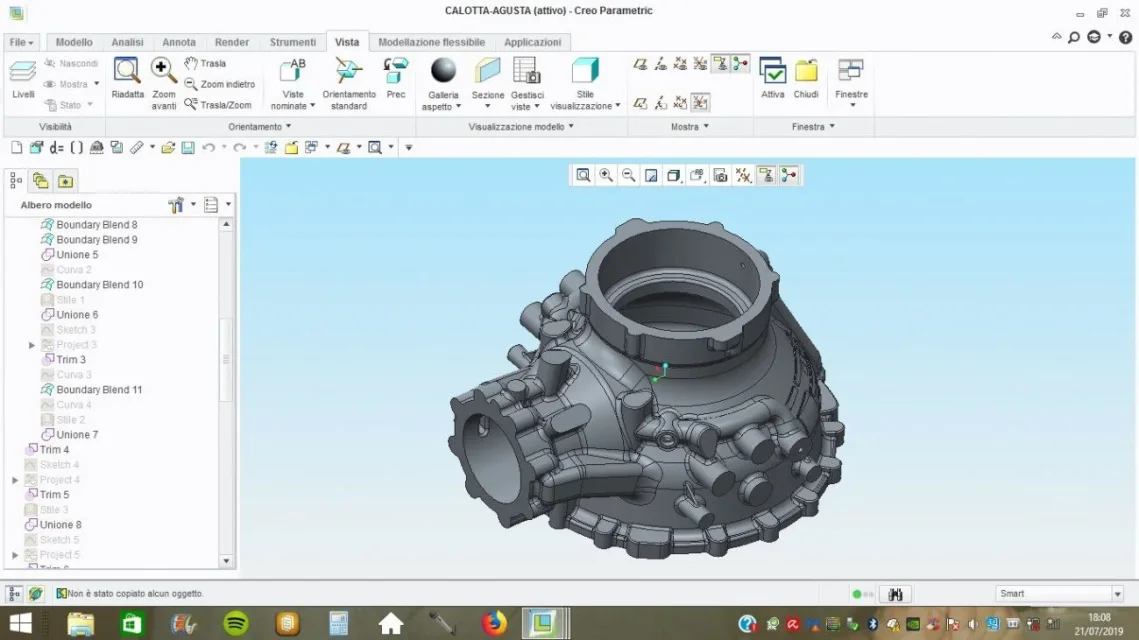
after a day of mathematical repair of the attachments, I can close the detail to solid, as I should extrapolate surfaces (proven both with union surfaces and with solid) for construction of souls (I take care of foundry), are in the grips with 'copy geometry' in fact as illustrated in the jpg posted in sequence, it gives me error message, highlighting in an unknown part 'dell'univers'the cause of sin. premetto that is an igs import file with 15 thousanderotte surfaces. How can I solve...thank you for vs. attention
 

Attachments

  • 1.webp
    1.webp
    84 KB · Views: 20
  • 2.webp
    2.webp
    76.7 KB · Views: 20
  • 3.webp
    3.webp
    66.5 KB · Views: 21
  • 4.webp
    4.webp
    71.8 KB · Views: 23
  • 5.webp
    5.webp
    61.1 KB · Views: 21
the area that gives you the error, is it about imported surfaces?
If you, do a lot earlier to redefine the import and rework or delete and remake the incriminated surface.

It often happens that imports, have surfaces that for the realization of the solid, do not give any kind of trouble, but when they must be extrapolated for subsequent processing, they are full of errors.
 
Why does not errors close to solid? (image 1)...in addition the offending area is unknown in space
 
because I create interpolate to attempt tangency between surfaces (reusing in many cases), but when you select for copying in the cosy geometry, the surface is obtained in its mathematics and in these cases, errors are no longer solveable.
These "spinte" interpolations are found in the import doctor manager, with the command "control geometry" (which is not the same geometry control in the modeling environment).
by experience, not all errors of this geometry control are to be solved for advanced copy geometry commands, but these commands highlight the error in order to be executed, it goes from if...

another solution I recommend, is to exclude that surface from copy geometry and create it ad hoc later with the blend command.

p.s. that area could be a surface by itself that is not part of the solid object (domain) you get when it amounts, but it is selected if with the copy geometry, if you select the entire import.
 
p.s. that area could be a surface by itself that is not part of the solid object (domain) you get when it amounts, but it is selected if with the copy geometry, if you select the entire import.
How can I isolate him... you see only 3 lines (photo 5) the remainder disappears
 
with 'healthy' files, print negatives, remove surfaces and all bolean operations solidify copy geometry is a game from nothing, in addition to weight parameters, material etc...vuol say that I will opt for file step from other non parametric cad( visi cad)...thanks for your interest
 
If the datadoctor gives you such a result without any problems, then the solution remains to leave the incriminated surface in copygeometry and rebuild it with a blend.
 

Forum statistics

Threads
44,997
Messages
339,767
Members
4
Latest member
ibt

Members online

No members online now.
Back
Top