• This forum is the machine-generated translation of www.cad3d.it/forum1 - the Italian design community. Several terms are not translated correctly.

problem put in the table disappear lines

  • Thread starter Thread starter enriazzo99
  • Start date Start date

enriazzo99

Guest
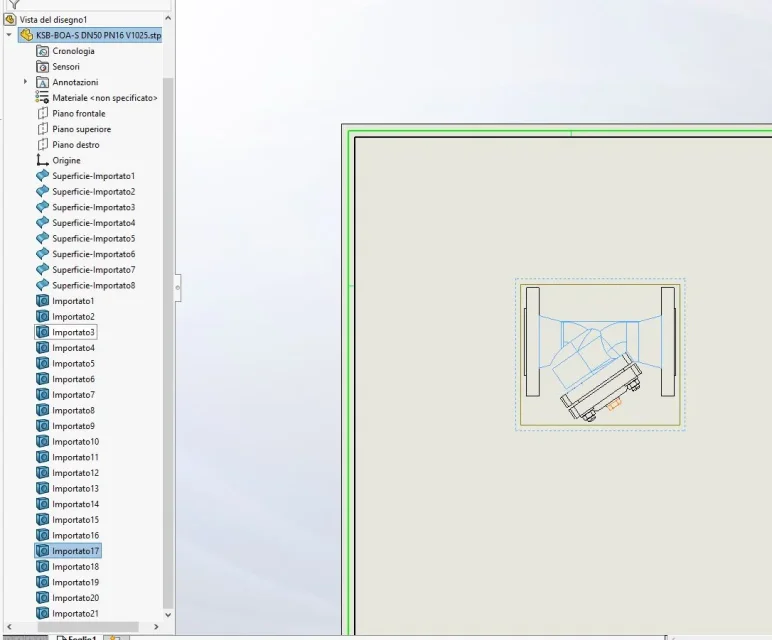
Good morning to all, I have a problem with the setting up of a particular commercial. when I go to insert the view I disappear some lines. If I go to show the hidden lines I reappear. Can anyone help me? Thank you very much in advance.Cattura.webpCattura1.webp
 
because there are surfaces.
See the features tree we would have seen.
then in the table open the view of the tree, click on each surface, button dx "surface display"
 
Thank you very much for the answer. I apologize for the tree of the parts. Unfortunately, but also showing the present surfaces nothing is displayed. from what seems the part that disappears is not a surface but a body
 

Attachments

  • Cattura.webp
    Cattura.webp
    48.7 KB · Views: 15
 
from what seems the part that disappears is not a surface but a body
So you don't know either? Beautiful! ! !
He thinks if you were practicing the files you'd probably have the answer in a few days. and instead you have received only vague attempts at a problem that apparently you do not care
is there any interference of bodies?
has nothing to do with the interference of the bodies
 
Good morning, excuse the absence. putroppo the file I cannot attach it because I deleted it. I solved simply by saving the file in step format and reconverting it into part file. Thank you very much to all for the answers.
 

Forum statistics

Threads
44,997
Messages
339,767
Members
4
Latest member
ibt

Members online

No members online now.
Back
Top