• This forum is the machine-generated translation of www.cad3d.it/forum1 - the Italian design community. Several terms are not translated correctly.

problem vision cut extruded on flat plate

  • Thread starter Thread starter Fandrix
  • Start date Start date

Fandrix

Guest
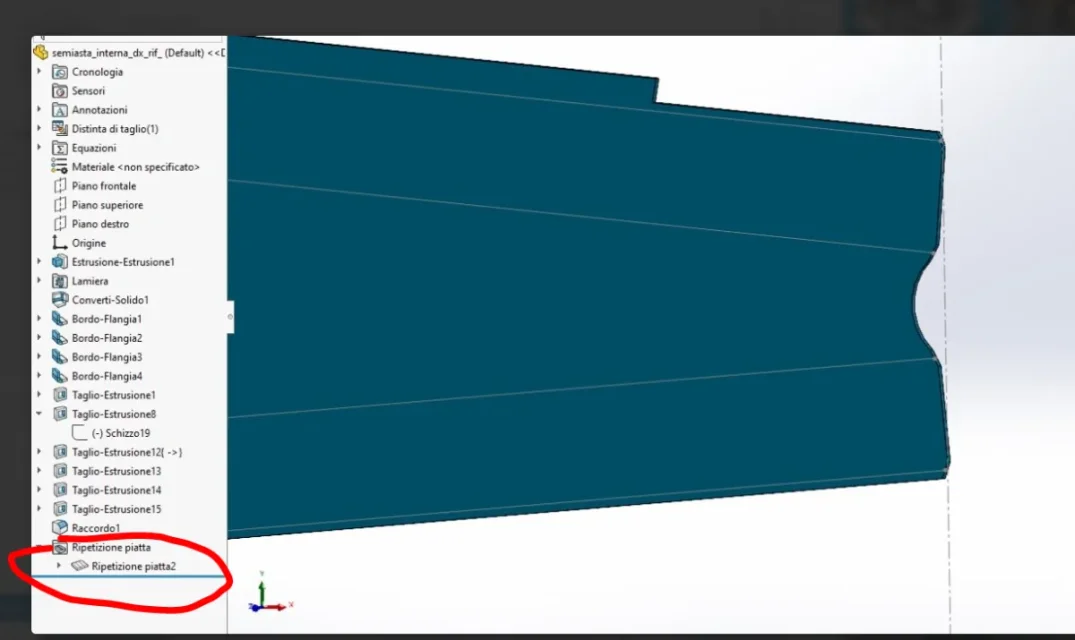
Hello, everyone. I have a problem about the flattened vision of the sheet that I designed. I did as in photo attach an extruded cut, but if I go to view the flattened vision, the extruded cut is displayed incorrectly, as it should be reported both at the top, and lower of the component. Do you have any solutions? Thank you in advance.
 

Attachments

  • Immagine 2023-02-16 113040.webp
    Immagine 2023-02-16 113040.webp
    32.8 KB · Views: 15
  • Immagine 2023-02-16 113133.webp
    Immagine 2023-02-16 113133.webp
    36.8 KB · Views: 16
Hello, everyone. I have a problem about the flattened vision of the sheet that I designed. I did as in photo attach an extruded cut, but if I go to view the flattened vision, the extruded cut is displayed incorrectly, as it should be reported both at the top, and lower of the component. Do you have any solutions? Thank you in advance.
apart from attaching the file would make everything simpler, did you set the normal cut so that it is correctly interpreted during flattening?
 
I tried to open but there's nothing suppressed. Moreover paying attention is as if the lower part is reduced, or stops the fold
 
However, in order to avoid problems, whatever they are, we must act logically. if you want to make a sheet metal element you have to start with the functions in sheet metal and do not make a normal solid and then convert it. all sketches must be completely defined (there must not be the dash in front of the name in the function tree).
 
However, in order to avoid problems, whatever they are, we must act logically. if you want to make a sheet metal element you have to start with the functions in sheet metal and do not make a normal solid and then convert it. all sketches must be completely defined (there must not be the dash in front of the name in the function tree).
understood, for cutting with the front indent, it is due to the fact that it is derived from another component that is placed on this in the axieme. I don't know if there's a way to fix this component now.
 
understood, for cutting with the front indent, it is due to the fact that it is derived from another component that is placed on this in the axieme. I don't know if there's a way to fix this component now.
no, the dash is in front, better if I said left, then I refer to the sketch 19 also because that obtained from the axieme is a hyphen with the symbol of greater and refers to the cut-extrusion 12 of which you do not see the sketch.
 
the plan from which you start with the cut, when the limiera opens the cut moves with the face I use the existing plans a priori.1676552595770.webp1676552670959.webp
 
no, the dash is in front, better if I said left, then I refer to the sketch 19 also because that obtained from the axieme is a hyphen with the symbol of greater and refers to the cut-extrusion 12 of which you do not see the sketch.
Ah, now I understand what you're talking about, sorry.
 

Forum statistics

Threads
44,997
Messages
339,767
Members
4
Latest member
ibt

Members online

No members online now.
Back
Top