• This forum is the machine-generated translation of www.cad3d.it/forum1 - the Italian design community. Several terms are not translated correctly.

problem with displaying odds

  • Thread starter Thread starter ANdrewa
  • Start date Start date

ANdrewa

Guest
hi to all, in my project I found a problem with the display of quotas, because after setting the tables and giving the first prints I realized that the quotas were gone, or rather they were hidden, in fact I gave back the two central quotas for prints and I left them to show the difference and understand what the problem could be.
 

Attachments

  • Screenshot (6).webp
    Screenshot (6).webp
    61.5 KB · Views: 6
  • Screenshot (7).webp
    Screenshot (7).webp
    61.7 KB · Views: 6
  • Screenshot (8).webp
    Screenshot (8).webp
    66.5 KB · Views: 5
I found a problem in displaying quotas, in my project boards.
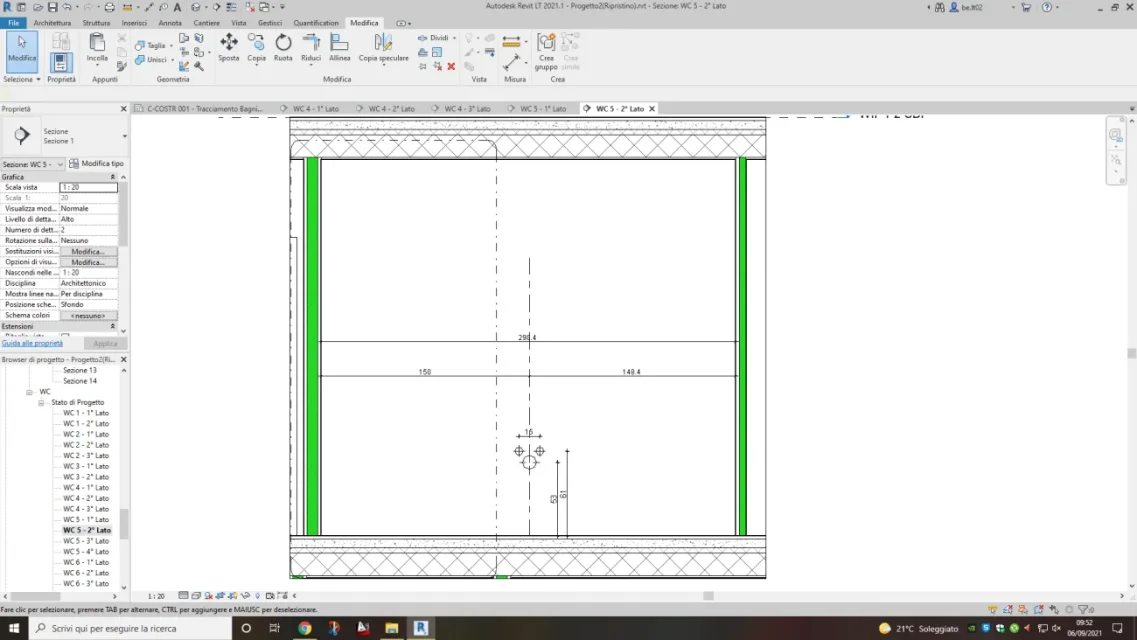
I initially placed all the useful quotas for the press (photo number 1) and I started them, but after the first two prints I realized that the quotas were no longer visible.
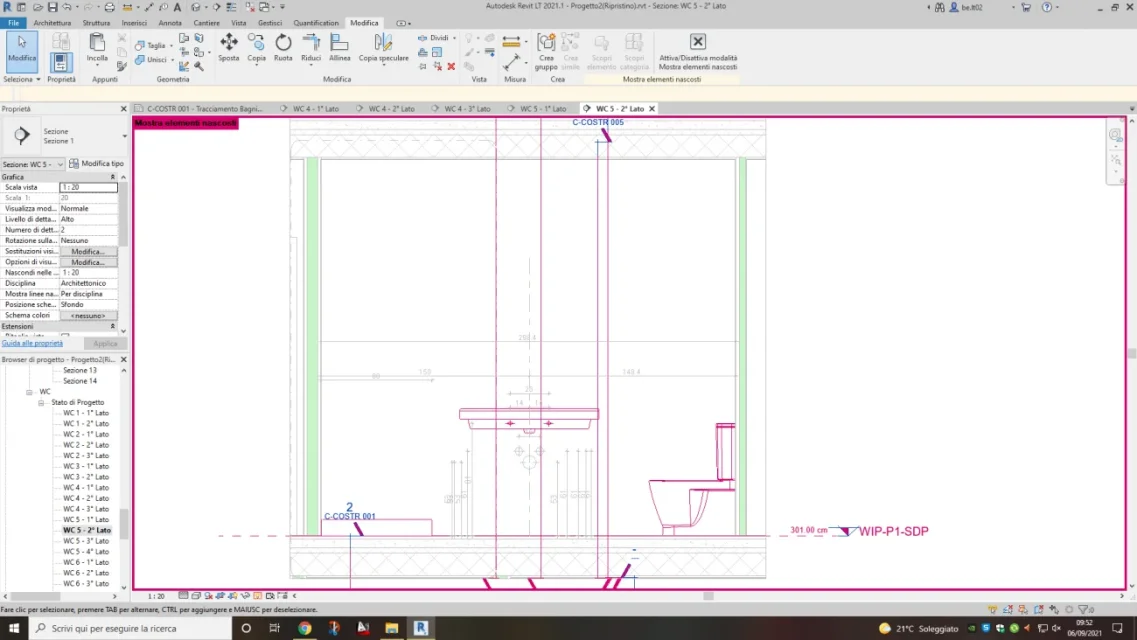
I went to check what the problem was and I saw that the odds I had put were in the hidden elements section (photo number 2).
at this point I tried to see if you could find out in the current view, but the exhibition hidden elements was blocked (picture number 3), since I failed to solve the problem I simply decided to put the odds in the view and print.
At this point, however, I would like to understand whether this problem has only been found by me or if others of you have had a similar problem and so if you know how to help me solve it
 

Attachments

  • Foto 1.webp
    Foto 1.webp
    61.5 KB · Views: 6
  • Foto 2.webp
    Foto 2.webp
    61.7 KB · Views: 6
  • Foto 3.webp
    Foto 3.webp
    66.5 KB · Views: 5
Forgive me but in your screenshots I do not see hidden odds. If they were hidden you should see them purple as the section lines and the sanitary.. .
 
I was meant to say hidden in the view, because as you see in the photo 2 the odds 53 and 61 are repeated many times and are of grigetto color, but in the main view photo 1 there are only two visible quotas.
 
Okay, right. Now the question is clearer. my personal opinion, there is some problem in the file or view in question. Is that all you see? Did you try to wipe out the view and do it again?
 
In practice it happened to me in 5 tables, from one moment to another were no longer visible. I have overcome the problem by deleting them and doing them again, but I wanted to understand the problem to prevent it from happening again.
 
Okay, right. Now the question is clearer. my personal opinion, there is some problem in the file or view in question. Is that all you see? Did you try to wipe out the view and do it again?
I have now found the same problem in another 4 tables but instead of the quotas, the components of the bathroom, toilet, bidè, washbasin and are all in the hidden section of the project. I just can't understand which pScreenshot (16).webpScreenshot (17).webpossa essere il problema.
 
I realized that it is practically not hidden in sight but invisible, because in the side prospect you see (fig.1) and in (fig.2) I tried to select the wc from the plant and select it, because you can notice the change of color also in the prospectus.Screenshot (18).webpScreenshot (19).webp
 
is it not that you have trafficked with phases and phase filters?
no because I didn't just touch the phases, they are the default ones, in fact if you go to see those in the plant and those in the side prospect are identical and are set on show all
 
forces, those elements that you think are quotas, are not quotas (at least they are not quotas of revit). It seems to me that what you see hidden is a .dwg file.
 
forces, those elements that you think are quotas, are not quotas (at least they are not quotas of revit). It seems to me that what you see hidden is a .dwg file.
hi alfredo no, they were quotas, but in the end I realized that revit had marked me some lines in categories of objects that I had imported, so since to me they served off, revit turned out the categories but also the associated quotas that were then blocked. That didn't make me change them if I didn't create new ones.
 

Forum statistics

Threads
44,997
Messages
339,767
Members
4
Latest member
ibt

Members online

No members online now.
Back
Top