• This forum is the machine-generated translation of www.cad3d.it/forum1 - the Italian design community. Several terms are not translated correctly.

problem with interior rendering (black on plaster)

  • Thread starter Thread starter and3d
  • Start date Start date

and3d

Guest
Hello, everyone. I am a new user of the forum, and recently I started using revit architecture.

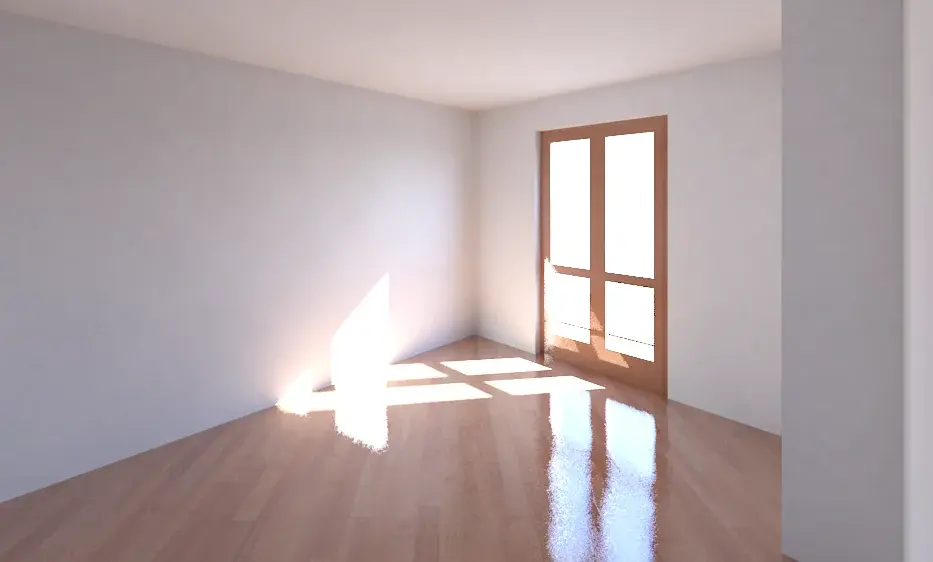
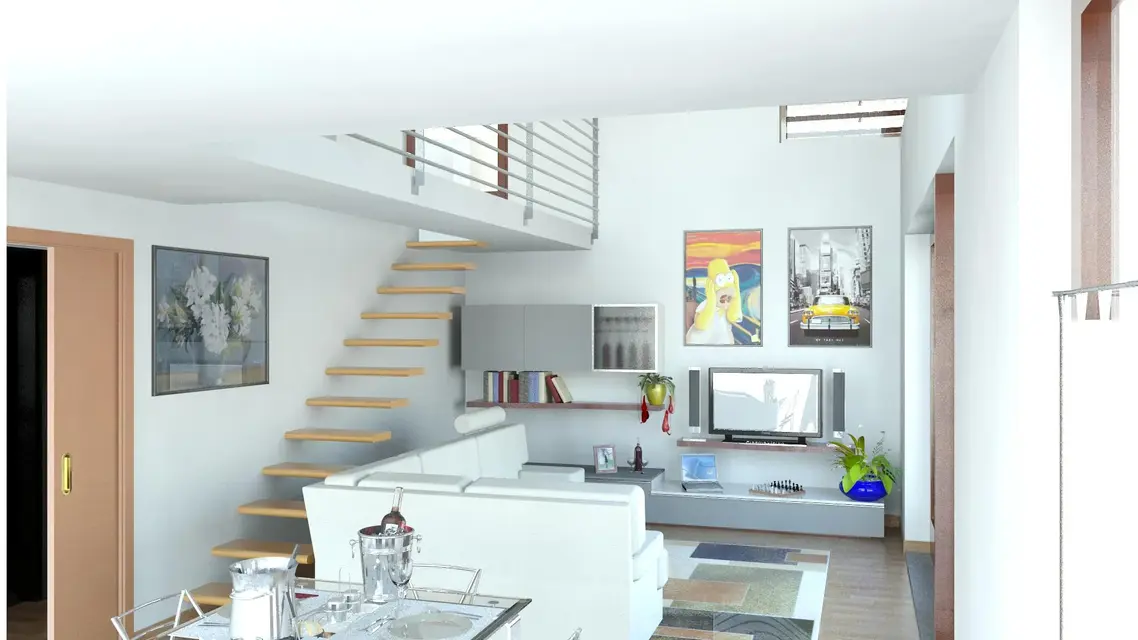
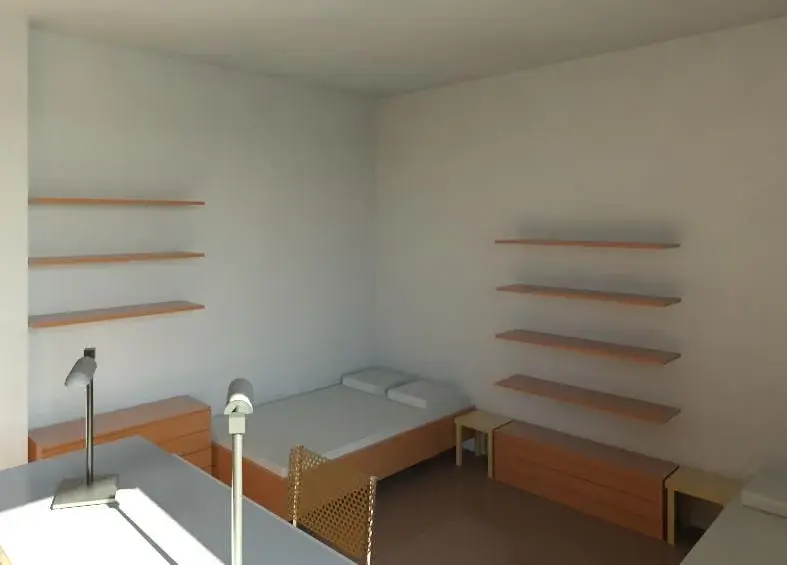
Trying to make a rendering of an internal environment, the white plaster of the walls always has dark spots. the only source of light is the sun (21 June).
I tried to increase the intensity of direct and indirect light, but the problem remains; besides the most affected areas of light, the environment is a little dark.

Has anyone had this problem in the past? What are these dark patches caused by?

I attach an image of rendering for greater clarity. the settings used for rendering are:
high quality (printing 300 dpi)

used software is revit architecture 2011. Thank you.
 

Attachments

  • render 2.webp
    render 2.webp
    158.3 KB · Views: 104
...and leverage, if there is, the action of atmospheric agents. even if at first glance it seems more an imperfection of the gi...
 
First of all I thank you for the advice you gave me.
I changed the values of indirect lighting, direct and shadows in display options and now the rendering is brighter (a problem less!).

Unfortunately, however, remains the problem of shadows on plaster. Actually as material I did not use a white plaster, but a white paint (revit material, not mine) setting the application with roller. there is no air effect applied.
 
I attach pictures related to my previous message.
 

Attachments

  • render 3.webp
    render 3.webp
    277.1 KB · Views: 65
  • schermata 1.webp
    schermata 1.webp
    41.2 KB · Views: 59
to remove the stamps you have to change these config
I overreacted here and went all night ( 8 cores 2.33 ghz)
and I got the image 3, then passed into photo paint I got
the 33
of course there were also a little lower parameters,
You have to do some tests.

ps.
the interior renderings are however much slower than those for outdoors
and to have good results put in quote make of several hours
 

Attachments

  • config.webp
    config.webp
    24.2 KB · Views: 139
  • Vista 3D 3.webp
    Vista 3D 3.webp
    20.6 KB · Views: 97
  • Vista 3D 33.webp
    Vista 3D 33.webp
    19.6 KB · Views: 83
You know how to do that?
go to quality settings render > change > high or optimal > copy customized
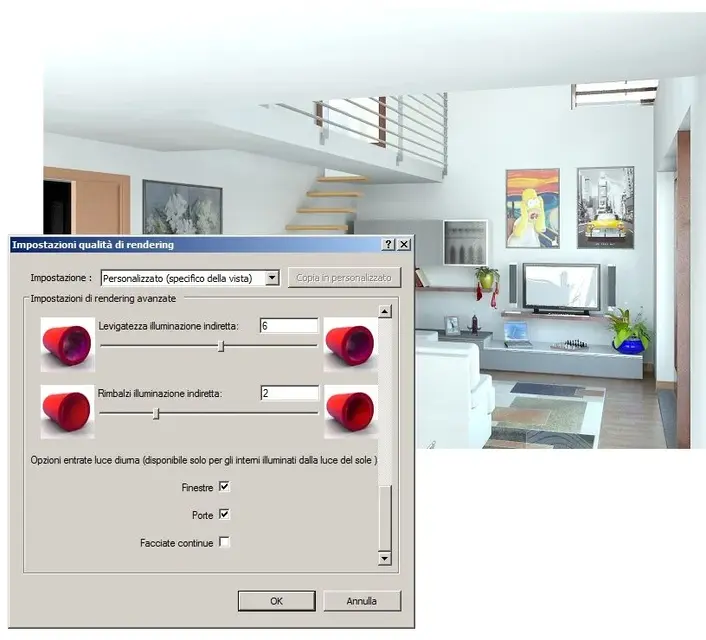
then scrolling the active options the light from the openings and changing the three parameters of the window I posted before, you can put them even at the max, if you do it in the evening and then you go to sleep.
Okay good work... and then post the result
 
Okay. In these days I'm a little busy with the thesis, but as soon as I have a little time I try and place the result.
 
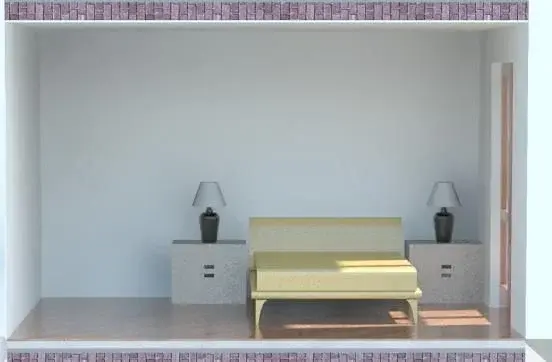
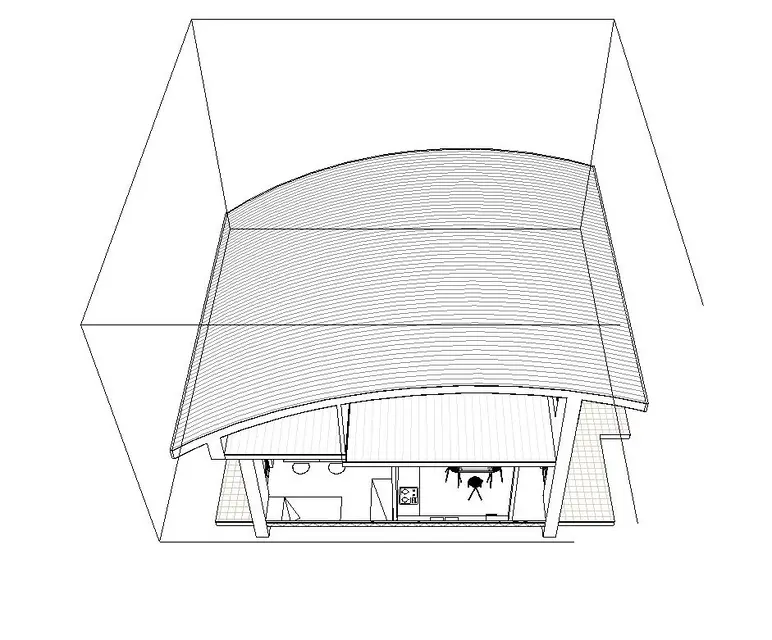
I did another test starting from the request on another post to render a 3d view of the sections,
carla: render of section 3d
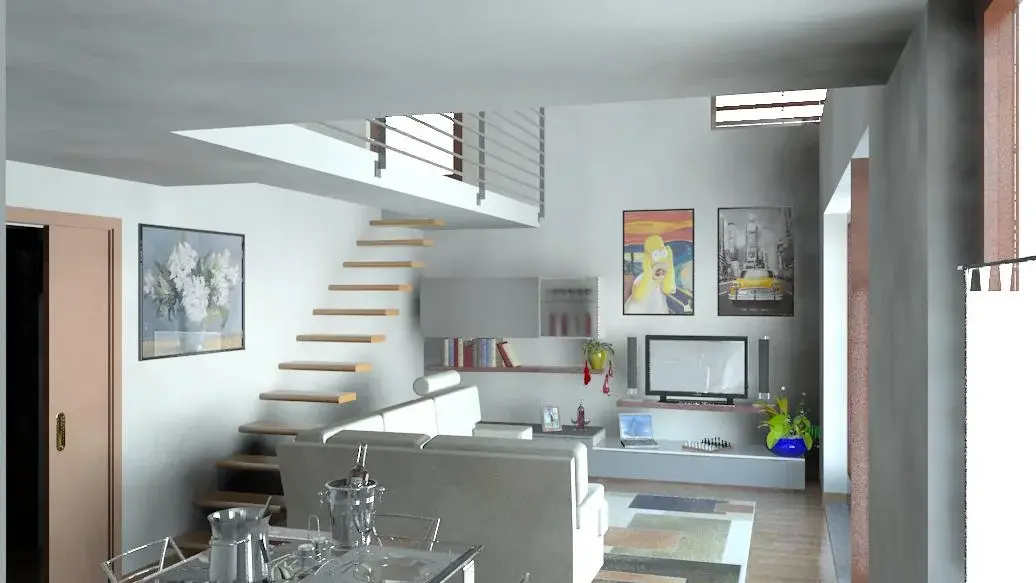
view 3d 2: render with camera inside the room 5 hoursview 3d 3: render with camera inside the room and activation of the command "section panel" for which I opened in the sunlight the room behind the camera 30 minutes3d 4 view: as above but turning the sun 180 degrees so it no longer enters the windows, 12 minutes but is smaller
 

Attachments

  • Vista 3D 2.webp
    Vista 3D 2.webp
    119.6 KB · Views: 58
  • Vista 3D 3.webp
    Vista 3D 3.webp
    120.1 KB · Views: 49
  • carla.webp
    carla.webp
    11.6 KB · Views: 64
  • Vista 3D 4.webp
    Vista 3D 4.webp
    49.6 KB · Views: 44
new test
 

Attachments

  • vista riquadro di sezione.webp
    vista riquadro di sezione.webp
    79 KB · Views: 22
  • Vista 3D 6.webp
    Vista 3D 6.webp
    121.6 KB · Views: 43
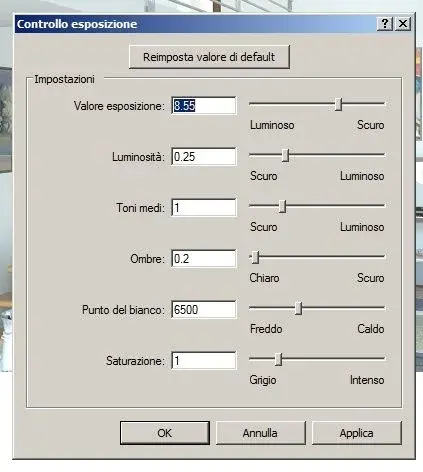
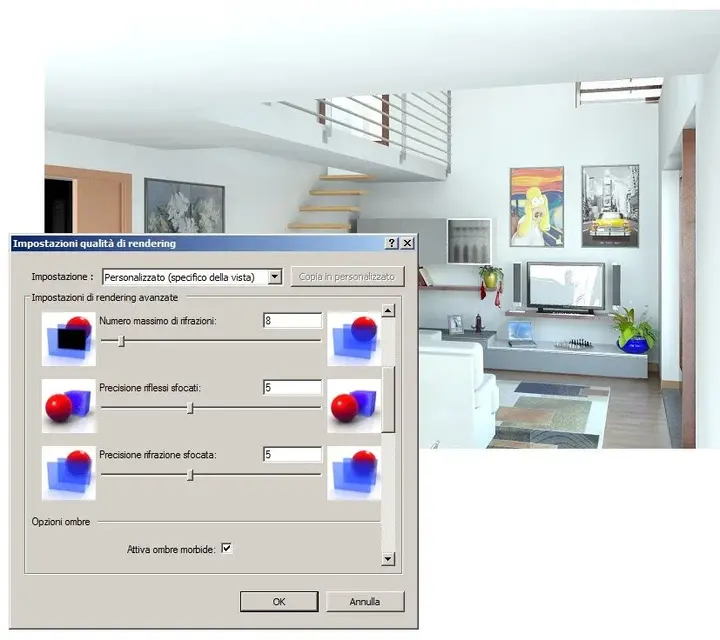
image configurations above post
 

Attachments

  • controllo esposizione.webp
    controllo esposizione.webp
    17.5 KB · Views: 72
  • qualità rendering_01.webp
    qualità rendering_01.webp
    48.9 KB · Views: 49
  • qualità rendering_02.webp
    qualità rendering_02.webp
    47.7 KB · Views: 41
  • qualità rendering_03.webp
    qualità rendering_03.webp
    49.4 KB · Views: 37
  • qualità rendering_04.webp
    qualità rendering_04.webp
    48.4 KB · Views: 36
I made the render with the stains and now the result is definitely better!
nn is still perfect, especially for resolution (I set up screen). definitely setting a quality of rendering as "printing 300 dpi" the result would be better.

the quality of rendering is "optimal", but with these parameters changed:
precision indirect lighting: 7​
smoothness indirect lighting 9​
bounce indirect lighting 4​
I also set the "window" parameter as natural light input and as "exposition value" I set the value of 8.55 (in exposure control).

rendering time was about an hour. when I try to do it again with a higher resolution I also posterized that.

Thanks again for the advice!! !
 

Attachments

  • Vista 3D 3.webp
    Vista 3D 3.webp
    14.9 KB · Views: 37
already much better, then the configurations are starting,
every time you have to fix them
Hi.
 

Forum statistics

Threads
44,997
Messages
339,767
Members
4
Latest member
ibt

Members online

No members online now.
Back
Top