• This forum is the machine-generated translation of www.cad3d.it/forum1 - the Italian design community. Several terms are not translated correctly.

problemi con pdf

  • Thread starter Thread starter abro
  • Start date Start date

abro

Guest
Hello everyone
I go to the sodo
we use foxit
I exposed with if or sw my pdf in drawings that punctually in my pc are seen with very high resolutions,
My colleagues, instead of the lines, have highways.
I have tried everything bullzip pdf24 maximum resolutions removed thicknesses to the lines during printing etc.
But it all seems useless, I only have the chance to create a0!
 
Can you insert some images to better understand what you mean?
beyond this you can describe step by step what you do to get the pdf?
 
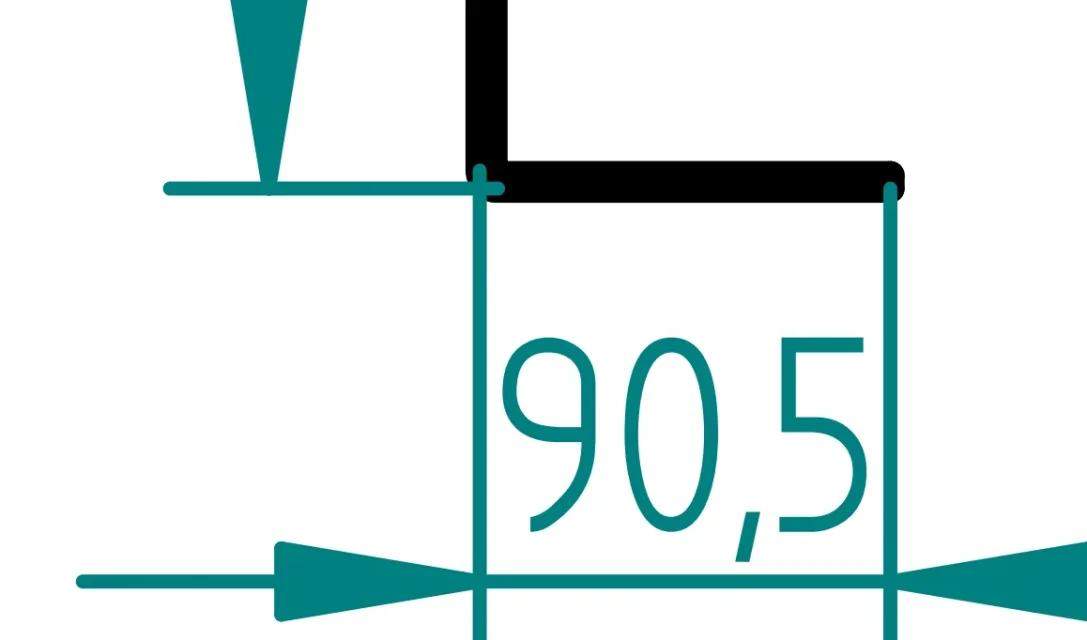
The two images make it clear that in my computer with 1600 magnification, the lines remain vector , in the pcs of my colleagues the second image at the same resolution.
 

Attachments

  • I8HIkBlvykR0eYMp.webp
    I8HIkBlvykR0eYMp.webp
    11.2 KB · Views: 8
  • vo0d8d1UtaTP0lYB.webp
    vo0d8d1UtaTP0lYB.webp
    11.9 KB · Views: 8
the steps I think are the usual to save a pdf from solid edge the result cmq is indifferent regardless of the pdf generation procedure.
the only chance at the moment is to create sheets in ao for tables that could be in a4.
 
the steps I think are the usual to save a pdf from solid edge the result cmq is indifferent regardless of the pdf generation procedure.
the only chance at the moment is to create sheets in ao for tables that could be in a4.
but is the same pdf displayed on two different pcs or the pdf generated by two different pcs?

can you attach the dft file and pdf? Maybe play one without sensitive data
 
then I think it is a pdf viewer problem, maybe the different settings have different settings, or different versions.
the versions of the viewer are equal the last available, my colleague saving from the same file gets a much better pdf at this point I think it is a question of printing settings
 
the versions of the viewer are equal the last available, my colleague saving from the same file gets a much better pdf at this point I think it is a question of printing settings
the best method to create the pdf in solid edge is via the pdf file type saver.
using this command is the same result?

opening the pdf with other viewers the result is the same?
 
the versions of the viewer are equal the last available, my colleague saving from the same file gets a much better pdf at this point I think it is a question of printing settings
Sorry, I didn't get it. above you wrote that you open the same pdf file in two different pcs and get different results, then below I seem to understand that instead they are two different pdfs obtained from the same draft but saving the draft from different computers. Could you clarify?
 
Sorry, I didn't get it. above you wrote that you open the same pdf file in two different pcs and get different results, then below I seem to understand that instead they are two different pdfs obtained from the same draft but saving the draft from different computers. Could you clarify?
yes my colleague saving from my own draft gets pdf with lines without thicknesses in synthesis, vice versa those generated by my have thickness of the lines that you scale.
 
yes my colleague saving from my own draft gets pdf with lines without thicknesses in synthesis, vice versa those generated by my have thickness of the lines that you scale.
all pdf viewers have the option to show the line thickness or not; in what I use alternating with ctrl+5 and these are the two views of your pdf:
1689337144859.webp
 
I go on styles of a draft model for the a4 and redo the thickness to 0.25 for the visible and 0.08 for quotas and dotted .... pdf super detailed!
 

Forum statistics

Threads
44,997
Messages
339,767
Members
4
Latest member
ibt

Members online

No members online now.
Back
Top