fabrizio_brescia
Guest
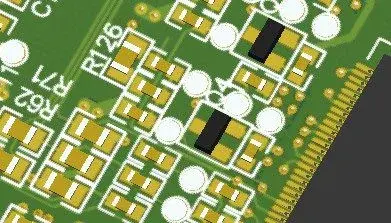
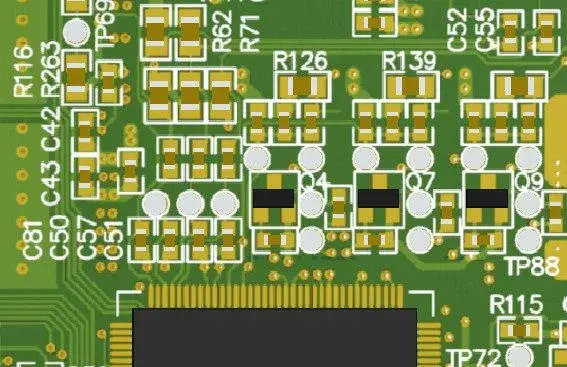
Good morning to all, I am facing problems in managing iges files exporting electronic cards.
I have to deliver 3d models to customers without them having the opportunity to isolate the components on the board (they need to see the work as a "skin")
to do this work in this way:
1) I make my set card
2) I carry it in iges only with surfaces and flat
3) if the customer wants the step I take it back as step after importing it
at this point to verify the amount to verify that everything is in place.
in some proe wf3 projects fails to export the iges file (is it perhaps a problem of size?), in other cases it exports it but when the lost amount of the surfaces on seemingly quiet components, without particular geometries (rectangles etc)
I looked at the log file showing the processes, I attach it.
in this specific case the iges was 125mb.
I know that when I take it out there are no reported problems, but when I try to import it there are open error reports, so it's true that ptc gets stuck and I have to close it from task managers.
I therefore ask:
a) Does anyone know if there are limitations in creating and importing iges files? (I can't use the step because it separates my components)
b) the analysis of the log file can be traced back to something to improve to make the import more reliable?
Thank you.
bookmarks
I have to deliver 3d models to customers without them having the opportunity to isolate the components on the board (they need to see the work as a "skin")
to do this work in this way:
1) I make my set card
2) I carry it in iges only with surfaces and flat
3) if the customer wants the step I take it back as step after importing it
at this point to verify the amount to verify that everything is in place.
in some proe wf3 projects fails to export the iges file (is it perhaps a problem of size?), in other cases it exports it but when the lost amount of the surfaces on seemingly quiet components, without particular geometries (rectangles etc)
I looked at the log file showing the processes, I attach it.
in this specific case the iges was 125mb.
I know that when I take it out there are no reported problems, but when I try to import it there are open error reports, so it's true that ptc gets stuck and I have to close it from task managers.
I therefore ask:
a) Does anyone know if there are limitations in creating and importing iges files? (I can't use the step because it separates my components)
b) the analysis of the log file can be traced back to something to improve to make the import more reliable?
Thank you.
bookmarks