OSCAR$
Guest
Good morning to all,
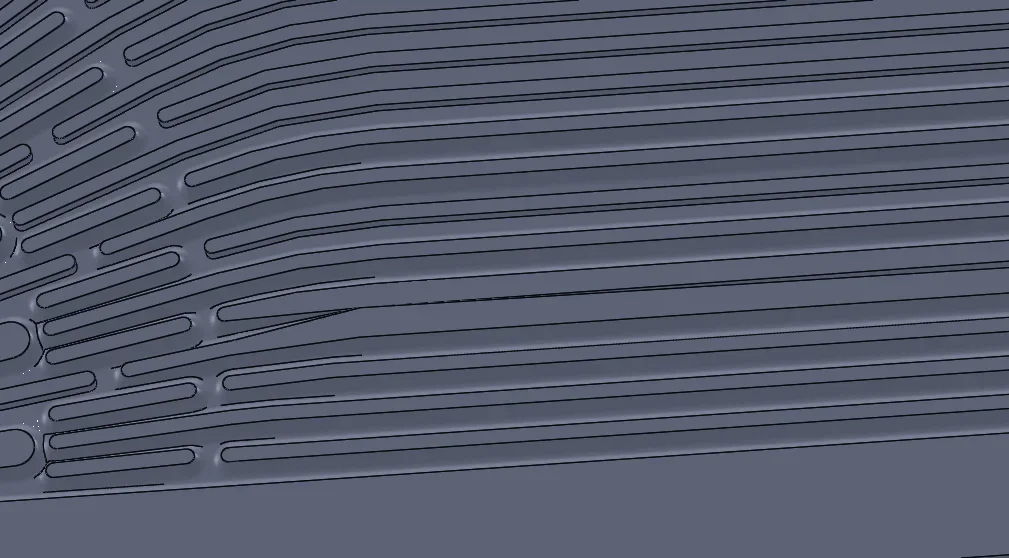
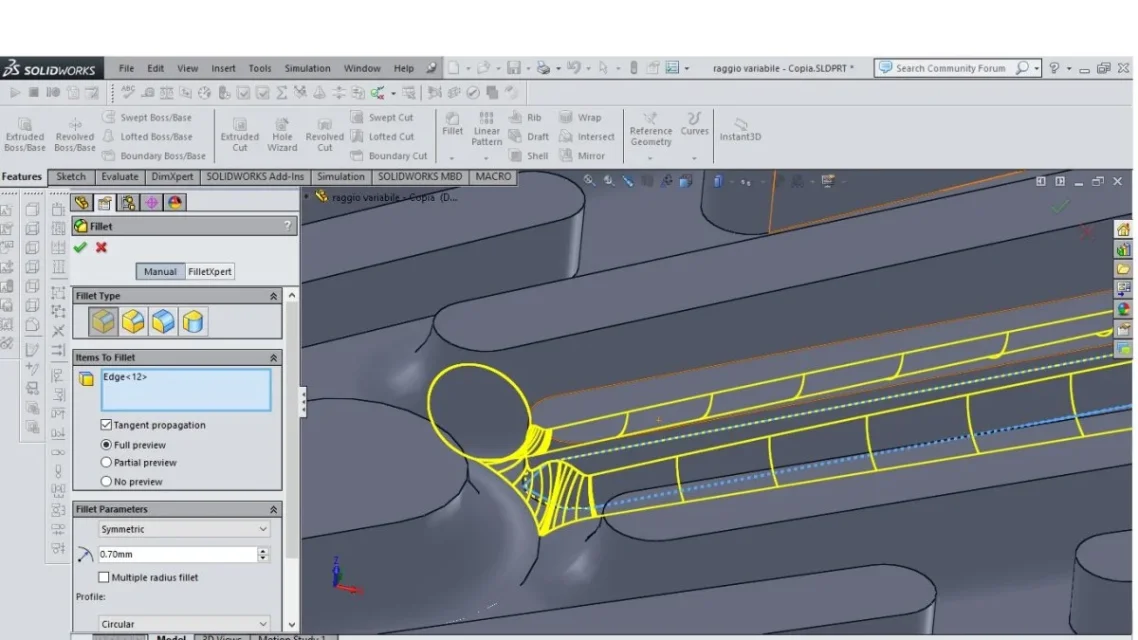
I made a series of elements, 32, on a plate and I need to collect them in the contact area with this.
to do this I made a simple macro, as the number of elements can be variable and I used a cycle for.
not all fittings are made, but only 6.
the edges to be connected are selected by the command selectbyid2, as I know their coordinates and I think it is the only available function that uses this method, for me necessary.
searching on the net I found that the method of selection has "problems", the image must be sufficiently zoomed and understand all the elements to be connected, which I did.
I tried to use the function Featurefillet3 inside and outside the for cycle, in the first case the macro creates only the first 6, while in the second it combines some elements.
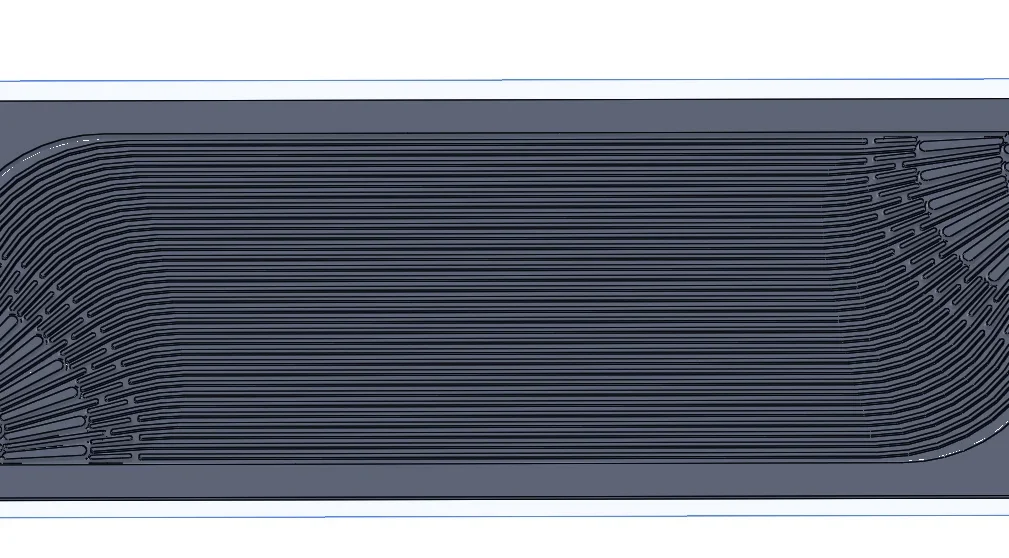
di seguito il programma in vba, sto usando solidworks 2015.
option explicit
dim swapp as sldworks.sldworks
dim part as sldworks.modeldoc2
dim boolstatus as boolean
dim longstatus as long, longwarnings as long
dim swmodview as sldworks.modelview
sub main()
set swapp = application.sldworks
set part = swapp.activedoc
set swmodview = part.activeview
dim passo, i as double
dim delta_y, x_0, z as double
x_0 = 159.26 / 1000
z = -1 / 1000
dim x_angle, y_angle as double
x_angle = -45
y_angle = 0
for i = 0 to 7
passo = (3.16 / 1000)
delta_y = (-5.5 / 1000) + (i * passo)
boolstatus = part.extension.selectbyid2("", "edge", x_0, delta_y, z, true, 1, nothing, 0)
next
dim radiiarray0 as variant
dim radiis0 as double
dim dist2array0 as variant
dim dists20 as double
dim conicrhosarray0 as variant
dim conirhos0 as double
dim setbackarray0 as variant
dim setbacks0 as double
dim pointarray0 as variant
dim points0 as double
dim pointdist2array0 as variant
dim pointsdist20 as double
dim pointrhoarray0 as variant
dim pointsrhos0 as double
radiiarray0 = radiis0
dist2array0 = dists20
conicrhosarray0 = conirhos0
setbackarray0 = setbacks0
pointarray0 = points0
pointdist2array0 = pointsdist20
pointrhoarray0 = pointsrhos0
dim myfeature as sldworks.feature
set myfeature = part.featuremanager.featurefillet3(195, 0.001, 0#, 0, 0, 0, 0, (radiiarray0), (dist2array0), (conicrhosarray0), (setbackarray0), (pointarray0), (pointdist2array0), (pointrhoarray0))
end sub
I made a series of elements, 32, on a plate and I need to collect them in the contact area with this.
to do this I made a simple macro, as the number of elements can be variable and I used a cycle for.
not all fittings are made, but only 6.
the edges to be connected are selected by the command selectbyid2, as I know their coordinates and I think it is the only available function that uses this method, for me necessary.
searching on the net I found that the method of selection has "problems", the image must be sufficiently zoomed and understand all the elements to be connected, which I did.
I tried to use the function Featurefillet3 inside and outside the for cycle, in the first case the macro creates only the first 6, while in the second it combines some elements.
di seguito il programma in vba, sto usando solidworks 2015.
option explicit
dim swapp as sldworks.sldworks
dim part as sldworks.modeldoc2
dim boolstatus as boolean
dim longstatus as long, longwarnings as long
dim swmodview as sldworks.modelview
sub main()
set swapp = application.sldworks
set part = swapp.activedoc
set swmodview = part.activeview
dim passo, i as double
dim delta_y, x_0, z as double
x_0 = 159.26 / 1000
z = -1 / 1000
dim x_angle, y_angle as double
x_angle = -45
y_angle = 0
for i = 0 to 7
passo = (3.16 / 1000)
delta_y = (-5.5 / 1000) + (i * passo)
boolstatus = part.extension.selectbyid2("", "edge", x_0, delta_y, z, true, 1, nothing, 0)
next
dim radiiarray0 as variant
dim radiis0 as double
dim dist2array0 as variant
dim dists20 as double
dim conicrhosarray0 as variant
dim conirhos0 as double
dim setbackarray0 as variant
dim setbacks0 as double
dim pointarray0 as variant
dim points0 as double
dim pointdist2array0 as variant
dim pointsdist20 as double
dim pointrhoarray0 as variant
dim pointsrhos0 as double
radiiarray0 = radiis0
dist2array0 = dists20
conicrhosarray0 = conirhos0
setbackarray0 = setbacks0
pointarray0 = points0
pointdist2array0 = pointsdist20
pointrhoarray0 = pointsrhos0
dim myfeature as sldworks.feature
set myfeature = part.featuremanager.featurefillet3(195, 0.001, 0#, 0, 0, 0, 0, (radiiarray0), (dist2array0), (conicrhosarray0), (setbackarray0), (pointarray0), (pointdist2array0), (pointrhoarray0))
end sub