• This forum is the machine-generated translation of www.cad3d.it/forum1 - the Italian design community. Several terms are not translated correctly.

project curves on a curved surface

  • Thread starter Thread starter Micheletecnospazio
  • Start date Start date

Micheletecnospazio

Guest
Hello, everyone. I come back here to ask the cad gurus some advice

so I should make a very special wave profile on a ring we say.. to be simple is this problem

type a sinusoid (with period not exactly constant but well determined)
the fact is that I managed to approximate it with a sketch on the tangent plane to the outer perish of the piece and then a beautiful extrude and then istance future around a datum axis in the center of the ring... (as this sinusoid is variable for a stretch then repeats constant)... the result is appreciable but unprecise

Is there no way to do it directly and accurately? ?
 
an image to make you understand what you need??
I'll do it as soon as possible. . Monday...
Anyway, I have to hide a ring... How to hide the ring that you have on your finger... All this... only on one side.. .
hello good weekend.. .
 
if I understand correctly you can use "wrap/unwrap" that develops or wraps a flat profile on a cylindrical or conical face.
Hi.
 
I don't know this function. Now I can't prove it because I'm not at work, but as soon as I get back, I try... So it's easier than I thought
... thanks omen.... wrap function... I don't know where it is but I hope to find it with the command finder
 
http://www.cad3d.it/forum1/showthread.php?t=21048I realized here is a similar discussion. the answer was there... next time I try better before opening another discussion
so there are two methods.methodif you use nx4 : insert - curve from curves - project where there is written "direct method" selections "equal arclength"

if you use nx5, 6 or 7 : insert - curve from curves - project where there is written "projection direction" selections "along vector" and then lower where there is written "projection option" selections "equal arc lenght"
ii method
wrap/unwrap
 
I tried to use the first method and it works. . .
But now, when I make the etrude, I'm just an extrude... not inside. .
It doesn't make me a usual... So when I do the substarct to create the hem I can't do it. . .
I see what happens in the annex ... offsetting the extrude to make the result even more visible....
Another problem is how do I make the extrude only along the spike I care about? ... I can do in fact only the extrude of the normal face to the face itself choosing a suitable along vector

thanks for the answers
 

Attachments

If it doesn't make you solid, problems can be two.
1) The profile is not closed
2) you have the variable that you find in "preference--> modeling" set on sheet body instead of on solid body and that is the variable that makes you that as soon as possible (i.e. when the initial and final profile is planar and closed and in the case of the extrude only the first) creates a solid.
I have failed to tell you that if the profile is not planar it does not create the solid between the valid options because you are talking about sketches so by definition it is planar.
 
I forgot.... the profile can be seen as "not closed" not only when there is an opening, but also when maybe you have segments that overlap creating wrong reasoning.
 
Thank you for your attention.. I didn't know how to proceed. . .
So the profile is closed... Now I cannot verify that there are overlaps of lines. I'll check in tomorrow and let you know. Of course they don't count the reference ones, do they?

you have the variable that you find in "preference--> modeling" set on sheet body instead of on solid body and that is the variable that makes you that as soon as possible (i.e. when the initial and final profile is planar and closed and in the case of the etrude only the first) creates a solid.I have to check. . But until now all the extruders made me solid... I believe it is set correctly

what is not clear to me of your intervention is this phraseI have failed to tell you that if the profile is not planar it does not create the solid between the valid options because you are talking about sketches so by definition it is planar.That means... the profile is obviously built a plan... All alone on a floor... the fact is that this plane is vertical... instead the wall on which I want to project my sketch is raw and tilted slightly in front of this plane... Isn't that important? The projection seems to make it egregious... However I repeat tomorrow that point-by-point control I let you know exactly the situation.... thanks
 
Thank you for your attention.. I didn't know how to proceed. . .
So the profile is closed... Now I cannot verify that there are overlaps of lines. I'll check in tomorrow and let you know. Of course they don't count the reference ones, do they?

you have the variable that you find in "preference--> modeling" set on sheet body instead of on solid body and that is the variable that makes you that as soon as possible (i.e. when the initial and final profile is planar and closed and in the case of the etrude only the first) creates a solid.I have to check. . But until now all the extruders made me solid... I believe it is set correctly

what is not clear to me of your intervention is this phraseI have failed to tell you that if the profile is not planar it does not create the solid between the valid options because you are talking about sketches so by definition it is planar.That means... the profile is obviously built a plan... All alone on a floor... the fact is that this plane is vertical... instead the wall on which I want to project my sketch is raw and tilted slightly in front of this plane... Isn't that important? The projection seems to make it egregious... However I repeat tomorrow that point-by-point control I let you know exactly the situation.... thanks
I'm sorry I was in a hurry, I missed a ride. I mean, you're extruding a projected curve...so... you can't extrude the sketch and cut it with offset surfaces before joining it or subtracting it? so you would work with a closed profile and slowly.
As for the variable from what you tell me is in place :finger:
 
Can't you extrude the sketch and cut it with offset surfaces before joining it or subtracting it? so you would work with a closed profile and plansuggest to extrude the sketch ...ok...so not the curves project on the sloped curve.... then with offset surfaces I give you the inclination... (but how do I give it to it with offset surfaces?).... and then remove it from the body
 
You do something... because I think I didn't really get the picture. sends the file to info@team3d.it and call 0341-700349 that we help you and solve :-)
p.s. after we explain here how we solved it
 
thanks to mauro bar
thanks also to marco flour

The problem has been solved. .
sketch plan and projection plan must be complanar
mine was a conical trunk surface... so not only cylindrical
This is why I didn't get a solid by extruding the projected profile (nx creates a solid only when the extruded strings are closed and stacked)

2. on the model first project the normal sketch to the conical face and then extruded in a direction.
practically develops the profile on a cylindrical face created ad hoc with a simple extrude, created a swept (here would be to discuss on its orientation with the guides you want) and used the surface to cut the solid.

thanks to all hello
 
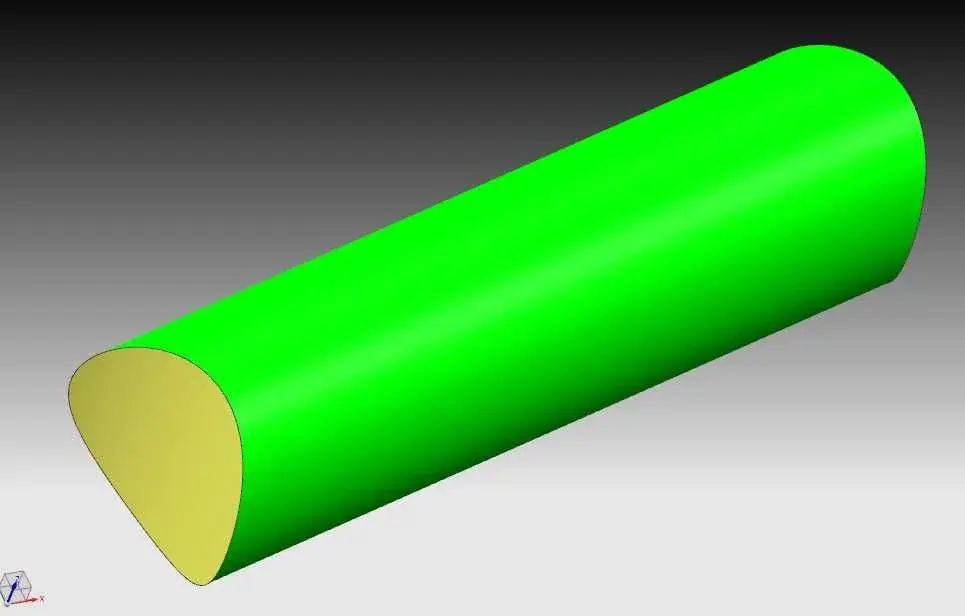
nx creates a solid even when the strings are not closed (offset) and even when they are not complanaries (see attached image).

Hi.
Hi ceschi.... thanks for your intervention.. and how do you get that solid there?... my case is a special case. . I speak of curves of a wrap or project curves on a cylindrical surface for example.. When I extrude it if I don't pull them out of a plotting plan just creates the contour not the solid full.. What do you use?
 
Hi ceschi.... thanks for your intervention.. and how do you get that solid there?... my case is a special case. . I speak of curves of a wrap or project curves on a cylindrical surface for example.. When I extrude it if I don't pull them out of a plotting plan just creates the contour not the solid full.. What do you use?
Hi, my intervention was 'general'. you can get solids in many ways using work around sometimes not just orthodox.
I didn't understand what you have to do, I looked at the pdf but I don't understand the same.
can you post the file? I would suggest you create a surface (ruled) between two projections on two offset solids. give thickness to this surface (thicken) and get a solid, but if I don't see what you have to do, only one hypothesis remains.

Hi.
 

Forum statistics

Threads
44,997
Messages
339,767
Members
4
Latest member
ibt

Members online

No members online now.
Back
Top