• This forum is the machine-generated translation of www.cad3d.it/forum1 - the Italian design community. Several terms are not translated correctly.

projections and gray iso views in drawing

  • Thread starter Thread starter emanuele grasso
  • Start date Start date
Guys. .
First question: what is a pdm
second question : I have been using catia for 2 years and I know quite well the form part, surfaces and drawing and product (which is obligatory). But there are those "closes" that make the program really smoother and less slender and one of them is the link with excel that I am studying at this time. I would like to learn how to put the basics on excel by putting in the first part only the commercial components and in the second part only the working components with the bulk quotas
Thank you.
for pdm falonef is the expert.. I don't have it, so I know to some point.
I know for sure that if there are more cathetical licenses in the office, the pdm handles the files already opened by others and warns you. which is not little.
then manages all the ways of the project.. and many other things again.

Excuse me. I have been using it for about 20 years and I can assure you that I still have things to learn.
the excel sheets find them very useful
1) finished the catproduct carry out in an excel file the distinct base, but I only carry the name of the catpart, the quantity, the maximum size, and its weight. max weight and size are the only variables within my catpart.
2) once exported this excel file, I add other columns , example :material, heat treatment, surface treatment, supplier and who has more to put it.
3) then in the catdrawing of the respective details. . I insert the created excel file and check the attributes in the cartiglio as I explained before.

ps: I created formats a0 a1 a2 a3 a4 with already inside the excel file and links to the attributes in the cartiglio, the name of the excel file is always identical for all orders.
then once assigned attributes in a0-a1-a2-a3-a4 formats.. the game is made forever.

if you have other questions.. I answer you
 
I didn't get ahahahah. I am 22 years old (a bat therefore) and I began to make the mechanical designer just 3 years ago month more less; I don't know what I'm saying. Anyway I understand what you mean and now I try to replicate what you said
 
But a question arises spontaneously victorious,
How do I create an excel file in casket?
 
another cicca:

It is known that if you open a .catdrawing through the links open its .catpart.
if the .catpart has been deleted or moved or simply should be subsidized by another cat file refuses because it does not rescind the uuid (see in the forum) within the new .catpart.

I recommend this procedure:
Save a blank .catpart template in a folder with all the main features you want.
when creating a new .catpart file, go to the folder of the .catpart of origin, and use the save function as “save as”.

In this way you will always use the same uuid and you will be easy to replace or recreate a missing component.
the same speech also applies in assembly design work environment.

we have applied this methodology with a skript but can also be done by hand.
the new .catpart files. .catdrawing and .catproduct always have the same uuid!! !
 
thank you falonef, of your chicca I had already taken note, in its time, from your post.
actually is a rogue
 
Guys. .
First question: what is a pdm
second question : I have been using catia for 2 years and I know quite well the form part, surfaces and drawing and product (which is obligatory). But there are those "closes" that make the program really smoother and less slender and one of them is the link with excel that I am studying at this time. I would like to learn how to put the basics on excel by putting in the first part only the commercial components and in the second part only the working components with the bulk quotas
Thank you.
a pdm is an integral solution that allows you to manage access, security, backups, changes and much more in your work environment.
search the forum or web and you will surely find so much material.
 
I would need another advice.. Is there a way to create the table holes without going to order each hole? i.e. I would like to draw a nice rectangle that encloses all the holes and then be able to order them automatically. Is there something like that?
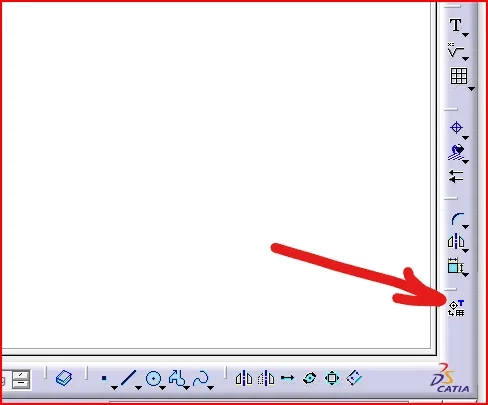
 
I would need another advice.. Is there a way to create the table holes without going to order each hole? i.e. I would like to draw a nice rectangle that encloses all the holes and then be able to order them automatically. Is there something like that?
depends on what version you have1618829488301.pngFrom 21 there is this command that automatically generates a table with all holes with relative xy coordinates and depth and a billion other information.
But... the good news is that if you make holes for subtraction . it does not work
and the other good news is that if you move a hole the table does not update
So... a perfectly useless command
 
we have developed an application that can also measure the depth of holes etc.

Of course if you update the 3d you also update the table inserted in the 2d with the coordinates etc.
 
is a macro in vb I imagine? :
my cat dealer had proposed me a macro that generated an excel file
but .. it was not practical at all and then you had to regenerate the excel file again in case of moving holes
Then at the end, I solved not by listing the position of the holes :)
using the cam.. it is useless to quote the position of the holes.
even for external jobs, in my case, almost everyone has the cam, so it does not need. I pass the step and I solved all the problems.
I go to quote only the holes that have precise functions in tolerance
 
I used to do the classic holes table.. Now I'll try that command.
However I connect to the speech of the cam and it happened to me that some millers (of cnc) challenged me the absence of the quotas of the holes.. So from now on I quote them in any case both the holes in tolerance that not
 
Sure. because they probably have a cam that doesn't drill, so they have to do it traditionally
 
ahhh okkei vabe
other question.. can you make the ball + distinct base only of the products?
 
I read now..
no.. it is not possible
you have to do it manually
select the view where you want to put the ball. .and give a number
 
The exported excel file gives you a summary of the products, sub-products and catparts.
 

Forum statistics

Threads
44,997
Messages
339,767
Members
4
Latest member
ibt

Members online

No members online now.
Back
Top
