VLK
Guest
Hopefully you've all spent a good summer (nn like the undersigned at lavura') I would have some easy to ask the most experienced.
1) Transparent objects (such as glass continuous facade panels, windows etc) are displayed in transparent 3d views while in non-transparent view. If you want to see not transparent elements in 3d views there is an option that I can use?(the only solution I found was to bring to 0 the transparency of the glass material but it seems to me the ideal solution because it is relocated in all 3d views)
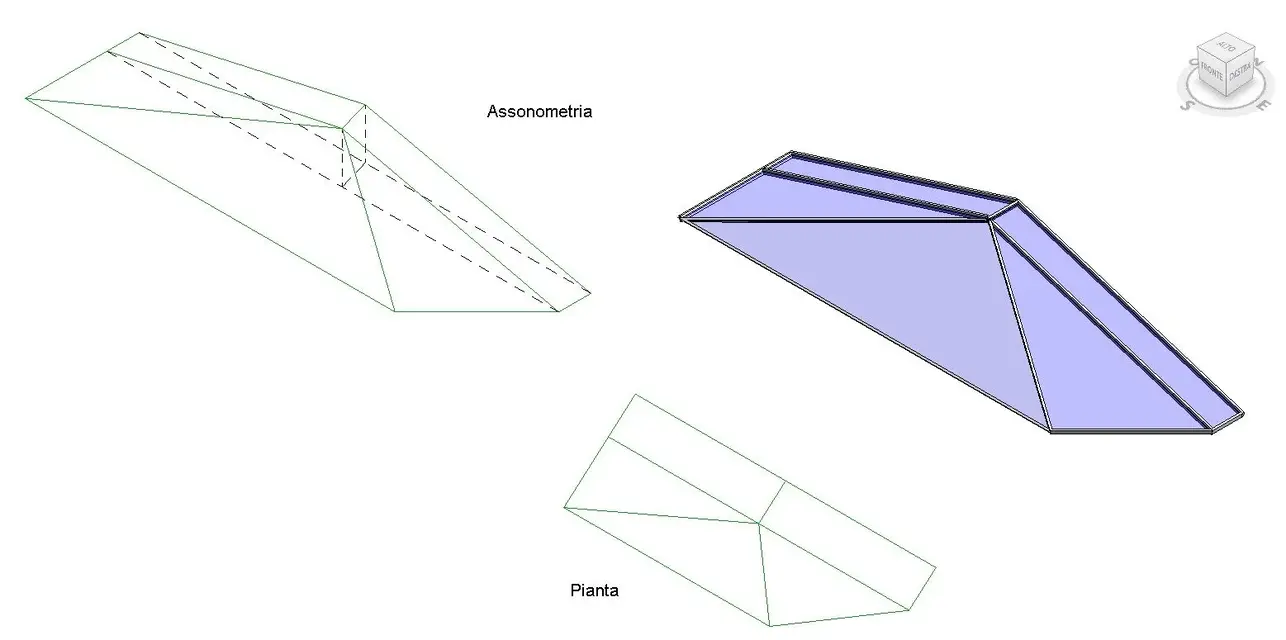
2) I have to build an irregular pyramid-shaped glazed cover of which I know the base and position of the summit. I tried with the roof command from perimeter but nn I can position the tilt arrows correctly and always gives me a mistake. (the only solution to calculate by hand the inclinations of the bonnets and insert them numerically but the resulate nn is never accurate).some knows how to tell me the best way to proceed?
3) some elements of the project (structural pillars, solo edges etc) which are covered by a small layer of plaster for example 1.5 cm remain rightly hidden as long as I am with a relatively close view but when I zoom from further on they begin to see more and more. I don't know if any of you happen or if they are actually drawn as they see the wrong monitors. Is there any kind of parameter to increase the accuracy of hidden or similar 3d views?
thank you very much in advance and good work to all:finger:
♪
1) Transparent objects (such as glass continuous facade panels, windows etc) are displayed in transparent 3d views while in non-transparent view. If you want to see not transparent elements in 3d views there is an option that I can use?(the only solution I found was to bring to 0 the transparency of the glass material but it seems to me the ideal solution because it is relocated in all 3d views)
2) I have to build an irregular pyramid-shaped glazed cover of which I know the base and position of the summit. I tried with the roof command from perimeter but nn I can position the tilt arrows correctly and always gives me a mistake. (the only solution to calculate by hand the inclinations of the bonnets and insert them numerically but the resulate nn is never accurate).some knows how to tell me the best way to proceed?
3) some elements of the project (structural pillars, solo edges etc) which are covered by a small layer of plaster for example 1.5 cm remain rightly hidden as long as I am with a relatively close view but when I zoom from further on they begin to see more and more. I don't know if any of you happen or if they are actually drawn as they see the wrong monitors. Is there any kind of parameter to increase the accuracy of hidden or similar 3d views?
thank you very much in advance and good work to all:finger:
♪