• This forum is the machine-generated translation of www.cad3d.it/forum1 - the Italian design community. Several terms are not translated correctly.

quotas levels in prospectus

  • Thread starter Thread starter winback84
  • Start date Start date

winback84

Guest
Bye to all,
I would like to ask you for help with a problem I have with revit. I just started using revit 2013. the problem is as follows:
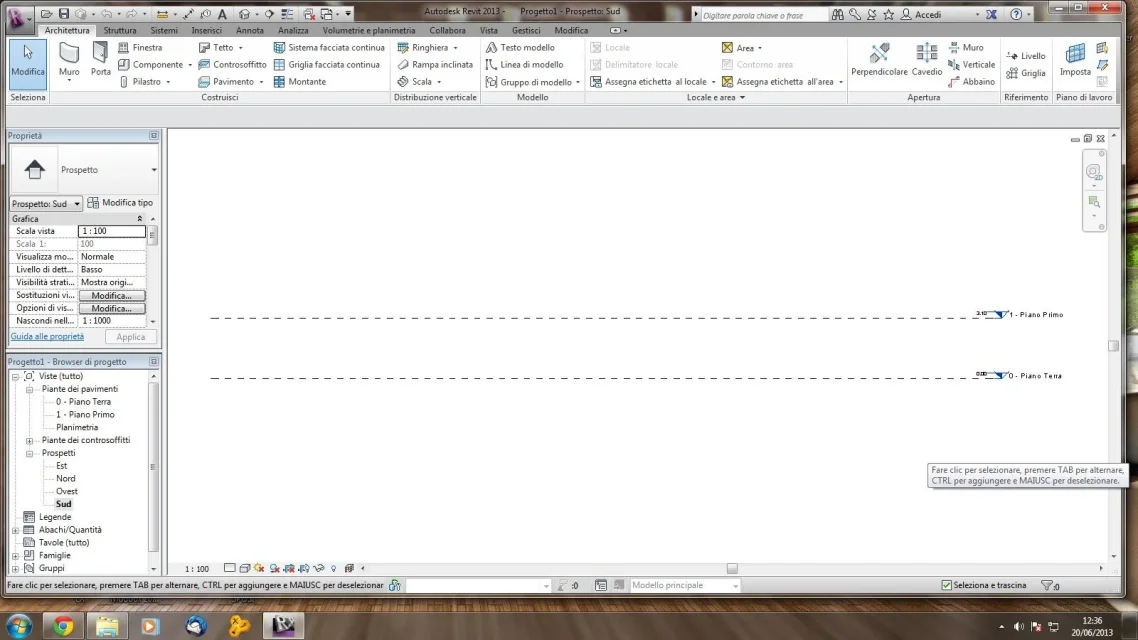
When I create prospective views, I do not see in the view the quotas of the levels that instead see if I use a new model.
I tried in the help, but I couldn't find anything. Thank you for your help.
soon
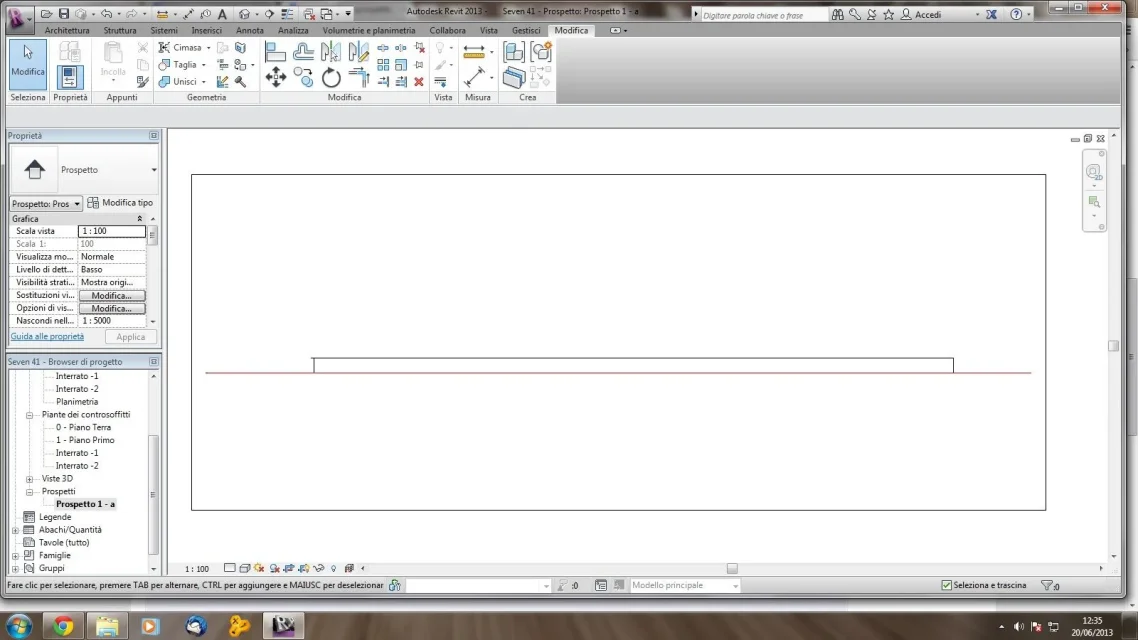
 
in fact in the assonometric/prospect views the levels are not seen. the only environment that you propose is the editor masses
 
Excuse me, if I select a prospect, I must be able to see the odds of the various plans. I repeat, if I open revit and start with a new file, in the prospect I can see quotas. you can also see it from pictures
01.webp02.webpI then take advantage of the post to ask you something: how do I see levels on other levels?
Thank you very much
 
Excuse me, if I select a prospect, I must be able to see the odds of the various plans.
but you talked about perspective views!!! perspective and perspective are two very different things, you know?
you have to replace visibility/graphics and turn on levels
 
Sorry guys,I am new to the forum and use revit for two days.sto crazy.I absolutely need to change the height of the text of the annotation that on every level,in the views prospectus for example,it gives me information on the height of the level itself.
I can rigidly do this through the change of scale, but if I want to keep the same scale and scale the text, I can't do it at all.
I tried to find different families of annotations but I can't get to the head.to help me!
 
you have to change the relative family at the end of the level. is easier to do than to explain though...
 
you have to change the relative family at the end of the level. is easier to do than to explain though...
thanks for the answer, could you tell me how to get to the management window of these things? thank you again!
 
to get there is simple. identify the family of end level used in the list of families (project browsers), and with the context menu right-click choose "change... "
 

Forum statistics

Threads
44,997
Messages
339,767
Members
4
Latest member
ibt

Members online

No members online now.
Back
Top