• This forum is the machine-generated translation of www.cad3d.it/forum1 - the Italian design community. Several terms are not translated correctly.

quotate fold axes and weight on incorrect cartilage

  • Thread starter Thread starter deep70
  • Start date Start date

deep70

Guest
Hello everyone,
I find myself struggling with a couple of problems that I don't understand how and why in the previous sw version it didn't happen to me,
I'm probably the one who made a few sets.
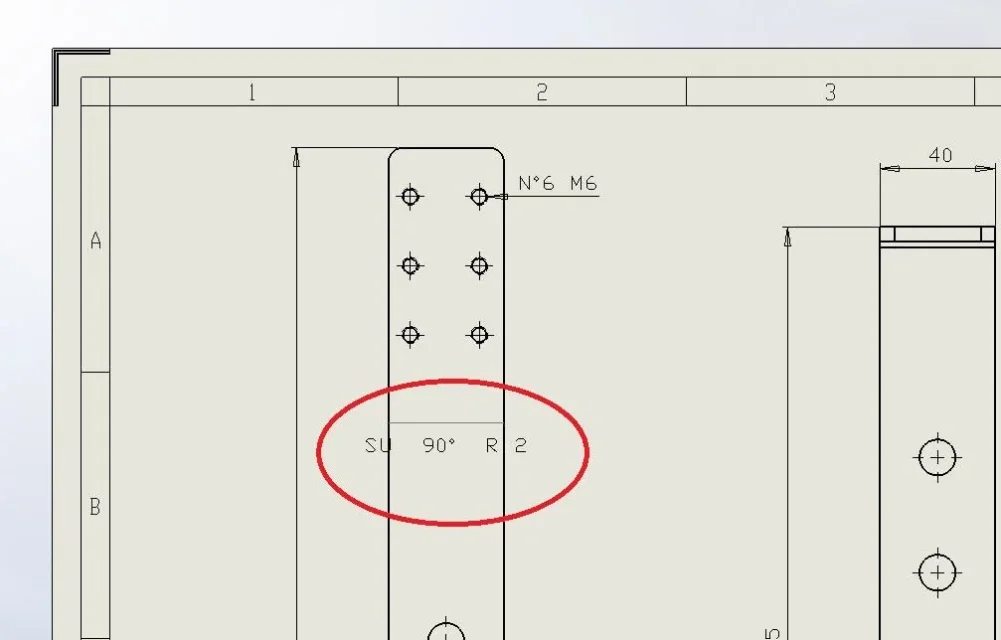
1- I can't quote the fold axis in a development.
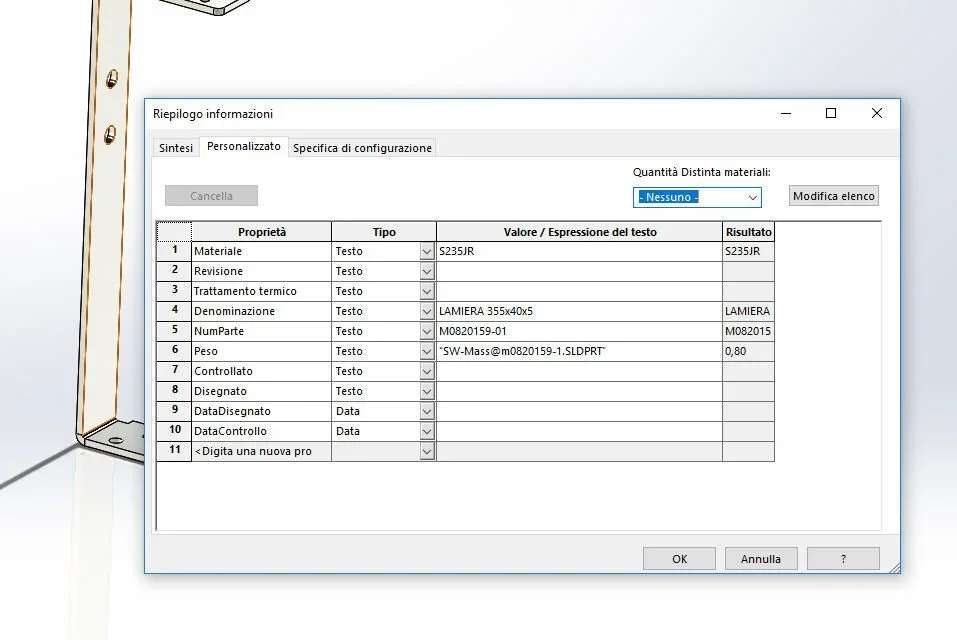
2- the weight even if properly connected to the properties is completely packed.
I attach as always a couple of pictures for more clarity.
Thank you all for the answers given and good evening.
 

Attachments

  • INFO1.webp
    INFO1.webp
    15.6 KB · Views: 10
  • INFO2.webp
    INFO2.webp
    27.7 KB · Views: 17
  • INFO3.webp
    INFO3.webp
    67.6 KB · Views: 14
Excuse everyone,
correction, the first question is resolved, always remains the incorrect weight problem.
 
the weight of the cartilage and of the cut distinction correspond. Is that the problem?

even the fold radius seems correct to me. but if you find a solution you could also share it.
Besides for a folded sheet it is advisable to attach the files to check if there is any set error or other instead of trying to extract from the images information of working processes
 
The problem? 795kg for a sheet?
you probably need to set something at the general options level. .
 
and should we understand and give a solution from an image?
However 795 is a number that must be related to the units of the part; the fact that on the cartiglio is written kg does not mean anything.

of that sheet you see only one part; for what we know below could widen for a few meters and that in the drawing is only a detail.
 
not compatible version.

in the paper you wrote 795 and in the usual 795 therefore the data combine; but who decided I'm kg? a writing in the cartilage certainly not.
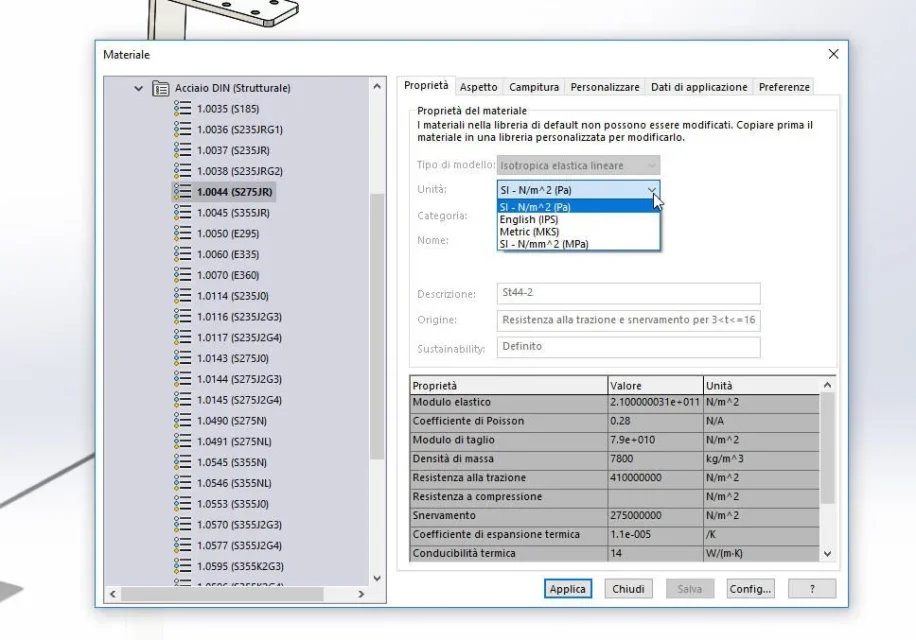
maybe it would be enough that you open the document options and verify the drives
 
I checked with the version (2017, which should be present on your profile) and the units of the attached part are in grams.
this establishes some things:
- attaching the file is better than attaching dozens of partial and/or misleading images
-insist on their positions is, almost never, useful
- must be clear in explanations and requests (I always have a high value(cit.).. does not mean anything if it is not argued)
 
small question for you massivonweizen, you who are the guru of the universe sw_xxx.
Is it possible to change those grams in kg in the cartella? I would like to see 0.8 instead of 795 appear.
I changed the settings from grams to kg but without result.
Hello and thank you again.
ps: As soon as I can put the file so you can check well what's wrong with it.
 
the units in part must be corresponding to the units you want to have in the cartige
 
what is not clear to you in the message:the units in part must be corresponding to the units you want to have in the cartilagethat means you have to have the design in kilograms you have to set the units of the part in kilograms; If you want to have the weight with a decimal in the design you have to put a decimal in the part.
 
what is not clear to you in the message:the units in part must be corresponding to the units you want to have in the cartilagethat means you have to have the design in kilograms you have to set the units of the part in kilograms; If you want to have the weight with a decimal in the design you have to put a decimal in the part.
Okay as soon as I get back, if anything if I don't ask you too much, could you do a test with the files I sent you? Now I'm not in the office and I can't check but honestly it seemed to have tried this thing, but it didn't give me the result in kg, it could be that I wronged or set something wrong
thanks anyway massivonweizen, always exhausting and wise.
 

Forum statistics

Threads
44,997
Messages
339,767
Members
4
Latest member
ibt

Members online

No members online now.
Back
Top