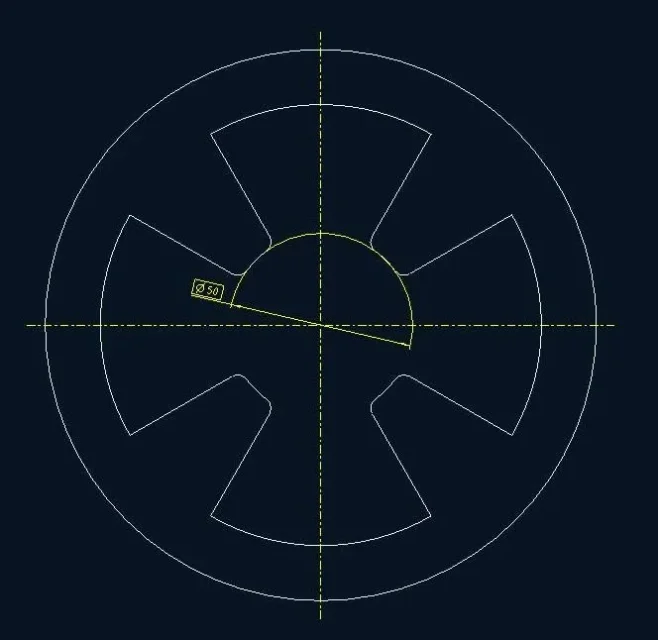
exact, so doing instead of making the quotation as radius (rxx) is quoted as diameter.Bye!
If I understand correctly, you should solve by clicking twice on the circumference arc you want to quote.
I had also tried this option but it doesn't make it as in the image even on this street...you are right, sorry but I return today from the holidays, and I am very slow :frown:....after clicking dx on the newly generated quota (as you rightly said) you must select "show as linear" (I have menus in Italian). .
for me it is right there that you will go to parare:wink:right to see if it is a *.dtl settings problem.
Bye-bye!for me it is right there that you will go to parare:wink:
I'd bet on it.
Yes, that yes, I was actually referring to something that would control the extension of the edge of the circumference arc (at least I did).to the eye comes to mind default_diadim_text_orientation parallel_to_and_above_leader.
for the square around the value then you only have to edit the properties of the quota and in the window display view just click your base